






Introduction to dial-up Internet software
Dial-up Internet access was the most common way for people to access the Internet in the 1990s when the Internet first came into existence. As long as the user had a personal computer, an external or built-in modem and a telephone line, he or she could apply for an account with the local ISP provider or purchase an Internet card. After having his or her own user name and password, the user could then connect to the Internet by dialing the ISP's access number. After entering the 21st century, some operators have gradually stopped analog dial-up Internet services such as 96163 and 96169.
Then you can use the dial-up software at will, either this software or the one that comes with the system.
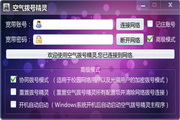
Dial-up Internet Installation Instructions
1. Download Dial-up Internet in Huajun Software Park, and you will get a software compressed package.

2. We then decompress the software compressed package and obtain the adsl.exe application.

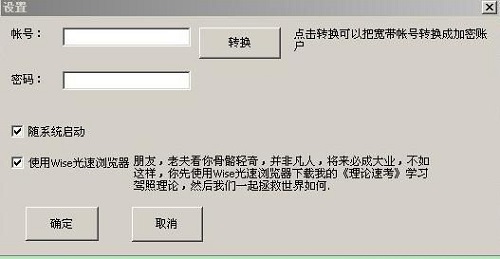
3. Double-click to open the adsl.exe application and you can connect to the Internet.
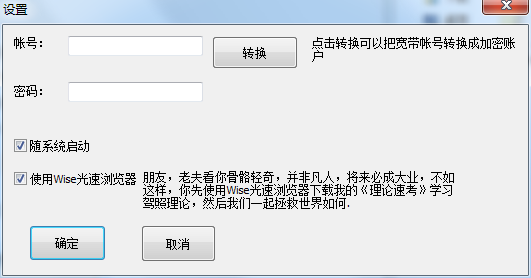
Dial-up Internet Instructions
This refers to the steps and operation content of dialing up to join the Internet through a local phone, from dialing 163XX (169XX) to being able to "walk" online. Taking Windows 95 users as an example, the steps and operation content of accessing the Internet are as follows:
Install dial-up networking
Install TCP/IP network protocol
Install MSIE or NetscapeNavigator browser to establish Internet connection
Run MSIE or NetscapeNavigator
Set up E-mail dial-up login and roam the Internet
Comparison of similar software
Broadband Auto-Dialing KingIt is a free dial-up software specially designed for the majority of domestic broadband dial-up users. The dial-up speed of Broadband Auto-Dial-up King software is very fast, and it takes up very few resources. It will automatically reconnect after being disconnected. Broadband Auto-Dialer is very convenient and practical, and the method of use is also very simple. After entering your broadband account number and password, you can access the Internet directly.
Bob broadband automatic dialing toolIt can be used for automatic dialing at startup and redialing to change IP. Users can send the program to the desktop or any location to generate a shortcut, and modify the shortcut target connection. Add ADSL account number + space + ADSL password at the end.
Huajun editor recommends:
Dial-up Internet access also fixes the bugs of the old version, beautifies the UI design, and provides more functions, aiming to provide users with better services. After many updates and optimizations, dial-up Internet access has become more user-friendly and simpler to operate. The editor of Huajun Software Park personally tested it and recommends it to everyone for download.



























Useful
Useful
Useful