




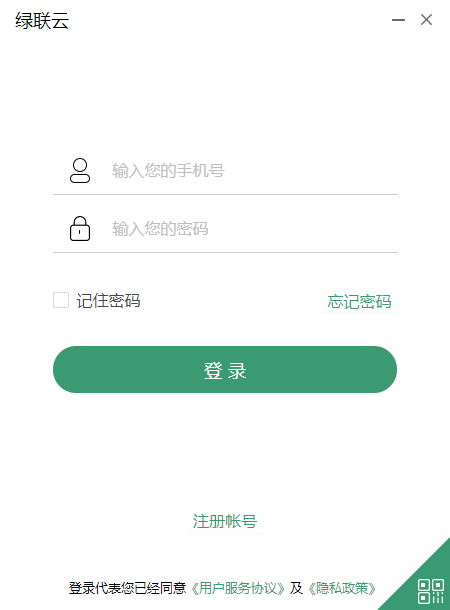
Green Alliance CloudSoftware function
Lvlian Cloud provides you with safe and stable file and data management services. Function introduction:
【Remote Access】Upload, download and share files anytime and anywhere;
【Automatic Backup】Automatically back up, so you no longer have to worry about losing important photos or files;
【Shared space】Easily share files with family and friends;
【Encrypted Space】Encrypted space is a secondary protection for secure storage in the cloud, protecting important data;
【Shared Device】You can invite 15 users to join the shared device;
【External Storage】Connect external storage devices to expand massive storage space;
【Offline Download】Supports BT seeds, HTTP, Magnet and other file downloads;
【Online playback】Audio and video stored in the cloud disk do not need to be downloaded, they can be played directly online and have fun.
How to use GreenLink Cloud
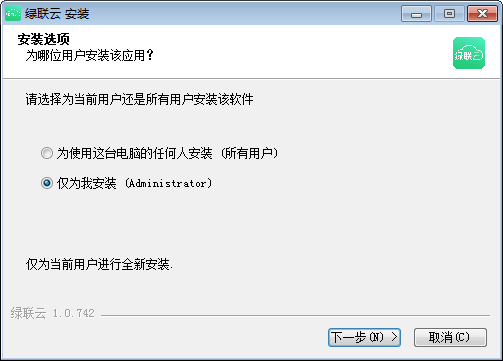
1. Download and install the software.
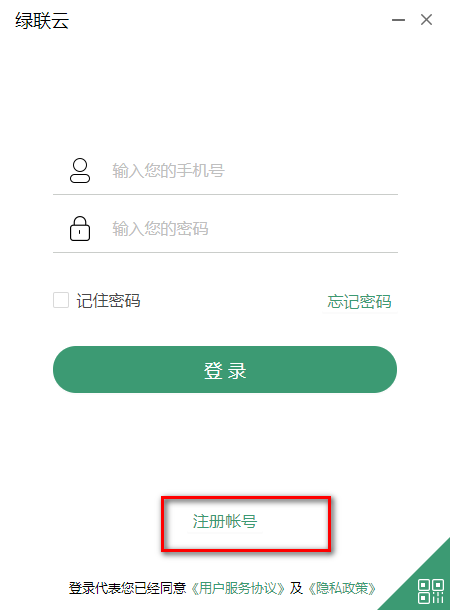
2. After the installation is completed, click Register to register a Green Alliance account and log in.
3. After logging in, set the storage address and it can be used.
Green Alliance Cloud update log
1. Fixed several bugs;
2. Optimize details;
Huajun editor recommends:
Lulian Cloud is so easy to use. It is one of the best software in network sharing. I believe friends who have used it will say it is easy to use. If you don’t like it, we still have it.Changyan Teaching Guide,Baidu enterprise network disk,Kingsoft Netdisk,Micro force synchronization,Universal printer driver expert




Useful
Useful
Useful