
Hot search terms: 360 Security Guard Office365 360 browser WPS Office iQiyi Huawei Cloud Market Tencent Cloud Store
Hot search terms: 360 Security Guard Office365 360 browser WPS Office iQiyi Huawei Cloud Market Tencent Cloud Store

web browsing Storage size: 10.29MB Time: 2022-11-03
Software introduction: Google Chrome PC version is a simple and convenient web browsing tool officially developed by Google. Google Chrome for PC can help...
Google Chrome browser is a web browsing tool developed by Google. It is built on open source software such as WebKit and Mozilla and is designed to improve the stability, speed and security of the browser. At the same time, Google Chrome is also committed to creating a simple, efficient and easy-to-use interface for users to make your online experience smoother and more enjoyable. Next, let Huajun editor explain to you how to import bookmarks into Google Chrome and how to import bookmarks into Google Chrome!
first step
Make sure Google Chrome is installed correctly on your computer, then double-click its icon to launch the browser.
Step 2
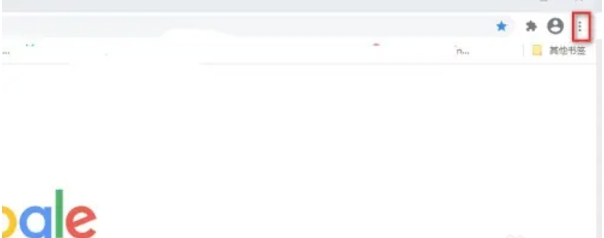
In the upper right corner of Google Chrome, you'll see an icon consisting of three dots. This is the browser's "Customize & Control" button. Please click on it.
Step 3
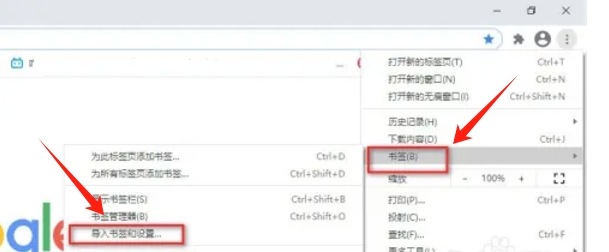
In the pop-up drop-down menu, find and click the "Bookmarks" option. Then, select "Import Bookmarks and Settings" in the lower-level menu.
Step 4
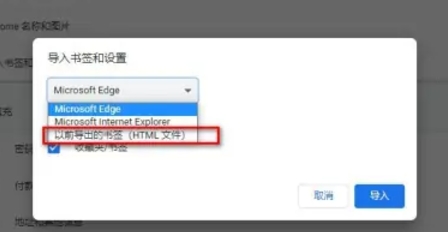
In the subsequent window, you need to select the source file of the bookmark. This is usually a previously exported bookmark HTML file. After selecting the file, click the "Import" button.
Step 5
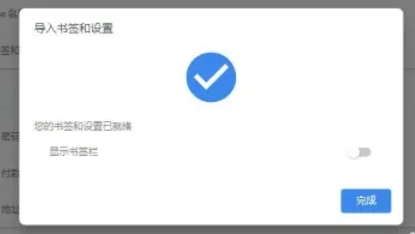
Once the import process is complete, Google Chrome will pop up a notification at the top or bottom letting you know that your bookmarks have been successfully imported. At this point, you can view and manage these newly imported bookmarks in the Bookmark Manager.
The above is how the editor of Huajun compiled for you how to import bookmarks into Google Chrome and how to import bookmarks into Google Chrome. I hope it can help you!

 How to add background music in python-How to add background music in python
 How to configure environment variables in python - How to configure environment variables in python
 How to run python - How to run python
 How to create a project in python - How to create a project in python
 How to make a blue sky background with scratch-How to make a blue sky background with scratch
 Steam
Steam
 Tencent Video
 WPS Office
 iQiyi
iQiyi
 Sohu video player
 Lightning simulator
 MuMu emulator
 Eggman Party
 WPS Office 2023
 What to do if there is no sound after reinstalling the computer system - Driver Wizard Tutorial
 How to switch accounts in WPS Office 2019-How to switch accounts in WPS Office 2019
 How to clear the cache of Google Chrome - How to clear the cache of Google Chrome
 How to fire bullets in scratch-How to fire bullets in scratch
