Hot search terms: 360 Security Guard Office365 360 browser WPS Office iQiyi Huawei Cloud Market Tencent Cloud Store
Hot search terms: 360 Security Guard Office365 360 browser WPS Office iQiyi Huawei Cloud Market Tencent Cloud Store

programming tools Storage size: 27.50 MB Time: 2022-12-05
Software introduction: Python is a general-purpose computer programming language. Python is a very beneficial tool for programmers, allowing you...
Python is a well-designed modern programming language created by Guido Van Rossum. It emphasizes the readability of the code and uses indentation to define code blocks to make the program clear. Python has a large and active community, providing a large number of third-party libraries (such as Django, Pandas, TensorFlow) covering the fields of website development, data analysis, artificial intelligence, scientific computing and automated scripts. It is known as the "glue language" and can easily connect components written in other languages together. Next, let the editor of Huajun explain to you how to run python and how to run python!
first step
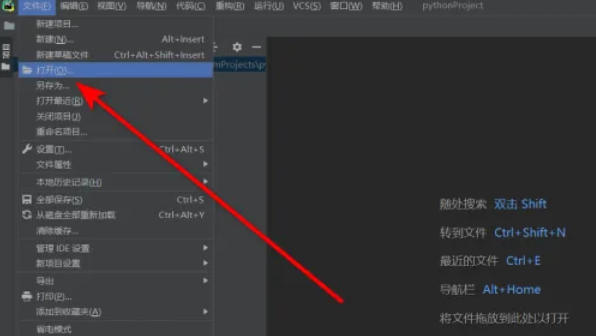
Start PyCharm and click [File] → [Open] on the menu bar.
Step 2
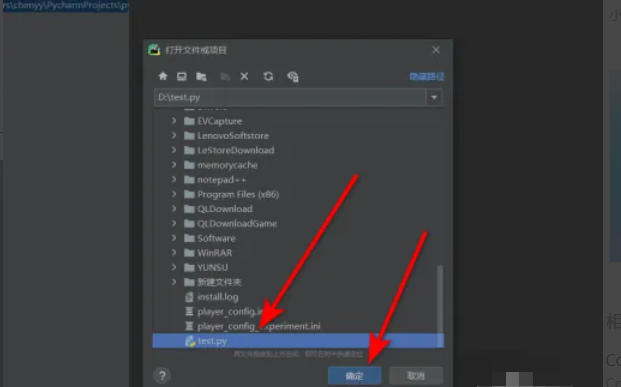
Select your .py file in the pop-up window and click OK (or double-click the file directly).
Step 3
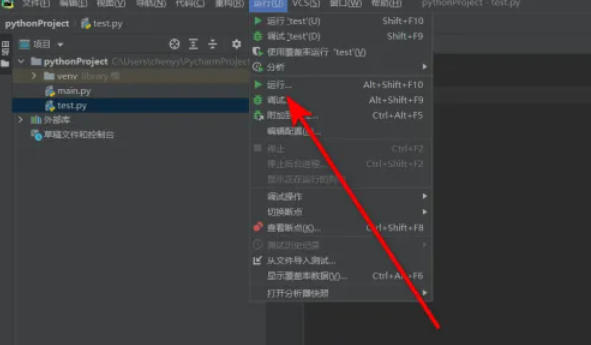
Click [Run] → [Run] on the top menu bar.
Step 4
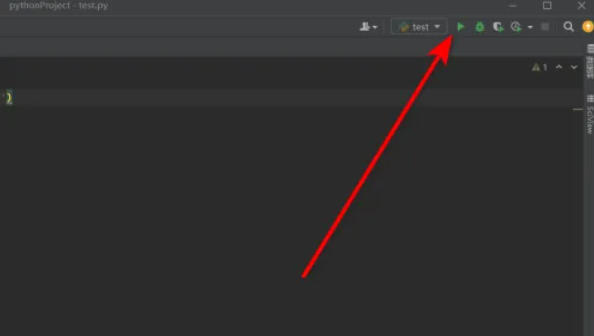
In the upper right corner of the code editing area, find the green triangle run button and click it to run.
Step 5
Right-click the file content in the editor and select [Run ‘file name’].
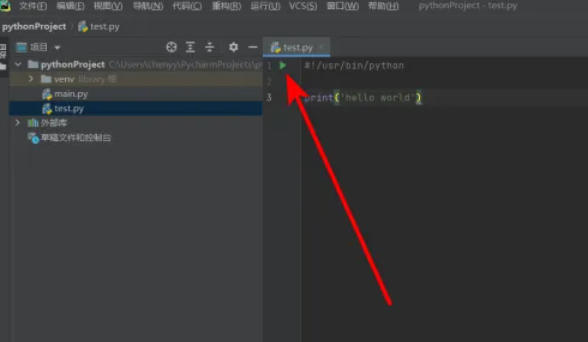
Step 6
After running, the [Run] tool window will pop up at the bottom, displaying the output results of the program (such as print content, error messages, etc.).
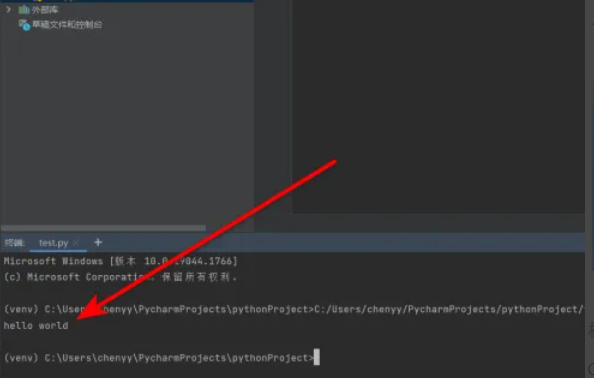
The above is how to run python and the method of running python compiled by Huajun editor for you. I hope it can help you!

 How to add background music in python-How to add background music in python
 How to configure environment variables in python - How to configure environment variables in python
 How to create a project in python - How to create a project in python
 How to make a blue sky background with scratch-How to make a blue sky background with scratch
 Steam
Steam
 Tencent Video
 WPS Office
 iQiyi
iQiyi
 Sohu video player
 Lightning simulator
 MuMu emulator
 Eggman Party
 WPS Office 2023
 What to do if there is no sound after reinstalling the computer system - Driver Wizard Tutorial
 How to switch accounts in WPS Office 2019-How to switch accounts in WPS Office 2019
 How to clear the cache of Google Chrome - How to clear the cache of Google Chrome
 How to fire bullets in scratch-How to fire bullets in scratch