
-
Haima Apple Assistant
- Size: 46.14M
- Language: Simplified Chinese
- Category: digital tools
- System: WinAll









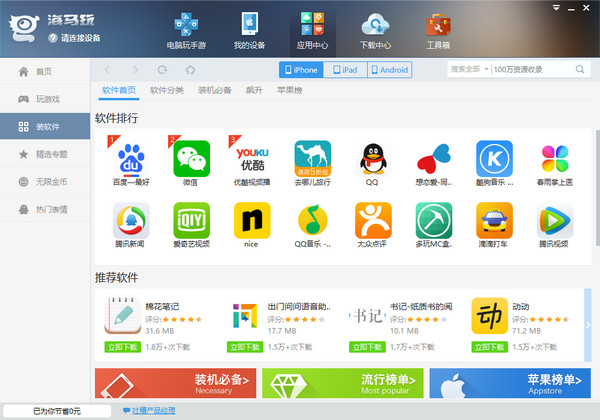
Haima Apple AssistantIt is a mobile phone management software that installs genuine Apple applications for free. Haima Apple Assistant is easy to operate. Just install it and you can manage your phone and install apps. Haima Apple Assistant is also very comprehensive and can provide you with software, games, wallpapers and other types of resources. Not only that, Haima Apple Assistant has fast download speed and can be used without jailbreaking. Huajun Software Park provides you with the official download of Haima Apple Assistant.
Features of Haima Apple Assistant software
1. Massive genuine applications can be downloaded for free, no need to jailbreak, just one-click installation.
2. Popular online games with deep discounts. Let you spend less money and enjoy greater gaming fun.
3. Get value-for-money game gift packs for free, and even more value-for-money VIP exclusive gift packs.
4. Haima VIP service, exclusive customer service, recharge buffs, high-end gift packages, and game equipment customization will give you unexpected excitement.
5. High-speed downloading, just one touch. No need to wait for the download and installation experience, enjoy the happiness delivered to your fingertips.

Haima Apple Assistant installation steps
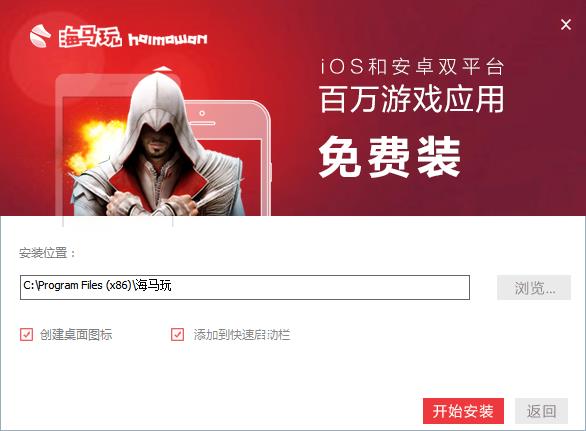
1. First, you need to download the Haima Apple Assistant installation package from this site. After the download is completed, you will get the installation file. Double-click the left mouse button to run the exe file to enter the Haima Apple Assistant installation interface. As shown in the figure below, the installation interface is very simple.

2. You can install the Haima Apple Assistant software in two ways. The first is to install it by default. Just click the quick installation option on the installation interface. The software will be installed to the system C drive by default. Or click Custom Installation in the lower right corner of the interface. The interface in the picture below will appear. Click Browse to select the appropriate installation location. There are two options below the interface to create a desktop icon and add to the quick launch bar, which can help you quickly find and start the Haima Apple Assistant software. After selecting, click the Start Installation option at the bottom of the interface. (The editor recommends that users choose custom installation and find a suitable installation location. The C drive is the system drive. Too much software will cause the computer to run slowly.)
3. After clicking Start Installation, Haima Apple Assistant will start to install. You only need to wait patiently for the installation to complete and the interface in the picture below will appear. This means that the software has been successfully installed on your computer. You can click the Try Now option on the interface to close the installation interface and open the software to experience its functions.

How to use Haima Apple Assistant
1. In the Haimawan interface, click My Device, connect your phone, and you can transfer files online and more.
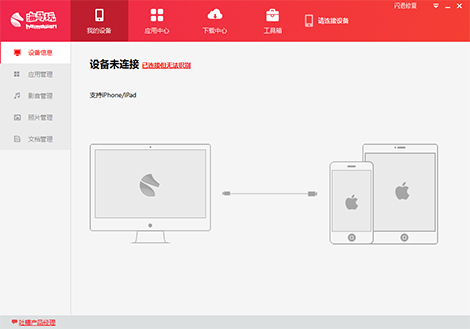
2. In the application center, you can find your favorite applications according to categories and click to download.

3. In the download center, you can see the progress of your software download and the downloaded applications.
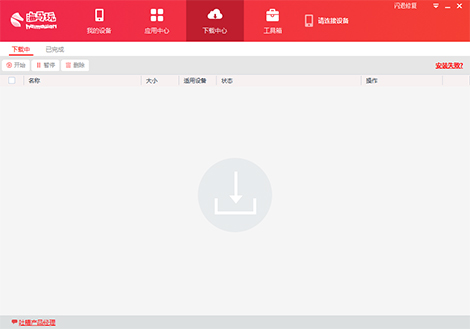
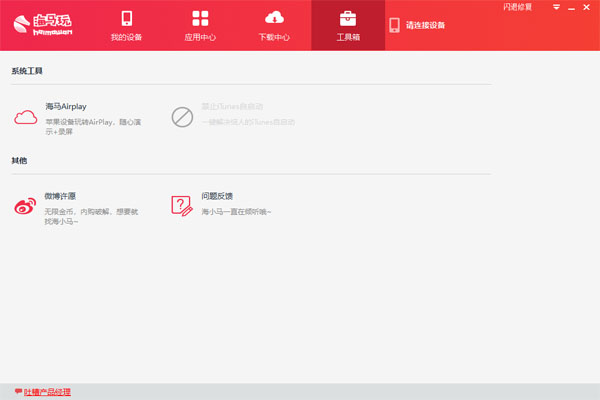
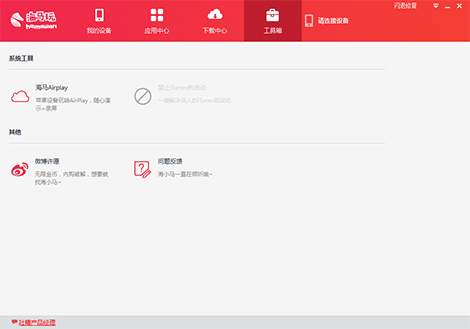
4. In the toolbox, you can select applications based on system tools and other tools.
Haima Apple Assistant FAQ
What should I do if my Apple phone cannot be recognized after it is connected to the Haima Assistant computer?
1. Check whether the Haima Apple Assistant version you are using is a new version, because the old version may have bugs
2. If there is no problem with the version, then there may be a problem with the connected data cable. The data cable may have poor contact or problems.
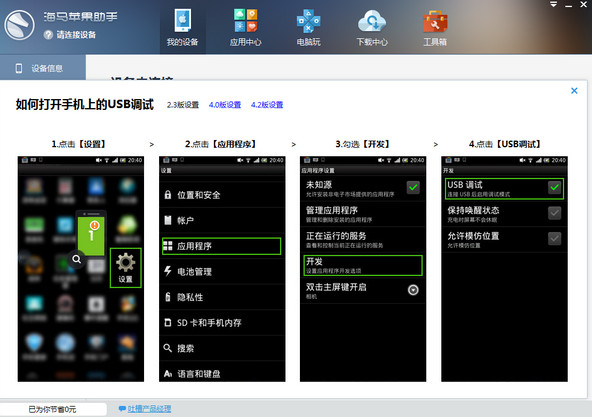
3. If it is not a problem with the data cable, then check whether the [USB debugging] function on the phone is not turned on.
4. If none of the above methods produce results, it is recommended to restart the computer and mobile phone and then connect again to check.
Haima Assistant vs. Kuaiyong Apple Assistant
Haima Assistant supports software download, installation and management for iOS devices. Compared with similar software, it has a refreshing interface, smooth operation, fast downloading, massive resources, no need to jailbreak, no Apple ID, and free download and installation of massive genuine resources.
Quickly use Apple AssistantIt is simple to operate, safe and secure, has fast download speed, and does not require jailbreaking. It allows Apple mobile phone users to install genuine application software for free without jailbreaking. Its characteristics are:
1. Easy to operate, no need to register or log in, no matter whether the phone is jailbroken or not, no need to connect to itunes, download and install Apple games and software with one click.
2. A large number of games and software, with a large number of updates every day.
3. It is safe and can be used directly without jailbreaking.
4. The software is compact and efficient, downloading is completed instantly, startup is quick, and system resource consumption is extremely low.
Having said so much, I believe everyone has a certain understanding. However, the one that suits you is the best. If you like to use Apple Assistant quickly, Huajun Software Park also provides downloads!
Haima Apple Assistant update log
Fixed some bugs
|
Recommended by Huajun editor Haima Apple Assistant is a very practical mobile phone management software with simple operation and diverse functions. It can not only help you manage your mobile phone, but also provide you with a variety of resources such as videos, music, wallpapers, etc., providing you with a fast and efficient experience. In addition there areApple Flash Assistant,Quickly use Apple Assistant,Kingsoft Mobile AssistantRecommended to everyone, come and try downloading and installing it! |
Version: 5.0.1 Official version | Update time: 2024-12-26
Similar recommendations





Latest updates





Explanation of the operation process of Haima Apple Assistant
Description of the operation process of Haima Apple Assistant download software
How to upgrade software in 360 Software Manager? -How to upgrade software in 360 Software Manager
How to draw a lottery in 360 Software Butler - How to draw a lottery in 360 Software Butler
Haima Apple Assistant Review
-
1st floor Huajun netizen 2019-08-13 08:35:39Haima Apple Assistant is very useful, thank you! !
-
2nd floor Huajun netizen 2020-03-09 07:18:24The interface design of Haima Apple Assistant is easy to use and has rich functions. I highly recommend it!
-
3rd floor Huajun netizen 2022-03-29 20:22:47Haima Apple Assistant software is very easy to use, downloads quickly and is very convenient!
Recommended products






- Diablo game tool collection
- Group purchasing software collection area
- p2p seed search artifact download-P2P seed search artifact special topic
- adobe software encyclopedia - adobe full range of software downloads - adobe software downloads
- Safe Internet Encyclopedia
- Browser PC version download-browser download collection
- Diablo 3 game collection
- Anxin Quote Software
- Which Key Wizard software is better? Key Wizard software collection




