Some partners said that they are not familiar with the Haima Apple Assistant software and do not know the related operations. So how to use the Haima Apple Assistant? Please see the following introduction to the use and operation process of the Haima Apple Assistant.
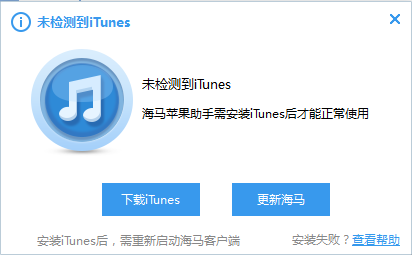
1. First, double-click to open the Haima Apple Assistant software. You will be prompted that iTunes is not installed, because Haima Apple Assistant needs to install iTunes before it can be used normally. As shown in the figure, click to download iTunes first. After the download and installation is completed, we will run the Haima Apple Assistant software.
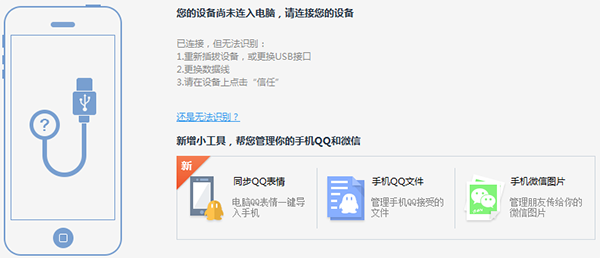
2. After opening the Haima Apple Assistant software, you will enter the main interface. At this time, you need to connect the mobile device to the computer. After connecting to the computer through the mobile phone data cable, the Haima Apple Assistant software interface will display the specific information of the Apple phone. Then proceed to the next step.
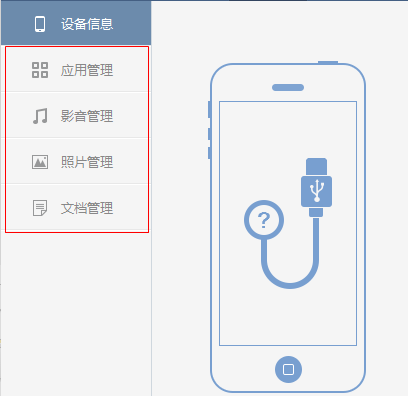
3. After the Haima Apple Assistant is connected to the mobile device, you can see options such as device information, application management, audio and video management, document management, etc. on the left side of the interface. You can click this option to manage the mobile phone. There is also an application center at the top of the interface. You can download the desired application in the application center and import it to the phone.
Come and learn how to use Haima Apple Assistant, it will definitely help everyone.