
-
Orange Notes
- Size: 69.7M
- Language: Simplified Chinese
- Category: Note management
- System: Win






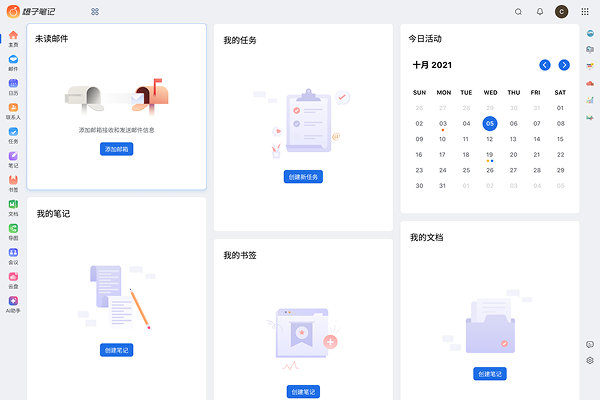
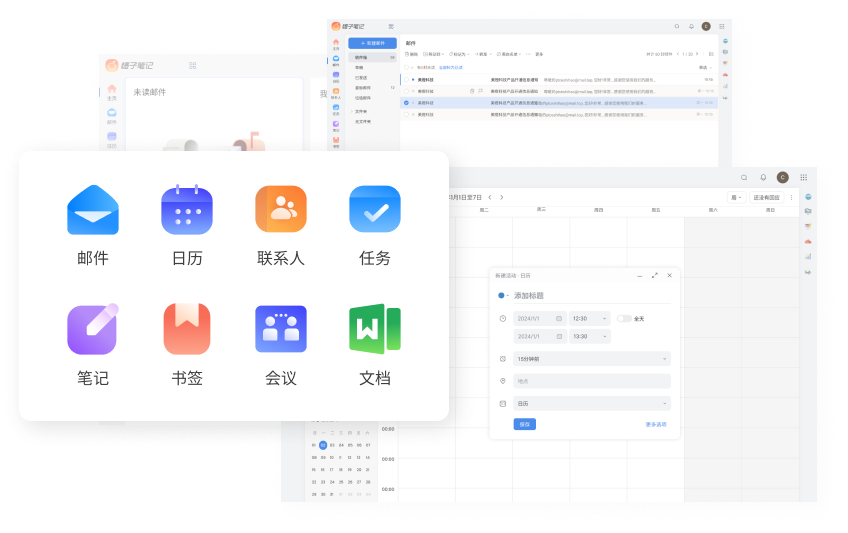


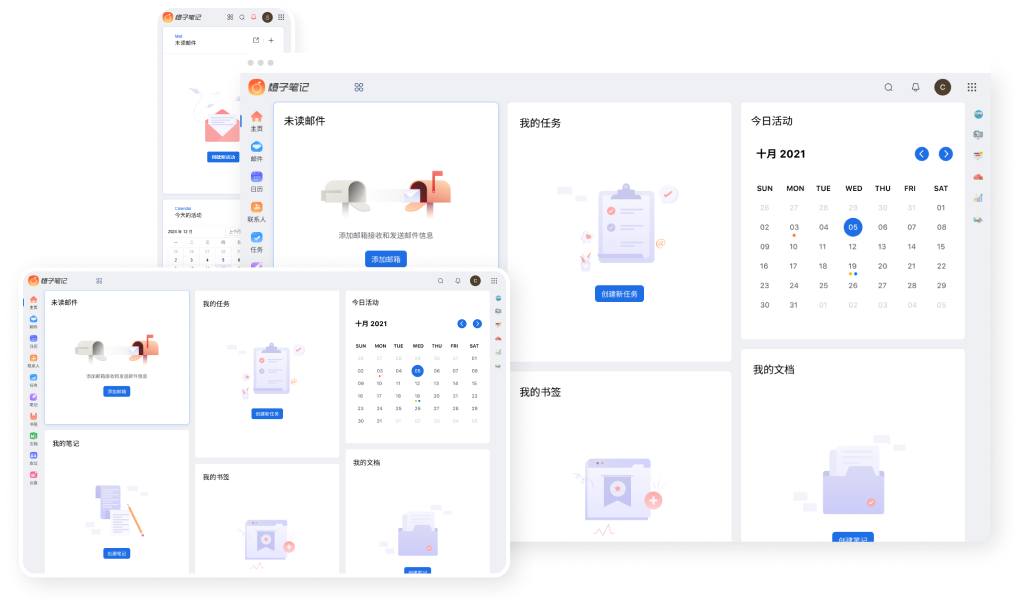
Orange Notes, a free online note-taking application, can record all thoughts, studies, work projects and other records anytime and anywhere. It is simple, convenient and easy to operate. It integrates a variety of applications and is empowered by AI. It can easily implement schedule planning and reminders, mailbox aggregation and sending and receiving, etc., to meet the different needs of individuals and teams.
Features of Orange Note Software
Cross-platform support for multi-terminal synchronization
Supports multiple operating systems. No matter on mobile phone, computer or IPAD, you can access and process notes at any time, automatically save them in real time, and seamlessly synchronize data in the cloud.
Diverse note editing records
Whether it’s to-do notes, meeting minutes, project tasks, life reminders, etc., it’s at your fingertips; it supports text, pictures, tables and other types.
Quickly share and collaborate with multiple people
Task assignment, note sharing, etc., support group creation, document co-creation, online editing is visible in real time, more suitable for team work
Mail aggregation sending and receiving
Integrated mailbox functions, supports aggregation of major mailbox services, real-time sending, receiving, and forwarding of emails, integrated AI functions, intelligent letter writing, and AI translation
Friendly interface and multi-function integration
The interface is simple and easy to use. It supports associated events and notes, making it easy to implement schedule planning and reminders; it integrates rich functions such as contacts, bookmarks, calendars, cloud disks, and meetings.
Orange Notes FAQ
How to deal with data loss?
Emergency measures:
Stop using the device immediately to prevent new data from overwriting old data.
Recovery method:
Try restoring from cloud backup or local backup.
If the backup fails, contact customer service (support@orange-note.com) to submit a data recovery application.
Orange Notes update log:
1. Optimized some functions
2. Solved many intolerable bugs
Huajun editor recommends:
It is highly recommended to download Orange Notes. Whoever uses it will know. Anyway, I have already used it. In addition, Aimo Brain Map, .NET, and Cloud Machine Manager are also good software. Welcome to click to download and experience it!
Version: 1.1.2.0 | Update time: 2025-06-26
Similar recommendations





Latest updates



Orange Notes Review
-
1st floor Huajun netizen 2025-03-23 15:52:23The interface design of Orange Note is easy to use and has rich functions. I highly recommend it!
-
2nd floor Huajun netizen 2025-03-10 01:41:56Orange note software is very easy to use, downloads quickly and is very convenient!
-
3rd floor Huajun netizen 2025-03-27 11:37:31Orange Notes is great! 100 million likes! ! !
Recommended products
-

Windows software packages
-

Evernote
-

Mini timed reminder tool
-

Performance Memo
-

Logistics warehouse visitor registration management system software
-

Time-based one-card cashier management system software
-

Memo (desktop memo)
-

Employee points system management work task management system
-

Visitor Management System Software
-

URNotes Desktop Notes
- Diablo game tool collection
- Group purchasing software collection area
- p2p seed search artifact download-P2P seed search artifact special topic
- adobe software encyclopedia - adobe full range of software downloads - adobe software downloads
- Safe Internet Encyclopedia
- Browser PC version download-browser download collection
- Diablo 3 game collection
- Anxin Quote Software
- Which Key Wizard software is better? Key Wizard software collection




