
-
Sonne DVD Creator
- Size: 49.34M
- Language: Simplified Chinese
- Category: burning software
- System: winall







The latest version of Sonne DVD Creator is a very professional and practical DVD burning tool. Sonne DVD The latest version of Creator software is very simple to operate. The software also has a built-in burning disc option to transfer your favorite DVD creations to a physical disk for storage and later use. Sonne DVD The PC version of Creator also supports paging or chapter menus, and also provides users with the option to insert regular menus along with background music.
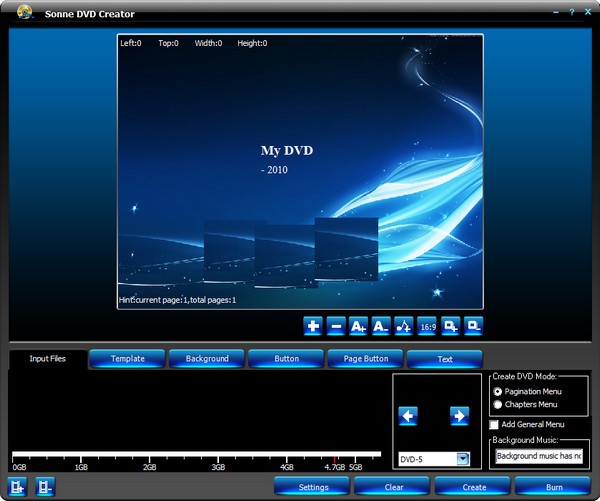
Sonne DVD Creator software introduction
Sonne DVD Creator is a powerful DVD burning tool that supports multiple formats, such as AVI, DivX, Xvid, MPEG, WMV, etc. It has a very intuitive functional interface and can burn quickly.
Sonne DVD Creator function introduction
This application allows you to create DVDs not only from popular video formats, but also using NTSC or PAL video standards with aspect ratios of 4:3 and 16:9 and resolutions of 720x480/ 720x576.
The recorder has general burning options such as burning speed, disc label and publisher name, while some disk drive options are also available. Also included is a progress bar that allows users to track the progress of the disk burning process.
The built-in burning disc option also allows users to transfer their favorite DVD creations to physical disks for storage and later use.
The software application also allows users to provide custom menus while also inserting music for a more personalized feel.
The application also supports pagination or chapter menus and also provides users with the option to insert regular menus along with background music.
The installation steps are very simple and in just a few minutes you can fully enjoy the functionality of the application.
Sonne DVD Creator Software Features
DVD movie quality
This application allows you to create DVDs not only from popular video formats, but also using NTSC or PAL video standards with aspect ratios of 4:3 and 16:9 and resolutions of 720x480/ 720x576.
Personalized DVD menu
The software application also allows users to provide custom menus while also inserting music for a more personalized feel.
Users can download additional templates from the developer’s website, allowing for added control and making it easy to set their ideas in place.
A text input area is also available, so you can write your favorite comments or special quotes on the DVD.
Very easy to install
The installation steps for Sonne DVD Creator are very simple and in just a few minutes you can fully enjoy the functionality of the application.
The application also supports pagination or chapter menus and also provides users with the option to insert regular menus along with background music.
Burning disc options
The built-in burning disc option also allows users to transfer their favorite DVD creations to physical disks for storage and later use.
The recorder has general burning options such as burning speed, disc label and publisher name, while some disk drive options are also available. Also included is a progress bar that allows users to track the progress of the disk burning process.
Overall, the application is very stable, easy to use, and has a nice design, so all users can try it even if they don't have much computer experience. One of the great things about this interface is that it makes everything very simple.
Sonne DVD Creator installation steps
1. Download the latest version of Sonne DVD Creator software package at Huajun Software Park
2. Unzip the Sonne DVD Creator software and run the "EXE. file"
3. Double-click to open, enter the Sonne DVD Creator software interface, and click Next
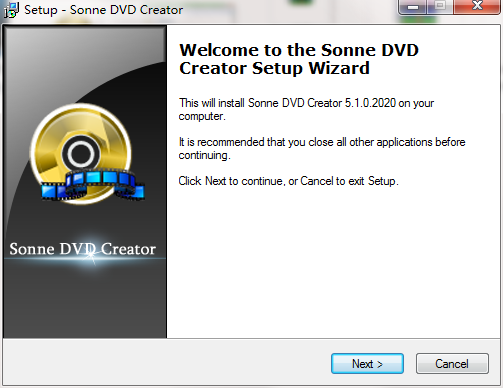
4. Select the installation location and click Next
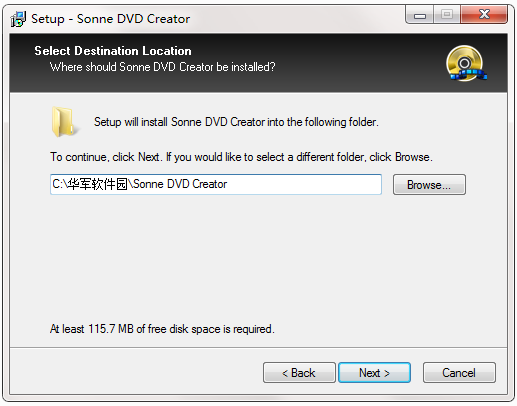
5.Create the shortcut and click Next
6. Select additional tasks and click Next
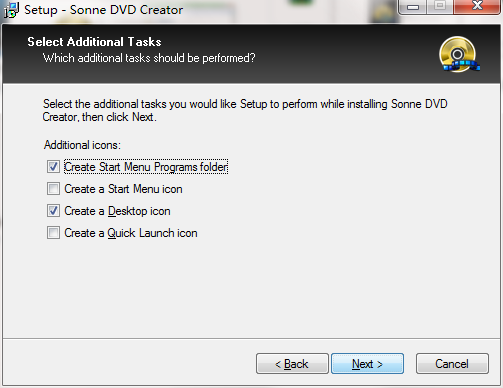
7. The installer is ready to install, click Install
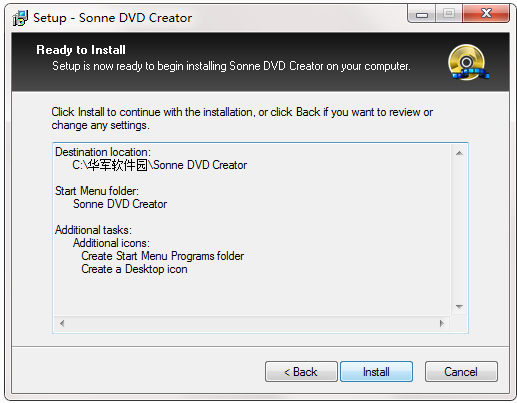
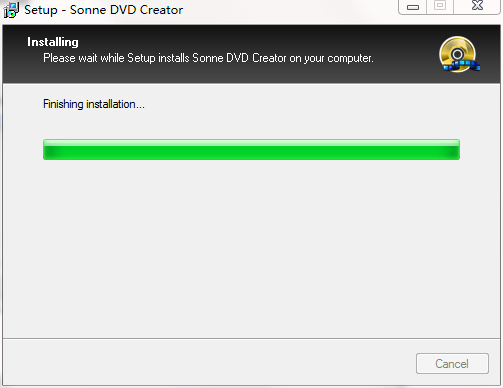
8. The Sonne DVD Creator software is about to be installed, click Finish later.
How to use Sonne DVD Creator
1. After running the program, enter its main page.
2. Click to create the file to be burned.
3. Add video files, set the burning operation, and then perform the burning operation.
Sonne DVD Creator update log
1. Fixed BUG, the new version has a better experience
2. Some pages have been changed
Huajun editor recommends:
The operation steps of Sonne DVD Creator are very simple and very fast, so users can use it with confidence. It is also recommended to download and use related software such as the free version of Disc Burning Master, Batch Manager, and .NET.
Version: 5.1.0.2020 latest version | Update time: 2024-12-30
Similar recommendations







Latest updates





Sonne DVD Creator Review
-
1st floor Huajun netizen 2022-02-18 08:42:56The Sonne DVD Creator software is very easy to use, the download speed is very fast and very convenient!
-
2nd floor Huajun netizen 2021-01-27 13:11:30Sonne DVD Creator is not bad, the download is very fast, I would like to give you a good review!
-
3rd floor Huajun netizen 2020-12-20 10:32:20Sonne DVD Creator hopes to do better and better, come on!
Recommended products







- Diablo game tool collection
- Group purchasing software collection area
- p2p seed search artifact download-P2P seed search artifact special topic
- adobe software encyclopedia - adobe full range of software downloads - adobe software downloads
- Safe Internet Encyclopedia
- Browser PC version download-browser download collection
- Diablo 3 game collection
- Anxin Quote Software
- Which Key Wizard software is better? Key Wizard software collection




