



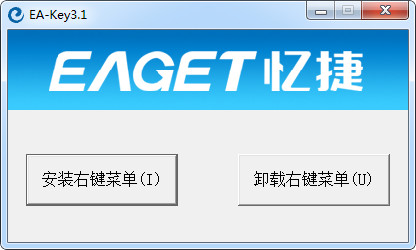
ENC file decryption tool software functions
1. Add a password to any file
2. Decrypt encrypted files permanently
ENC file decryption tool installation steps
1. Download the ENC file decryption tool package from Huajun Software Park. After decompressing the compressed package, double-click with the left mouse button to open the installation file.
Note: To decompress the compressed package, you need to use a compression and decompression tool. WinRAR is recommended because the technology is mature and reliable. WinRAR download address:http://softwaredownload4.com/soft/5.htm


2. Enter the installation program, click "Browse" to select the installation directory of the ENC file decryption tool. It is not recommended to install it on the C drive. If there are too many files on the C drive, it will affect the running speed of the computer. After selecting, click the "Install" button to start the installation.

3. After the installation is completed, the ENC file decryption tool software interface will be opened immediately, so you can start using it.

ENC file decryption tool instructions
1. Open the installed ENC file decryption tool and click the "Install right-click menu" button on the left.

2. Wait for a moment, and when the "Installation Successful" window pops up, click the "OK" button.

3. When you right-click on any file, EA-Key related functions will appear.

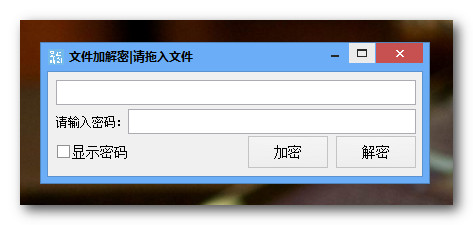
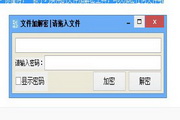
4. If it is a file that needs to be encrypted, click to select the "EA-Key3.1 Encryption" option. Enter the password twice in the pop-up window to confirm. If the password is correct, click the "Confirm" button.

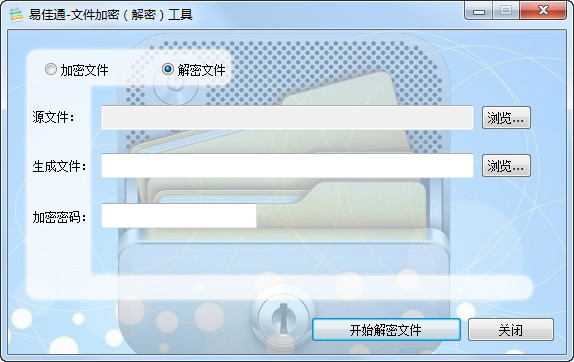
5. If it is a file that needs to be decrypted, click to select the "EA-Key3.1 Decryption" option. A window for entering the password will appear. Enter the file password and click the "Confirm" button. Then the file will be permanently decrypted. Come and try it.

ENC file decryption tool FAQ
ENC file cannot be opened
Cause of the problem:
Lack of corresponding decryption software or tools.
The file's encryption method is unknown or not supported.
The file may be corrupted.
Solution:
Confirm the encryption method and source of the file, and choose the appropriate decryption software or tool.
Try using different decryption software or tools such as WinZip, AxCrypt, FileCrypt, etc.
If the file comes from an enterprise application, contact your IT department for decryption methods.
Check whether the file is complete and try to reacquire or restore the file.
Comparison between ENC file decryption tool and folder encryption super master
The ENC file decryption tool can encrypt and decrypt files or folders. It uses software-related functions through the right-click menu. However, it can only operate on a single file at a time. If there are many files, the operation will be more cumbersome.
Folder Encryption Super Master is a software that specializes in encrypting folders. There are many types of encryption, making it more free. Likewise, only a single folder can be encrypted, and there is no permanent decryption function.
Generally speaking, the two softwares are suitable for different occasions. You can choose to download one according to your actual needs.
Download address of Folder Encryption Super Master:http://softwaredownload4.com/soft/41218.htm
ENC file decryption tool update log:
Working day and night just so you can be happier
are all gone!
Huajun editor recommends:
ENC file decryption tool (EA-Key) is a purely free software. When encrypting, it can be done in a few simple steps; when decrypting, you will never need to enter a password again after decrypting once. It is very practical. If you also need this functional software, come and download it. You will never regret it. Huajun Software Park also has multi-functional password cracking software, Aegis folder encryption software and other related software that are definitely worth downloading and using. Come and choose your favorite!










Useful
Useful
Useful