





Peanut shell software features
No need for public network IP and routing port mapping: New Peanut Shell has its own port mapping function. There is no need to set up the port mapping of the router or the public network IP. It can enable external network devices to quickly access intranet applications through domain names, solving the problem of some operators not having public network IP. It also supports UPNP device discovery in the LAN, making mapping addition easier and easier to use.
Technology and user base advantages: It has leading dynamic analysis technology, which is extremely fast, safe and stable. It has a reputation and brand guarantee of 12 million users, and has the largest number of users in the world.
Accidental offline IP retention: The offline IP retention function will automatically retain the last login IP. Even if Peanut Shell is not online, the domain name can still be resolved normally.
Real-time status monitoring: The operation status of the peanut shell can be monitored in real time. Users can check it anytime and anywhere. It also perfectly supports simultaneous monitoring of multiple passports, so the situation is clear at a glance.
Covering mainstream network hardware: Embedded cooperation with multiple hardware manufacturers to cover mainstream network hardware on the market.
Multi-method login: Supports QR code scanning (use WeChat or Peanut Shell APP to scan the QR code that appears on the client) and account login (enter your registered Beirui account to log in). If you forget your password, you can reset it, and you can also register a new account immediately.
Create an exclusive private cloud application center: You can publish the added port mapping to the Peanut Shell Cloud Platform to create your own exclusive private cloud application center, providing all-round online management, and one-click publishing without programming.
Reverse proxy application support: Able to implement reverse proxy applications, support TCP, HTTP, HTTPS protocols, end-to-end TLS encrypted communication, black and white list anti-blacklist verification, etc., support external network devices to penetrate various complex routing and firewalls to access internal network devices.
Peanut shell software usage scenarios
This software has been widely used in various scenarios such as OA/ERP/CRM, NAS private cloud, video surveillance, FTP/SVN/MAC server, Windows remote desktop, game online, website, blog, WeChat public account and small program development and debugging, remote sensing mapping, Industry 4.0 and other scenarios, helping enterprises to quickly realize information interconnection and interoperability between internal and external networks.
Peanut Shell Software Usage Tutorial
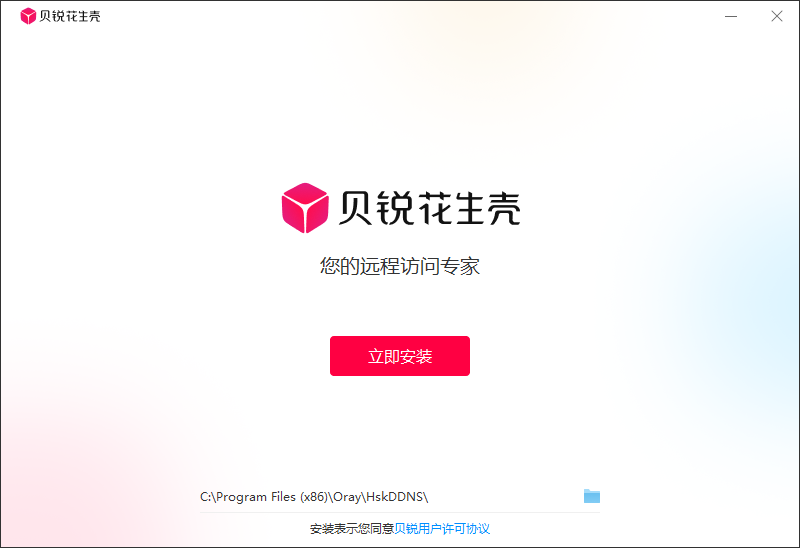
Install peanut shell
After downloading the Peanut Shell client, double-click the installer to complete the installation steps according to the installation wizard, or modify the installation directory.
Log in to the Peanut Shell client
There are two methods of QR code login and account login. If you forget your password or have not registered an account, you can reset your password or register an account.
Peanut Shell update log:
1. Modify user-submitted bugs
2.Add new features
Huajun editor recommends:
The editor promises that as long as you use peanut shells, if you don't like it, you can come over and hit me! The editor has also prepared for youYouluoke PC version,Enterprise Fluorite Cloud,Eagle Netcom computer client,Xietong XT800 free remote control software assistant version,Happy orange with light











Useful
Useful
Useful