





NCH PhotoStage electronic photo album slideshow production software official version
The official version of NCH PhotoStage electronic photo album slideshow creation software is a software for creating photo albums into videos. NCH PhotoStage electronic photo album can create various special transition effects and supports the import of most image, audio and video formats. NCH PhotoStage electronic photo album slideshow production software also supports inserting music files and can flexibly generate file formats suitable for different media. Huajun Software Park provides NCH PhotoStage electronic photo album slideshow creation software download service, everyone is welcome to download and use it!
NCH PhotoStage electronic photo album slideshow creation software software functions
1. Easy to use - drag and drop images to arrange a slideshow, or put a folder of images into a slideshow for quick creation.
2. Full effects including zoom, pan, crop zoom, fade and more to bring your photos to life
3. Enhance your photos – Touch or enhance your photo and video optimization tools
4. Add thousands of photos and video clips to multimedia presentations, then add titles, music and narrative
5. Easily share burnt DVD slideshows, save video files, or optimize the network and portable devices
Features of NCH PhotoStage electronic photo album slideshow creation software
With With with the help of Sharing your memories to cherish for years to come, creating a digital photo album has never been easier.
Use electronic photo albums to share your memories
Easily combine photos, video clips, music and narration
Burn to DVD, share online or save to other removable devices
NCH PhotoStage electronic photo album slideshow creation software supports formats
Pictures: bmp, gif, jpg, jif, jiff, jpeg, exif, png, tif, tiff, psd, tga, pcx, jp2, wmf, ico.
Audio: wav, mp3, mp2, mpga, m4a, ogg, avi, mid, flac, aac, wma, dct, au, aiff, ogg, raw, msv, dvf, vox, cda, atrac, gsm, dss, sri, shn, dss, msv, wmv.
NCH PhotoStage electronic photo album slideshow creation software installation steps
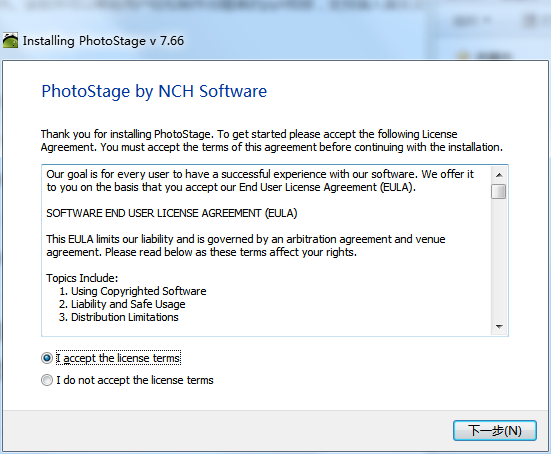
1. Put NCH in Huajun Software Park Download the PhotoStage electronic photo album slideshow creation software and unzip it to the current folder. Click on the pstagesetup_v7.66.exe application to enter the installation wizard interface, and then click Next.
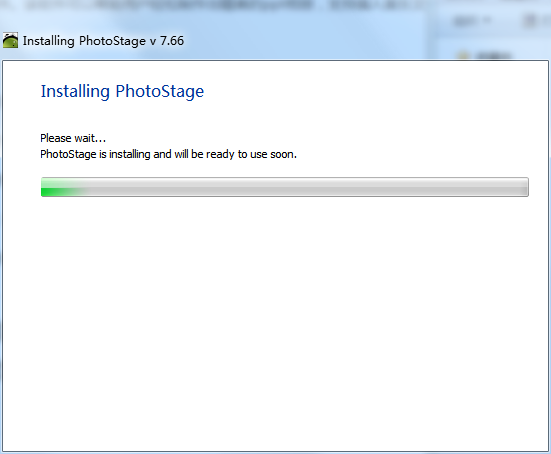
2. NCH PhotoStage electronic photo album slideshow creation software is being installed, users must wait patiently for a while.
3. After the NCH PhotoStage electronic photo album slideshow creation software is installed, you can use it directly.
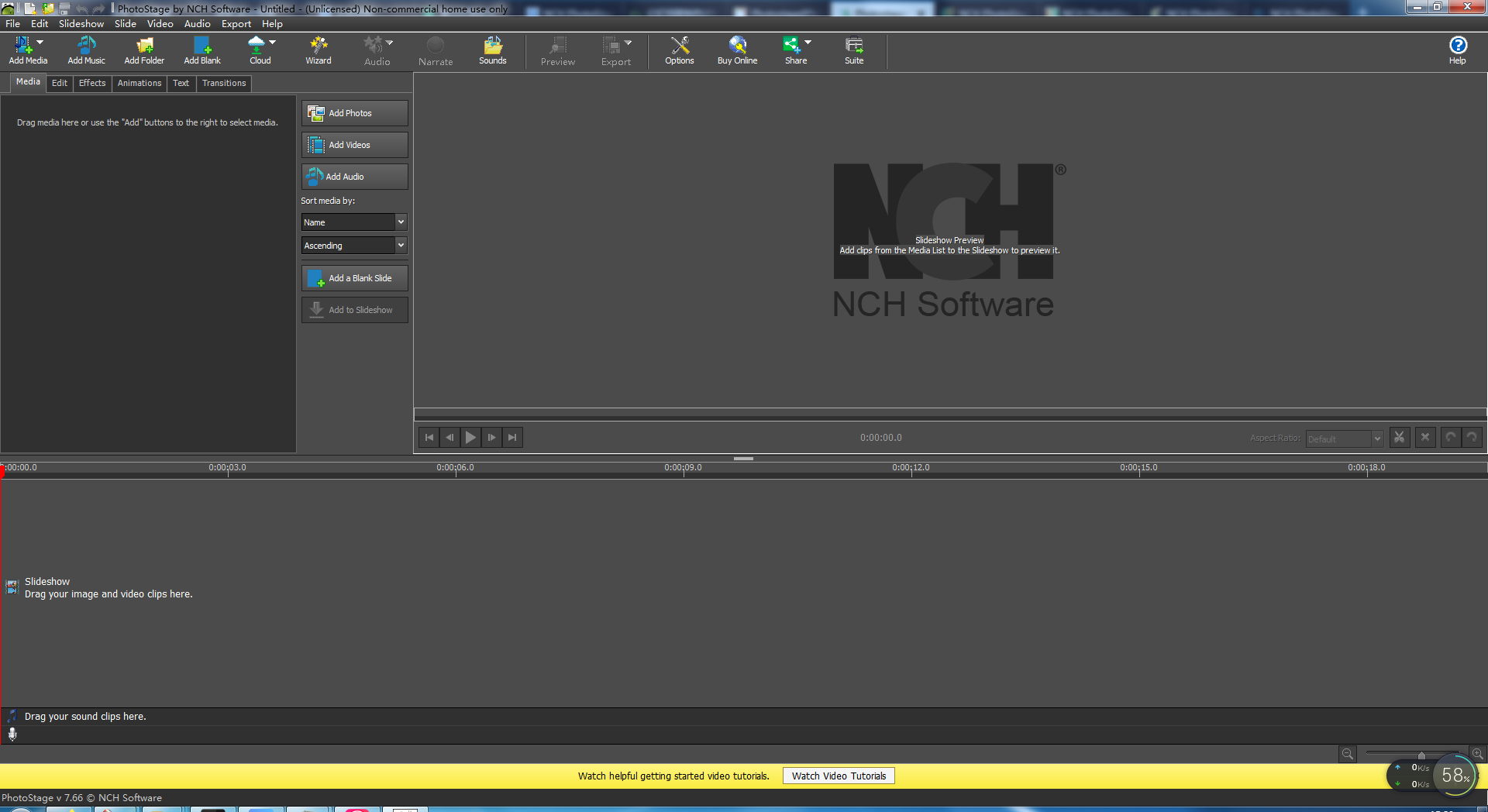
How to use NCH PhotoStage electronic photo album slideshow creation software
Enter the main interface of the software operation and select the "Add Photos" button.
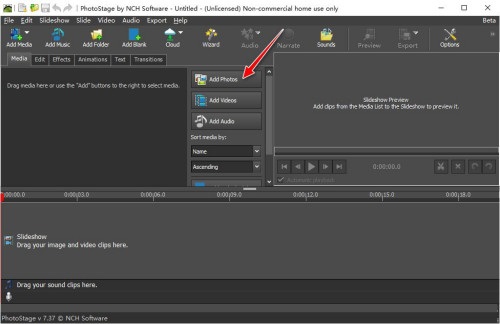
Select and import several picture materials from your local computer.
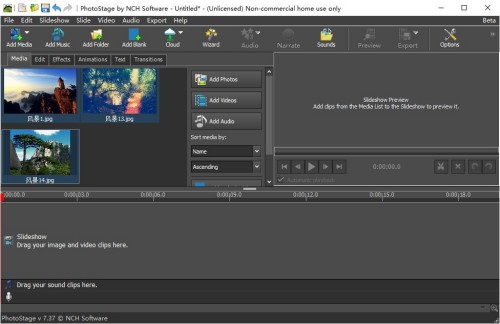
Use the "left mouse button" to select several picture materials in the "Media Media Area" and move them to the "Track Editing Area" window below.
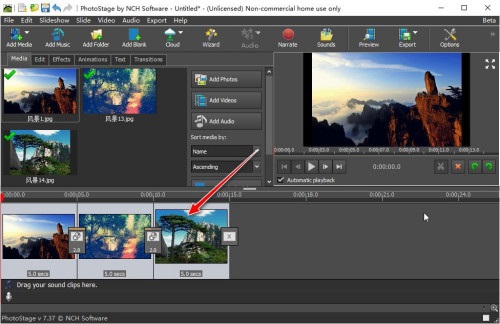
Use the "left mouse button" to click "Change transition" Effect" icon button, enter the "Transitions" menu bar, and select a "Transition Transition" special effects template.
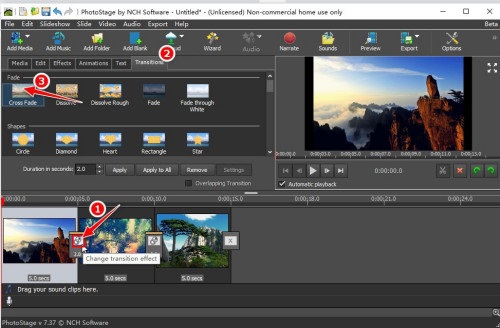
Then use the "left mouse button" to click the "Change transition duration" button.
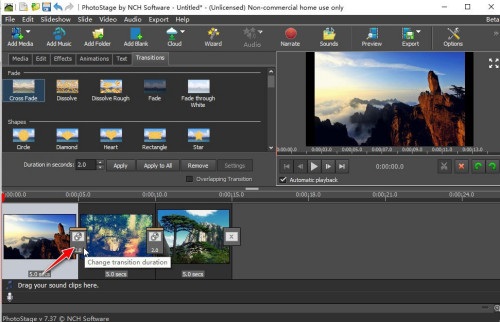
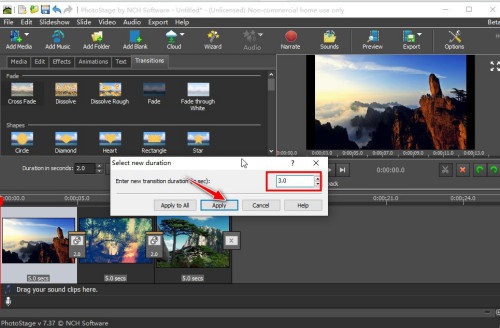
Set the "Transition Duration" parameter value, and then click the "Apply" button to apply it.
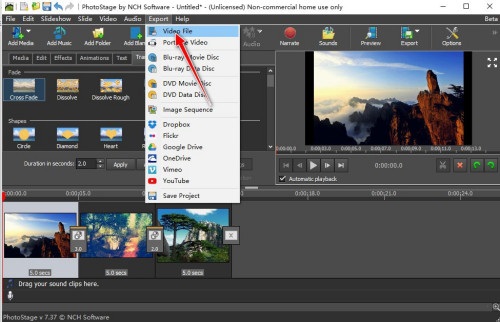
Select the "Export"->"Video File" menu.
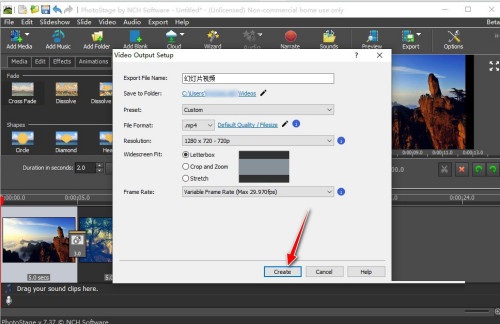
The "Video Output Setup" dialog box will pop up, set the "Export File Name" and "File format" and other parameters, and then click the "Create" button to create the "Slideshow Video" format file.
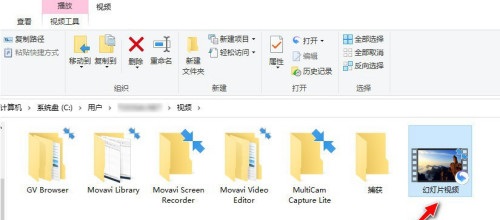
View the slideshow video files generated in the corresponding output directory on your computer.
NCH PhotoStage electronic photo album slideshow creation software FAQs
Question: How does NCH PhotoStage electronic album slideshow creation software use photos and music to create videos?
Answer: Step 1
Load media files and add them to your new slideshow
Step 2
Add transitions, animations and special effects
Step 3
Add music or record narration
Step 4
Save your video or share it with family and friends
Question: How to uninstall NCH PhotoStage electronic photo album slideshow creation software?
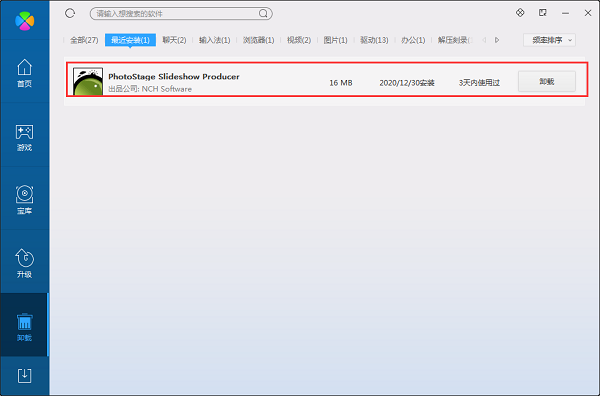
Answer: Method 1: Install and open the computer housekeeper software, select the software management option, click the uninstall option, and find NCH in the list PhotoStage electronic photo album slideshow creation software, click to uninstall
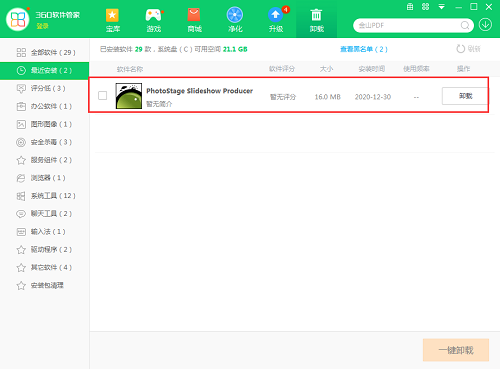
Method 2: Install and open360 software manager, find NCH PhotoStage electronic photo album slideshow creation software in the list of uninstall options, and click to uninstall.
Comparison of similar software
Feihua MTV electronic photo albumThe Chinese version is a simple and easy-to-use electronic photo album creation software. The official version of Feihua MTV Electronic Photo Album can add your favorite background music, lyrics and subtitles, ordinary subtitles, background pictures, openings, endings, and conversion effects to your photos. The image formats supported by the Chinese version of Feihua MTV Electronic Photo Album are: BMP, EMF, JPG, ICO, JPEG, WMF, etc.
Yida Photo Album Electronic Photo Album Production SystemThe official version is a user-favorite, simple and convenient electronic photo album production tool. The latest version of the Yida Photo Album Electronic Photo Album Production System provides users with built-in taking and burning functions, and a new video file generation function. After the generated video files are converted, they can be directly played on VCD or DVD players, mobile phones, handheld computers, MP4 and other devices. The Yida Photo Album Electronic Photo Album Production System has functions such as browsing photos, storage path management, importing photos, importing music, and generating MP4/DVD photo albums. It is very practical.
Huajun editor recommends:
NCH PhotoStage electronic photo album can create various special transition effects and supports the import of most image, audio and video formats. Let me tell you secretly that I also use this software, and other editors won’t tell you!




Useful
Useful
Useful