





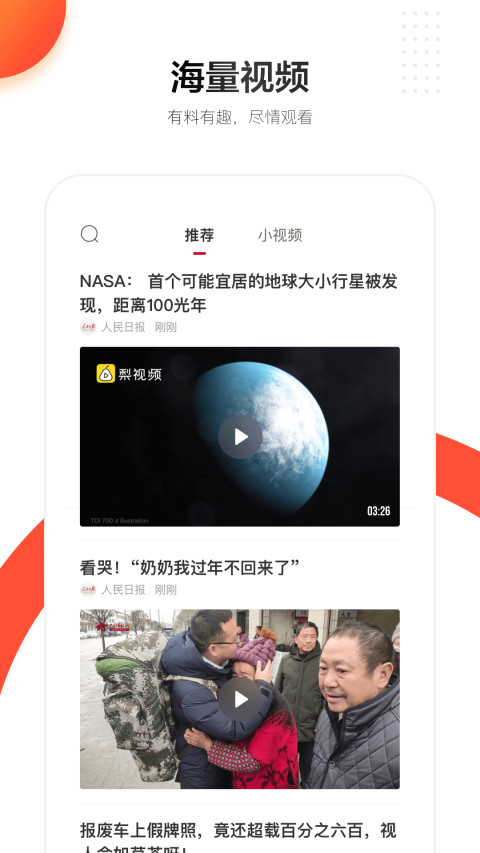
People's Daily software introduction
Not only produces high-quality news, but also an efficient platform for you to obtain information and government services in one stop. It has divisions such as “hearing”, “commenting”, “asking”, “listening”, “help”, “viewing”, “pictures” and other sections. The interface is more concise, fresh and unique, which will provide users with different perspectives to observe the complicated world. All you need is the People's Daily mobile client to understand important national information without leaving home.
People's Daily software features
1. Mainstream intelligent recommendation algorithms
Guarding "quality news", self-developed mainstream media algorithms, high-quality information to fully meet personalized information needs, good news, understand you better
2. Observation of hot comments from many parties
热门话题及时评,融合编辑立场、人民号观点和普通用户评论,为您观察现世万象提供多方视角
3. Creators of Diversified People’s Account
Gathering influential creators such as government affairs, media, and self-media, we continue to expand local accounts and industry accounts, and diversified content meets your various information needs.
4. Fresh and rich content formats
Short videos and short videos create an immersive experience, connecting you to the news scene immediately; live broadcast, animation, audio, newspapers, and cool forms make news more "fun"
5. Intimate and convenient government consultation services
Mobile Government Affairs Service Department, one-stop information acquisition, exclusive online government inquiry platform, no matter when and where, your needs can be delivered to the leadership desk with one click
6. Innovation of “news + public welfare”
The new channel design opens up a new way of public welfare. Browsing the news can convey warmth, and a "click" of love can gather a torrent of public welfare.

People's Daily software functions
Core functions
News browsing:
Section division: Covers important news, domestic, international, special issues and other sections, and supports voice broadcast and newspaper reading modes (such as the original version of "People's Daily").
Hot Topics: Focus on major events and provide in-depth reports and multi-party comments.
Government services:
Policy query: Update government policies in real time, and support searching by keywords or categories.
Life services: Provide social security enquiries, household registration appointments, immigration processing and other convenient functions.
Audiovisual experience:
Short videos and live broadcasts: Connect to the news scene immediately and support immersive viewing.
Audio news: Provide audio news to meet diverse reading needs.
Features
People's account creators: Gathering creators from government affairs, media, self-media and other areas to expand local accounts and industry accounts to cover diverse content needs.
Public welfare channel: Through the "news + public welfare" model, users can participate in public welfare projects through interaction, such as surveys, voting, etc.
Political inquiry platform: Exclusive online political inquiry function, user needs can be submitted directly to government departments, improving the efficiency of government-citizen interaction.
Accessibility
Personalized customization: supports channel management, night mode, font adjustment, etc. to optimize the reading experience.
Data statistics: record users’ browsing habits, generate personalized recommendations, and improve content matching.
Privacy protection: Supports turning off personalized recommendations, managing advertising preferences, and ensuring user privacy and security.
FAQQ: How to customize a personalized channel?
A: Select "Channel Management" in "Settings" to add or remove content sections of interest (such as news, domestic, international, etc.).
Q: How to participate in charity activities?
A: Enter the "Public Welfare" channel, spread your love and support public welfare projects by browsing news, voting or sharing.
Q: How to use the online political inquiry function?
A: Submit a request in the "Political Questions" section, and the question will be pushed directly to the relevant department, and users can track the processing progress in real time.
Installation steps
Special note: The installation package provided by Huajun Software Park contains the Android emulator and software APK files. For the computer version, you need to install the emulator first and then install the APK file.
1. First download the installation package from Huajun Software Park. The software package contains an Android emulator exe installation program and an APK file and unzip it. First click on the exe program to install the lightning simulator.

2. Double-click "Lightning simulator.exe" file to enter the installation interface. Users can click "Quick Installation" to select the system's default installation address for installation, or click "Custom Installation" to choose the installation path. Custom installation is recommended here.

3. WaitingLightning simulatorAfter the installation is complete, click "Try Now" to open the emulator.

4. Enter the main interface of the lightning simulator and clickRight column APK iconSelect the "Local APK Install" button.

5. In the pop-up window, click on the decompressed APK file, and then click to open.

6. After that, the software will enter the installation process. You need to wait for a moment. After the software installation is completed, it will appear in my software list. Click the icon and double-click to open it. 
People's Daily update log
1. Modify user-submitted bugs
2.Add new features
Huajun editor recommends:
The People's Daily software is a software with excellent performance, which is obvious to all. Huajun Software Park also hasAmap 2021,Xiaoyuan.com Business Edition,video clip,Educational qualification inquiry,Crazy Master Android Unlock Master (iMyFone LockWiper Android)Waiting for related software that is definitely worth downloading and using, come and choose your favorite one!








Useful
Useful
Useful