





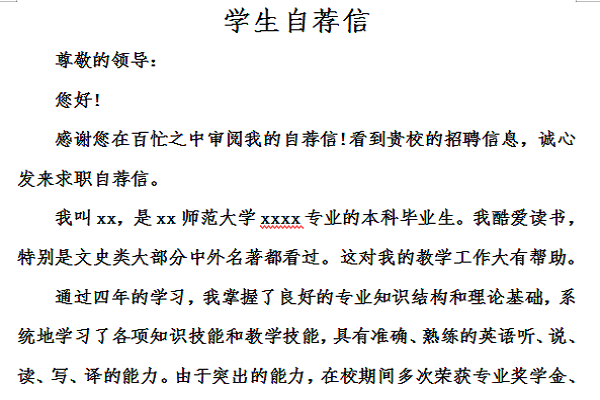
Student cover letter writing format
There is no formal format, but there are some basic rules to keep in mind when writing a letter.
1. Leave three lines in the upper right or upper left corner of the letter, including home address, country, city, zip code and date.
2. The next three left-aligned lines are written below the date and above the title. This area contains the detailed address, including country, city and postal code.
3. Use a colon instead of a comma after the title, and use a formal tone when writing the title. "Dear Miss Harper" instead of "Dear Jennifer."
4. Use a specific title (for example, do not write "to the person in charge"). Try to know who will receive your letter . If necessary, call the company and ask. If you're still not sure of a specific name, call him "the hiring manager," "the HR manager," or just "the manager."
5. There must be a blank line between each paragraph, and there is no need to indent the first line.
6. You can use emphasis and boldface to organize your cover letter and emphasize its content to make the article easier to read, but use it with caution.
7. At the end, you should write a blessing above the name, and then the full name in print below. In your cover letter, be sure to leave enough space between your name and the end.
Shortcut keys for student self-recommendation letters
Ctrl+Shift+Spacebar: Create non-breaking spaces
Ctrl+Hyphen: Create a non-breaking hyphen
Ctrl+B: Bold letters
Ctrl+I: Make letters slant
Ctrl+U: Underline characters
Ctrl+[: Reduce font size by 1 point
Ctrl+]: Increase the font size by 1 point
Ctrl+Spacebar: Delete paragraph or character format
Ctrl+C: Copy selected text or object
Ctrl+X: Cut selected text or objects
Ctrl+V: Paste text or object
Ctrl+Alt+V: Paste Special
Ctrl+Shift+<: Reduce the font size by one value
Ctrl+Shift+>: Increase the font size by one value
The editor recommends:
The student cover letter is a free template. You can download the source file for you to edit, modify and replace. Huajun Software Park also providesSample self-recommendation letter for medical college students,Sample cover letter for telecommunications engineering college studentsDownload.




Useful
Useful
Useful