



Introduction to project implementation plan template template
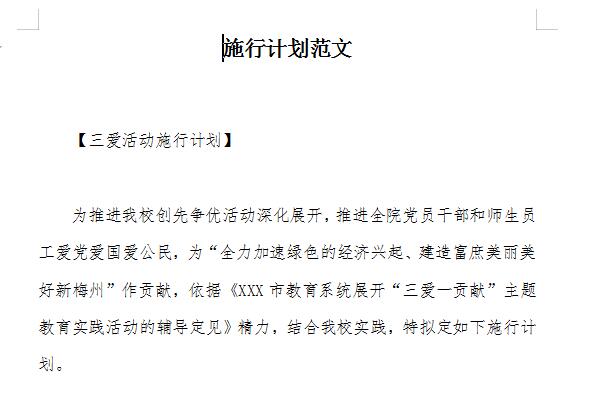
The project implementation plan, also called the project execution plan, refers to the formal formulation of the activities or hard work process to complete a project. It is an important guarantee and basis for the smooth and successful implementation of projects in enterprises and institutions.
Implementation plans usually consist of four parts: title, main sending organization, main text, and signature.
Implementation plans are generally issued to departments, units and departments affiliated with the document-producing agency, requiring them to comply with and implement them. The sender authority can be placed before the main text, or in the sender and carbon copy columns at the end of the document. It is usually copied or reported to the superior authority for approval or filing.
Key points of project implementation plan template template
1. The goals of the project and the complete technical indicator system that must be achieved in order to achieve the goals
This part is mainly to further clarify the goals of the entire project so that every participant knows where to go and how to break it down into more detailed, executable, and assessable sub-goals in order to achieve the final goal.
2. Decomposition and effective coordination of various tasks in the project
This is a work that is decomposed at the level of each task of the project, and different participants complete the decomposed tasks respectively. More importantly, it is necessary to clarify how the various decomposed tasks are connected and coordinated to ensure the overall work output.
3. Schedule of various work during project execution
This is the arrangement of project time control. For each task that has been clearly broken down and the connection and coordination have been determined, how to arrange the time progress to ensure that it is completed within the project execution period.
4. Specific form assessment of milestone achievements
This is an important means and goal of project quality control. It is necessary to clarify not only what the output of each stage is, but also the indicators to be achieved by the output and how to assess it.
5. Ensure the orderly execution of the project
After the above four aspects are clarified, it is necessary to clarify how to organize and implement it in the form of institutional arrangements, the roles and responsibilities of each participant, the management process and main responsibilities of each work, etc.; at the same time, it is also necessary to propose risk response measures, analyze risks that may be foreseen during project execution, and propose solutions in advance.
Project Implementation Plan Template Shortcut Key
Ctrl+A (or Ctrl+number 5 on the small keyboard): Select the full text.
Ctrl+B: Make the selected text bold (press it again to cancel the bolding).
Ctrl+C: Copy the selected text to the clipboard.
Ctrl+D: Open the "Font" dialog box to quickly complete various font settings.
Ctrl+E: Center the text on the line where the cursor is.
Ctrl+F: Open the "Find and Replace" dialog box and locate it on the "Find" tab.
Ctrl+G: Open the "Find and Replace" dialog box and locate on the "Going" tab.
Ctrl+H: Open the "Find and Replace" dialog box and locate the "Replace" tab.
Ctrl+I: Make the selected text tilt (press it again to cancel the tilt).
Ctrl+K: Open the "Insert Hyperlink" dialog box.
Ctrl+Shift+L: Add "bullets" to the text on the line where the cursor is located.
Ctrl+M: Add first line and hanging indent at the same time.
Ctrl+Shift+M: Reduce the first line and hanging indent at the same time.
Ctrl+N: Create a new empty document.
Ctrl+O (or Ctrl+F12): Open the "Open" dialog box.
Ctrl+P (or Ctrl+Shift+F12): Open the "Print" dialog box.
Ctrl+R: Align the text on the line where the cursor is located to the right.
Ctrl+S: Open the "Save As" dialog box for a new document, or save the current document.
Ctrl+T: Increase the indentation of the first line.
Ctrl+Shift+T: Reduce the indentation of the first line.
Ctrl+U: Underline the selected text (press it again to underline it).
Ctrl+V: Paste the text or image in the clipboard to the cursor. If there are multiple contents in the clipboard, the last one will be pasted to the cursor.
Ctrl+X: Cut the selected text to the clipboard.
Ctrl+Z: Undo the operation just performed (can be used multiple times).
The editor recommends:
The project implementation plan template is a free template. You can get the source file by downloading it, which can be edited, modified and replaced by you. Huajun Software Park also providesElectrical installation winter construction plan,Four Good Youth League Activity Plan SampleDownload.




Useful
Useful
Useful