
Hot search terms: 360 Security Guard Office365 360 browser WPS Office iQiyi Huawei Cloud Market Tencent Cloud Store
Hot search terms: 360 Security Guard Office365 360 browser WPS Office iQiyi Huawei Cloud Market Tencent Cloud Store

Text editing Storage: 248MB Time: 2021-09-17
Software introduction: PS Office 2019PDF web browser WPS Office 2019WPSWPS Office 2019
WPS Office 2019 is a powerful and popular office software suite developed by China Kingsoft Software Company. Known for its high compatibility with Microsoft Office, lightweight design, and free core functionality, it is one of the world's leading office software choices. Next, let Huajun editor explain to you how to create a file hyperlink in WPS Office 2019 and how to create a file hyperlink in WPS Office 2019!
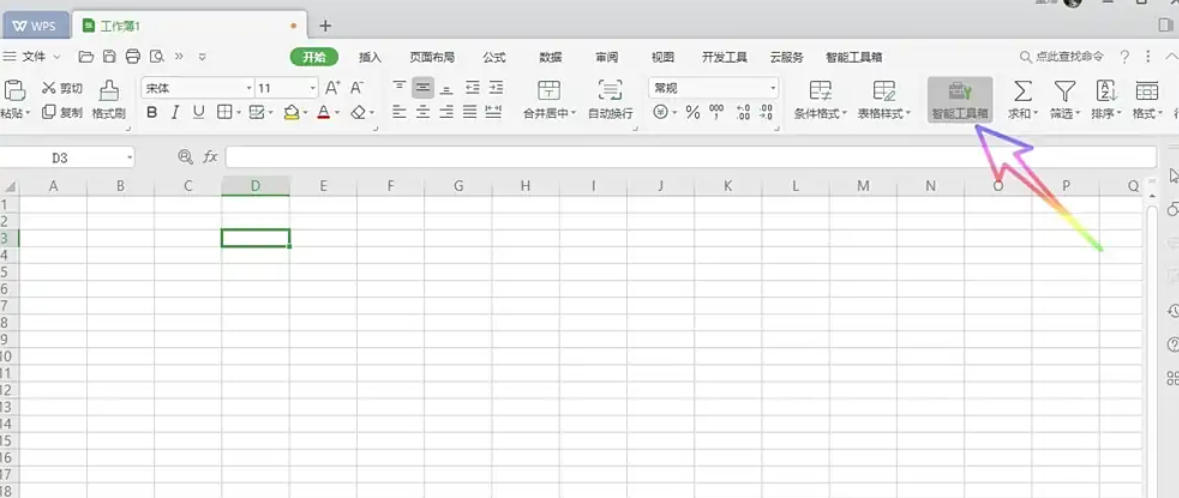
first step
Launch WPS Office 2019 and open the target table file.
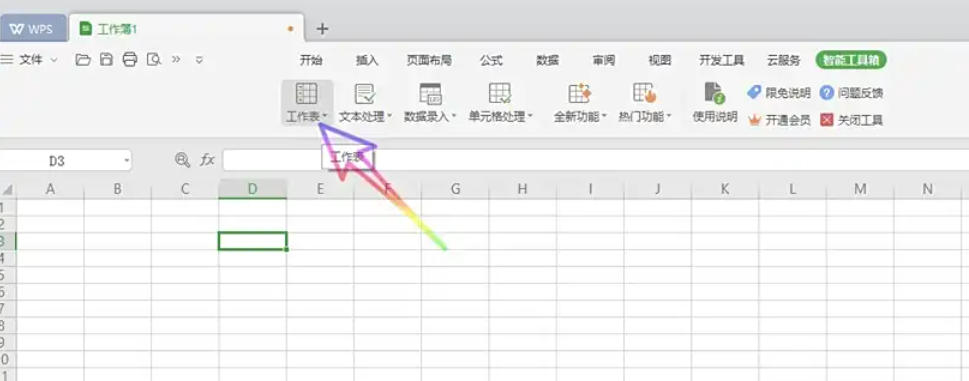
Step 2
Find the "Worksheet" option on the ribbon and click to open it.
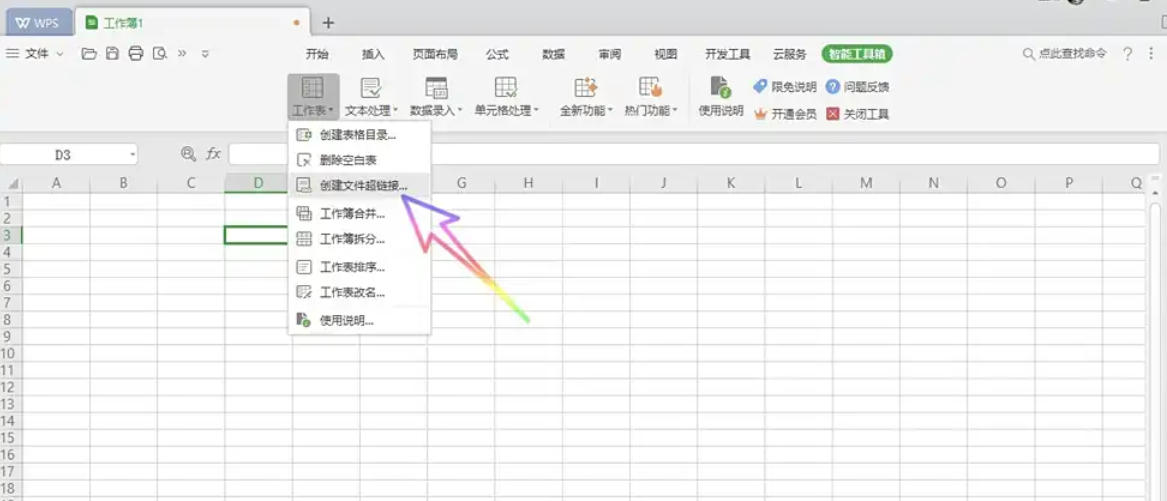
Step 3
In the Sheet drop-down list, select Create File Hyperlink.
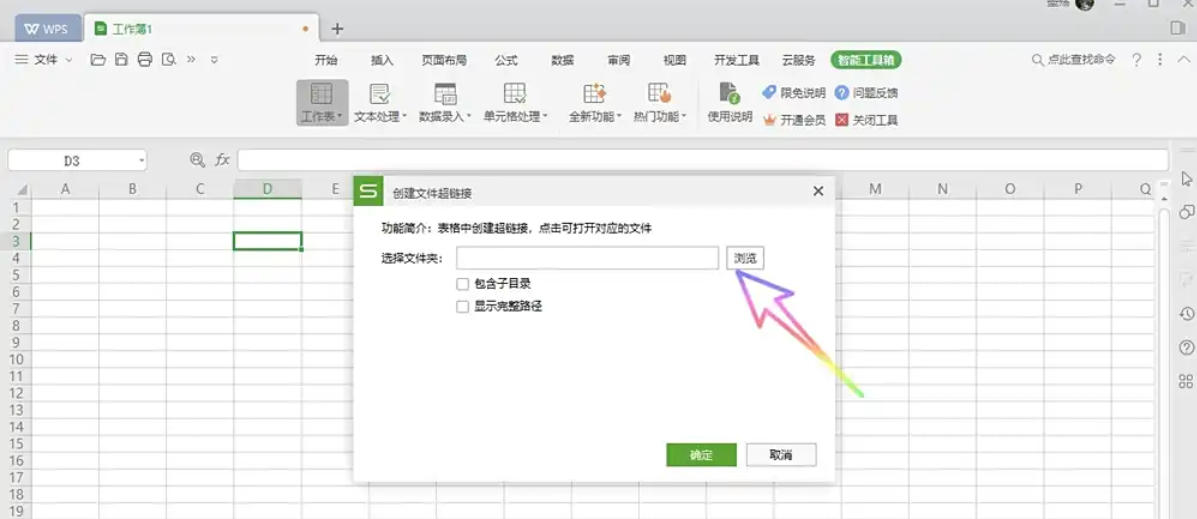
Step 4
Click the browse button on the right side of the tab, in the computer file window that pops up, find and select the file or folder you want to create as a hyperlink, and then click "Select Folder" (if you select a file, just select it directly).
Step 5
Check "Include subdirectories" (if you need to link the contents of subdirectories) and "Show full path" (if you want to display full path information)
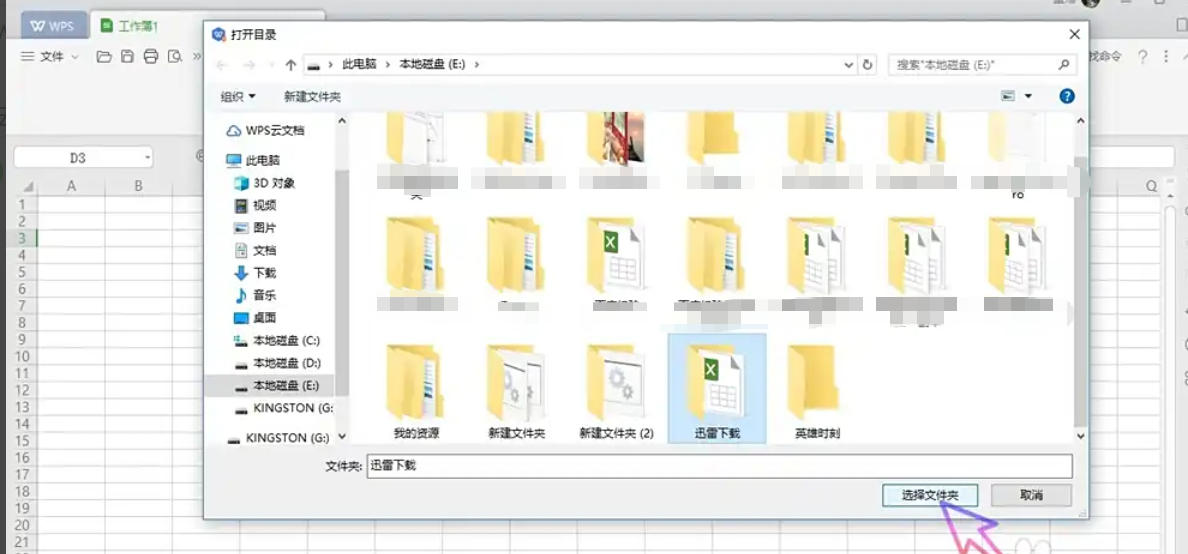
Step 6
Finally click "OK" to complete the creation.
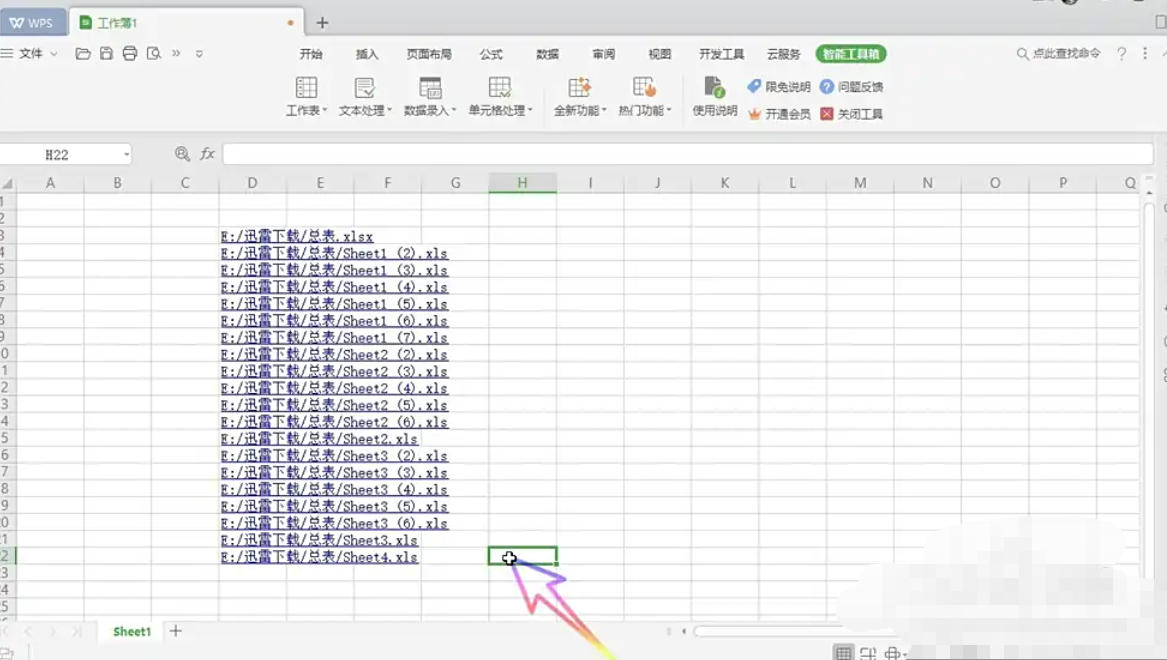
The above is the editor of Huajun who has compiled for you how to create a file hyperlink in WPS Office 2019 and how to create a file hyperlink in WPS Office 2019. I hope it can help you!

 How to add background music in python-How to add background music in python
 How to configure environment variables in python - How to configure environment variables in python
 How to run python - How to run python
 How to create a project in python - How to create a project in python
 How to make a blue sky background with scratch-How to make a blue sky background with scratch
 Steam
Steam
 Tencent Video
 WPS Office
 iQiyi
iQiyi
 Sohu video player
 Lightning simulator
 MuMu emulator
 Eggman Party
 WPS Office 2023
 What to do if there is no sound after reinstalling the computer system - Driver Wizard Tutorial
 How to switch accounts in WPS Office 2019-How to switch accounts in WPS Office 2019
 How to clear the cache of Google Chrome - How to clear the cache of Google Chrome
 How to fire bullets in scratch-How to fire bullets in scratch
