
Hot search terms: 360 Security Guard Office365 360 browser WPS Office iQiyi Huawei Cloud Market Tencent Cloud Store
Hot search terms: 360 Security Guard Office365 360 browser WPS Office iQiyi Huawei Cloud Market Tencent Cloud Store

Text editing Storage: 248MB Time: 2021-09-17
Software introduction: PS Office 2019PDF web browser WPS Office 2019WPSWPS Office 2019
WPS Office 2019 is a domestic office suite with comprehensive functions and strong compatibility launched by Kingsoft Office Software. It integrates the three core applications of word processing, spreadsheets, and presentation production. The software is deeply compatible with Microsoft Office formats, supports seamless reading, writing and editing, adopts a lightweight design, has a fast startup speed and takes up less system resources. It provides practical functions such as PDF toolkit, cloud document synchronization, massive online templates, and multi-person collaborative editing. It takes into account the free needs of individual users and enterprise-level security management. It is suitable for various office scenarios and is an efficient and convenient domestic office solution. Next, let Huajun editor explain to you how to round values in WPS Office 2019 and how to round values in WPS Office 2019!
first step
Drag with the left mouse button to select the range of cells where the values to be processed are located.
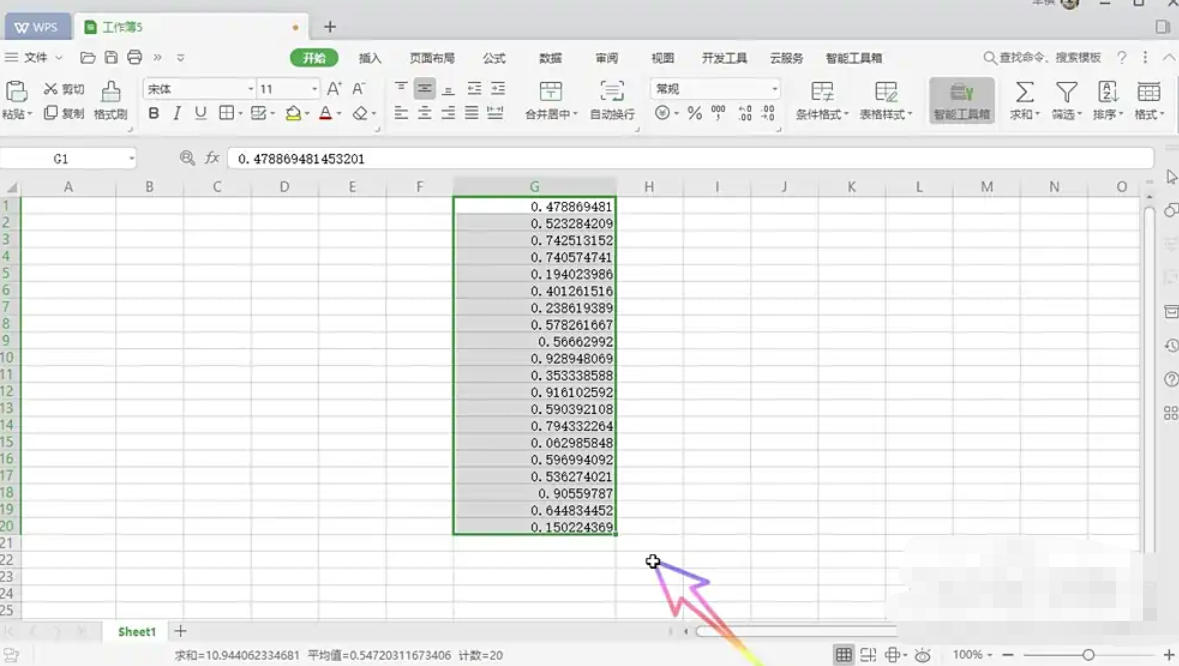
Step 2
Click the "Smart Toolbox" tab in the upper right corner of the interface (if it is not displayed, you can check whether it is under the "Features" or similar label).
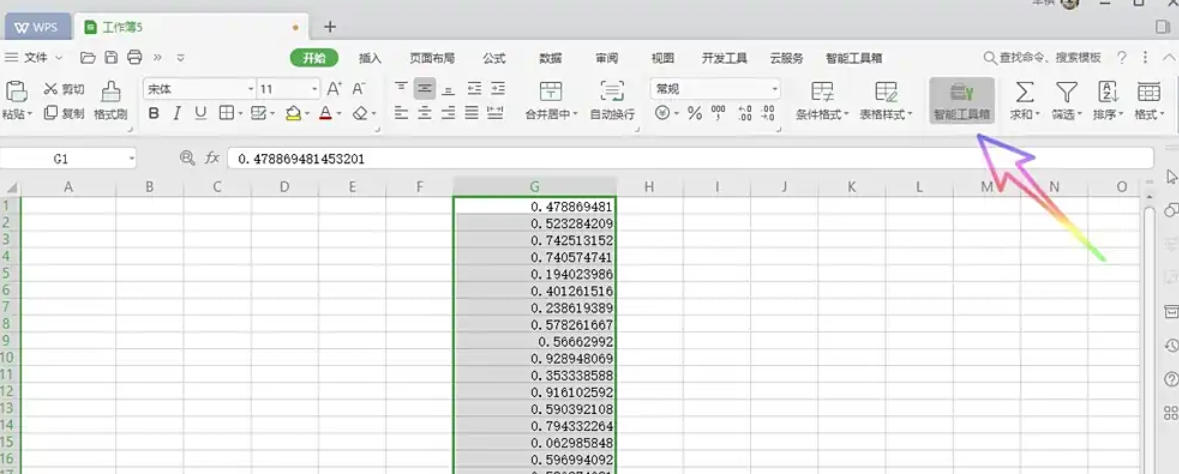
Step 3
In the ribbon of the smart toolbox, find the "Text Processing" button and click to expand it.
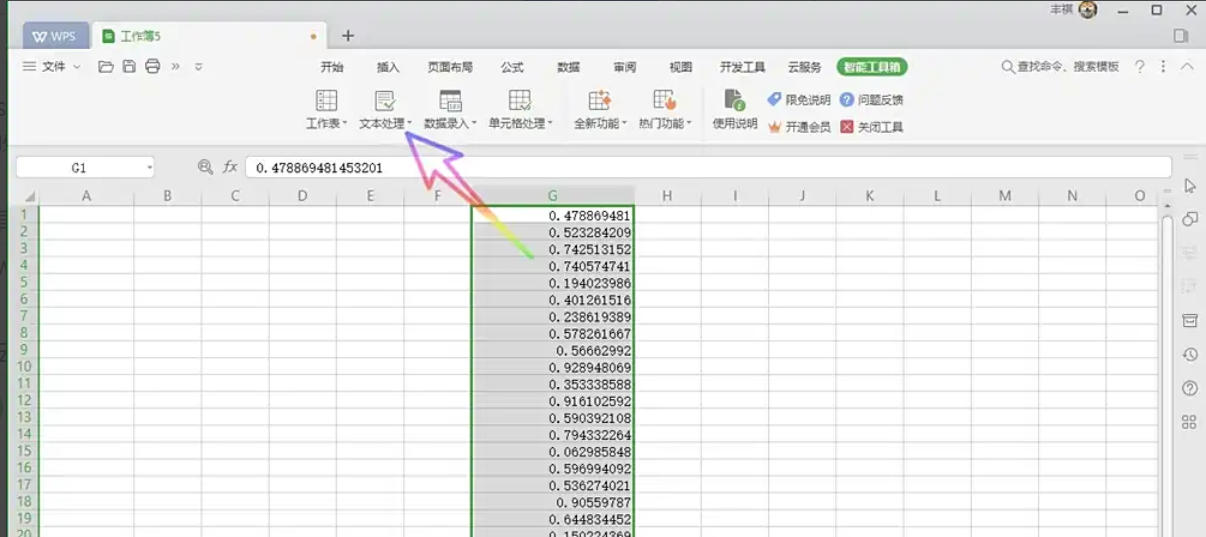
Step 4
In the text processing drop-down menu, find the "Format Conversion" submenu and click the "Rounding" option.
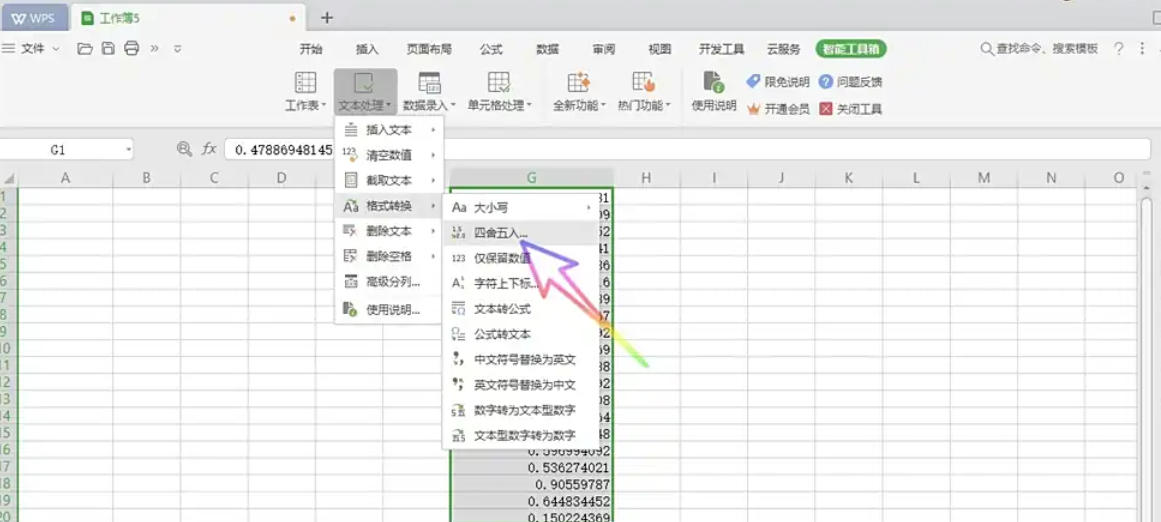
Step 5
In the pop-up dialog box, enter the number of decimal places to be retained (such as 2 digits), and click "OK" to apply the settings.
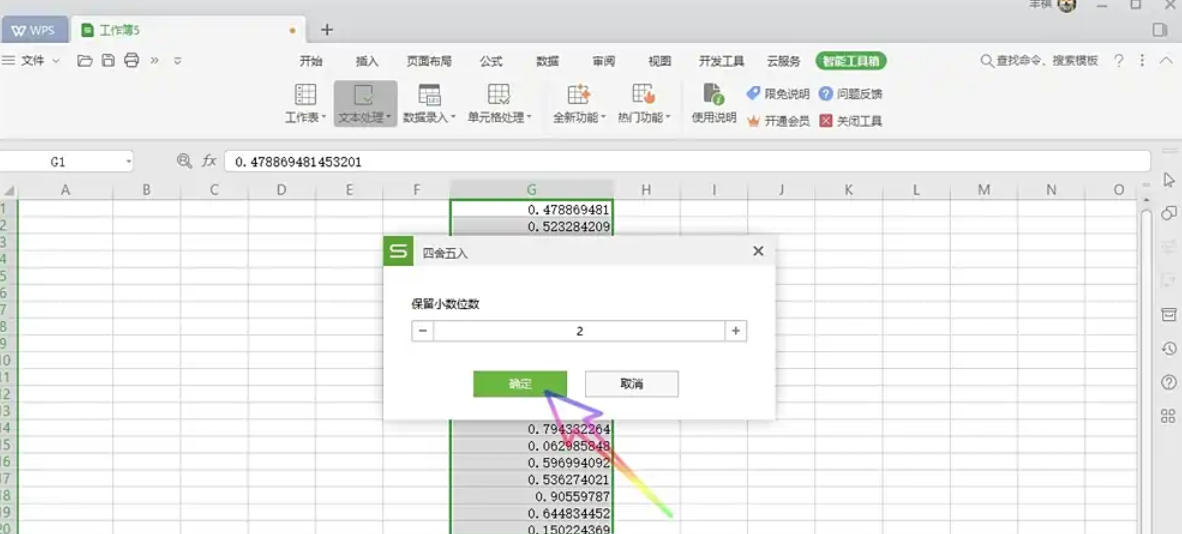
Step 6
The value in the selected cell will be automatically rounded to the set number of decimal places.
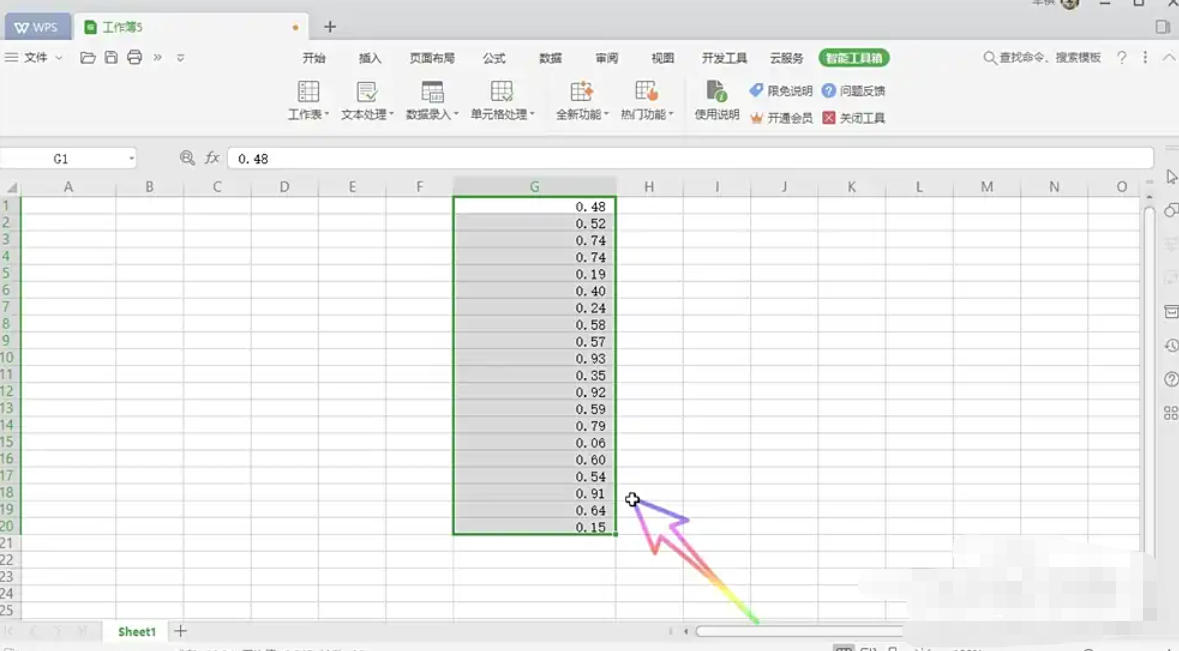
The above is the editor of Huajun who has compiled for you how to round values in WPS Office 2019 and how to round values in WPS Office 2019. I hope it can help you!

 How to add background music in python-How to add background music in python
 How to configure environment variables in python - How to configure environment variables in python
 How to run python - How to run python
 How to create a project in python - How to create a project in python
 How to make a blue sky background with scratch-How to make a blue sky background with scratch
 Steam
Steam
 Tencent Video
 WPS Office
 iQiyi
iQiyi
 Sohu video player
 Lightning simulator
 MuMu emulator
 Eggman Party
 WPS Office 2023
 What to do if there is no sound after reinstalling the computer system - Driver Wizard Tutorial
 How to switch accounts in WPS Office 2019-How to switch accounts in WPS Office 2019
 How to clear the cache of Google Chrome - How to clear the cache of Google Chrome
 How to fire bullets in scratch-How to fire bullets in scratch
