
-
CorelDRAW X4 vector drawing software
- Size: 454M
- Language: Simplified Chinese
- Category: image processing
- System: Winxp/vista/win7/win8/2000/2003






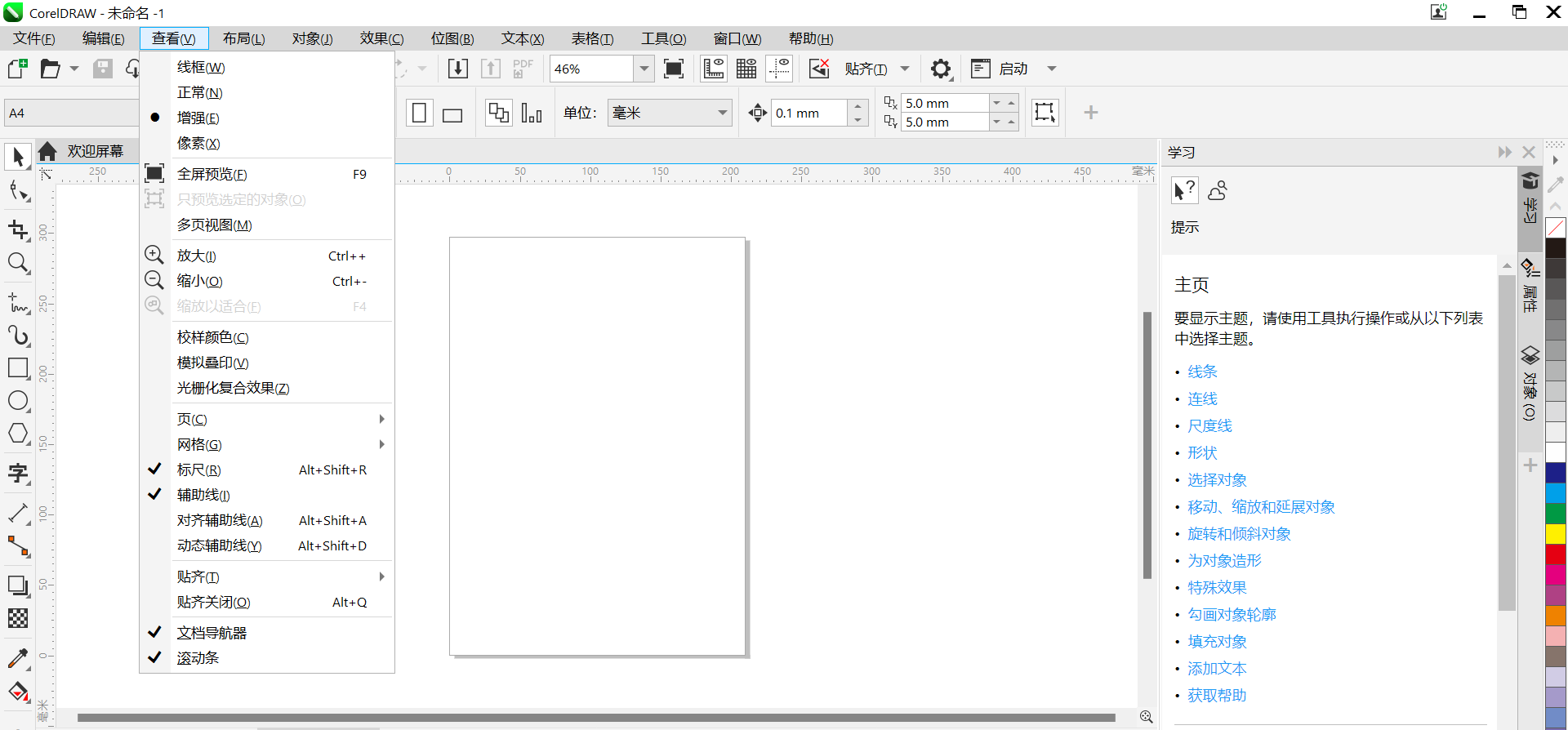
CorelDRAW X4 vector drawing softwareThe official version is a vector suitable for graphic designersdrawing software. CorelDRAW X4 features time-saving text and page layout enhancements to help you complete designs faster. andCorelDRAW X4 vector drawing softwareUsers can express their own style and creativity as they wish, and easily create logos, logos,AdvertisementSigns, leaflets, model drawing, illustration drawing, typesetting and color separation output, etc. Provided by Huajun Software ParkCorelDRAW X4 vector drawing software download service, everyone is welcome to download and use it!

CorelDRAW X4 vector drawing software software highlights
Accurate drawing: CorelDRAW provides Bezier curves, node editing, dynamic Boolean operations and other tools to support accurate drawing of complex graphics. Whether it's simple lines and shapes, or complex artwork, it's all easy to achieve.
Non-destructive editing: Vector graphics remain clear at different sizes and resolutions, and support non-destructive editing to ensure the quality of design works.
Rich tools: Built-in multiple brushes (such as pressure pens, sprayers, etc.) and fill effects (such as gradient, mesh fill), providing designers with more creative possibilities.
Multi-page management: Supports multi-page view management, making it convenient for users to layout and design long documents.
Typesetting tools: Provides a complete set of formatting tools, including mixed typesetting of paragraph text and artistic fonts, text wrapping, contouring and other effects to meet the diverse typesetting needs of users.
Placeholder text: Use the placeholder text tool to simulate the page, check the display effect of the text, and improve the efficiency of typesetting.
CorelDRAW X4 vector drawing software software features
Integrated image editor: Integrated Corel PHOTO-PAINT module, supports layer editing, exposure adjustment, AI optimization of image quality and other operations to meet users' needs for bitmap processing.
Bitmap to vector graphics: Through PowerTRACE technology, users can quickly convert bitmaps into editable vector graphics to improve design efficiency.
Rich special effects: Provides a variety of bitmap special effects, such as blur, sketch, mosaic, etc., to enhance the visual effect of the design.
Precise control: Built-in precise color control function supports CMYK, RGB and other color modes, and can customize colors to ensure accurate presentation of design colors.
Pantone Color Library: Provides professional color tools such as Pantone Color Library to meet high-quality color requirements for printing and digital display.
Color matching: Through the built-in color plate, palette and color matching system, users can easily achieve color matching and calibration to make the design work more beautiful.
CorelDRAW X4 vector drawing software software features
Intelligent recognition: A new stroke alignment wizard function can adjust the angle in real time and optimize the stroke effect to improve design accuracy.
Dynamic Wizard: Provides a dynamic wizard positioning system to help users locate and edit objects more accurately.
Multi-language support: Supports OpenType advanced features, multi-language typesetting and ligature adjustment, can handle long texts and complex layouts, and meets the needs of global users.
Cloud collaboration: The new full-featured web version of CorelDRAW Web supports real-time cloud collaboration and multi-user synchronized editing, breaking device limitations and improving team collaboration efficiency.
File preview: Provides file preview and thumbnail plug-ins to facilitate users to view and manage design files on different devices.
Strong compatibility: Supports import/export of AI, PSD, PDF, SVG and other formats, and seamlessly collaborates with Adobe software to improve cross-software workflow efficiency.
Design templates: Provides more than 200 design templates to help users quickly start design projects and improve design efficiency.
Material library: A large number of built-in material libraries, including textures, backgrounds, borders, etc., provide designers with more creative possibilities.
Font management: Through the Corel Font Manager font management tool, users can easily organize and manage font libraries and improve font usage efficiency.
Customized interface: Provides multiple customizable workspaces. Users can adjust the interface layout according to different design projects to improve work efficiency.
Plug-in extension: Supports various plug-in extensions to facilitate users to customize software functions according to personal needs and meet diverse design needs.
CorelDRAW X4 vector drawing software installation steps
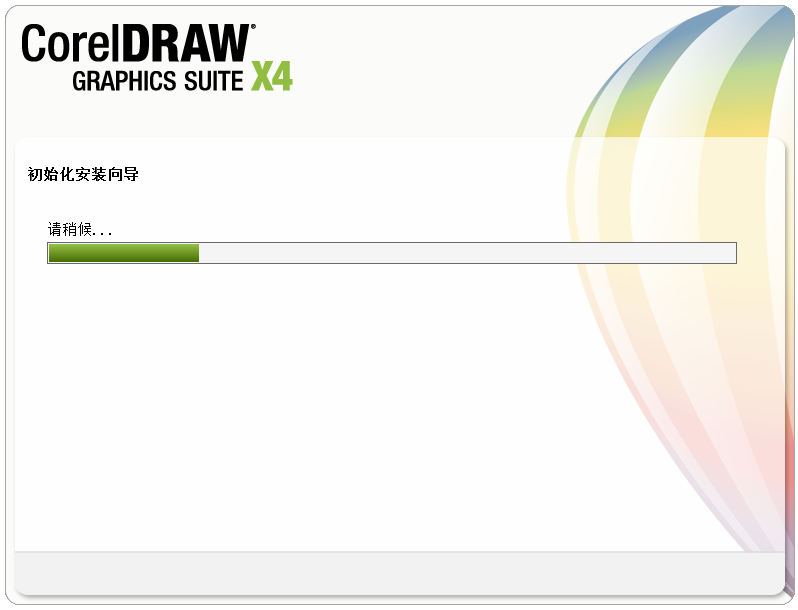
1. Download the CorelDRAW X4 vector drawing software from the Huajun Software Park, and unzip it to the current folder. Click on the exe application and the interface will pop up, as shown in the figure.
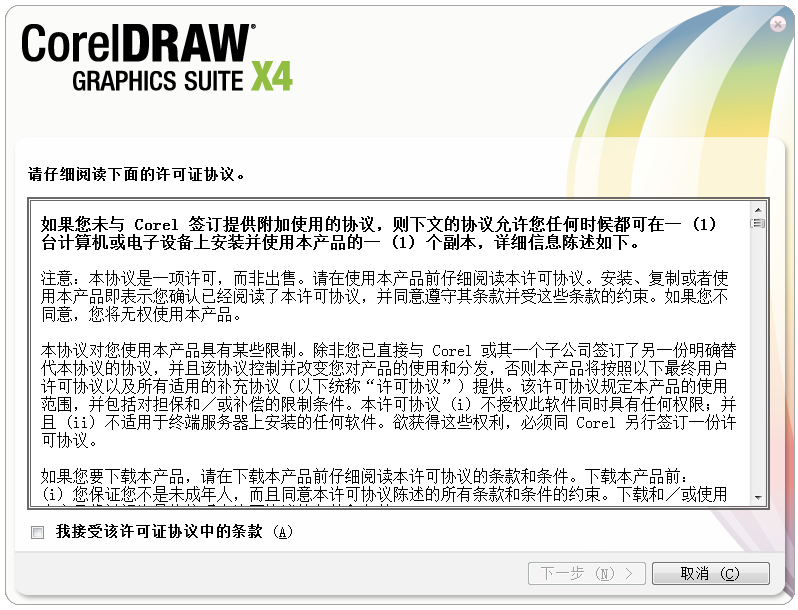
2. After loading, read the license agreement carefully, choose to accept, and click [Next].
3. The following interface appears. This is to remind us to support genuine versions. You can ignore it for the time being and click [Next] directly.

4. Enter CorelDraw X4's additional task setting interface, there are three major modules here. Let's look at the [Installation] module first. You can choose to install other additional products, and then click [Change] to set the CorelDraw X4 save path.
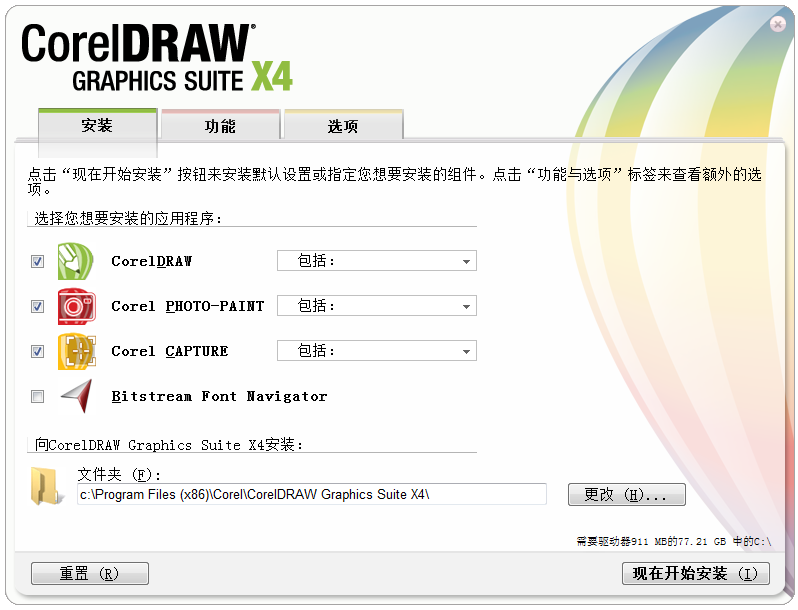
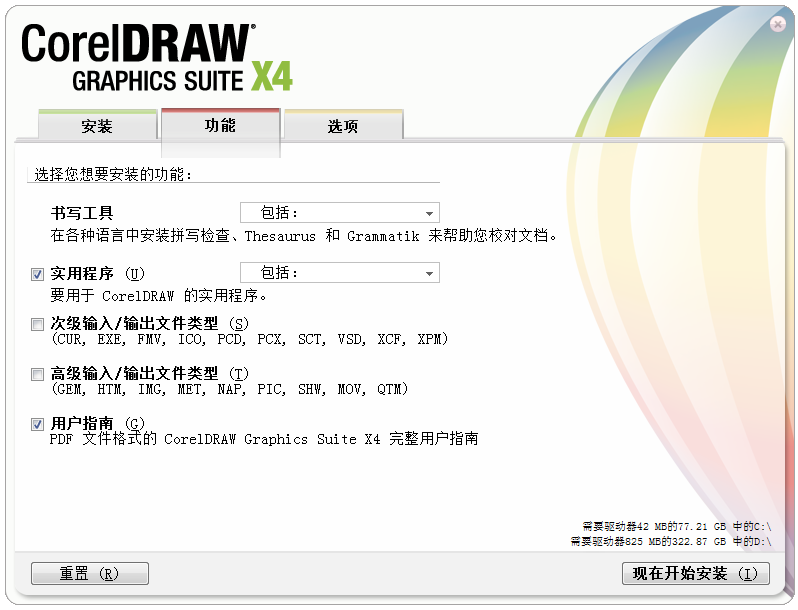
5. Click [Function] to enter the interface and check the corresponding functions according to your usage habits. It is recommended to check [User Guide]. If you have any questions, you can refer to this guide.
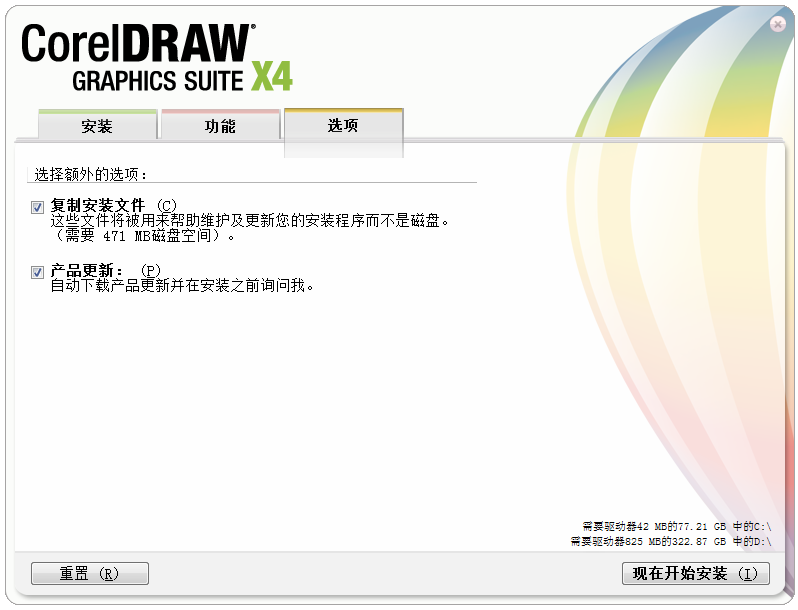
6. Click [Options] to enter the interface, make selections according to the actual situation, and then click [Start Installation Now].
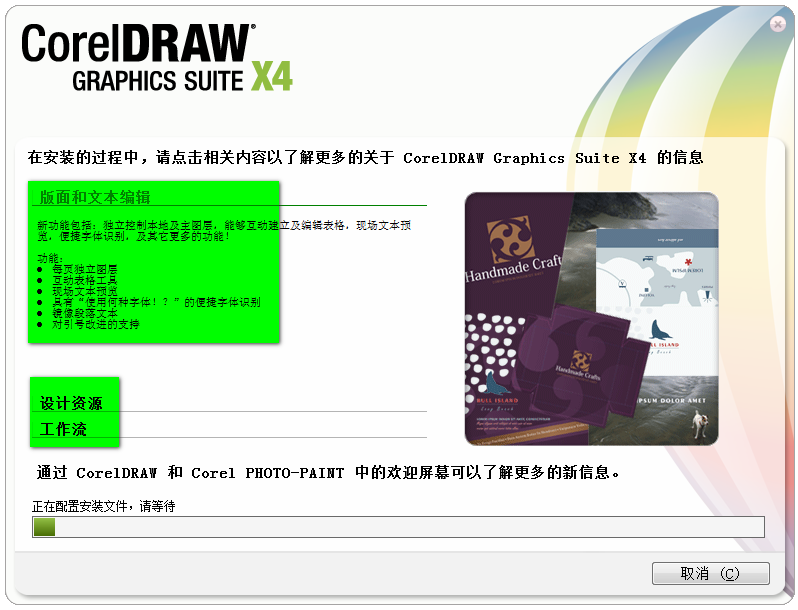
7. The software is being installed, just wait patiently. You can also click on the green area to view some function introductions.
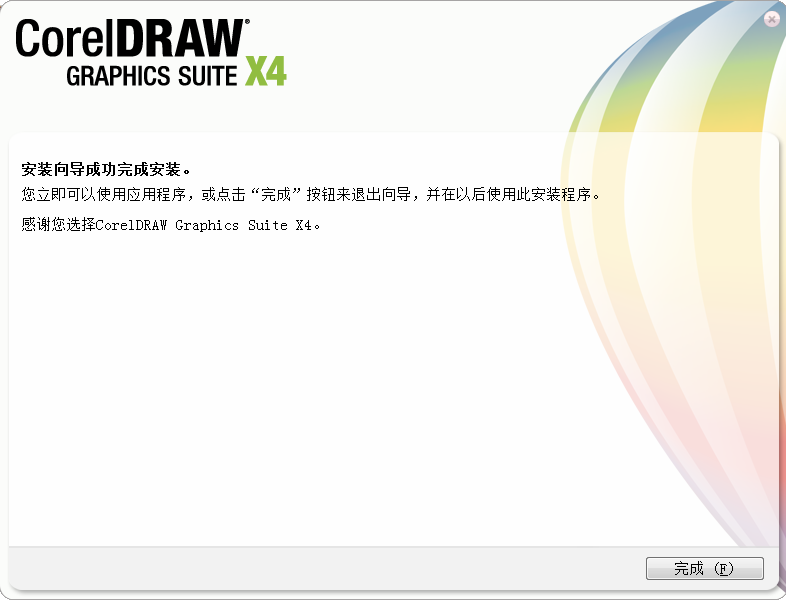
8. CorelDraw X4 is installed, click the [Finish] button.
How to use CorelDRAW X4 vector drawing software
1. Open the CorelDRAW software and import a picture.
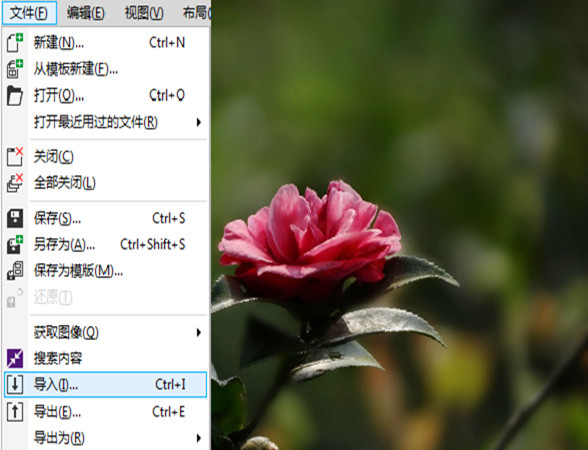
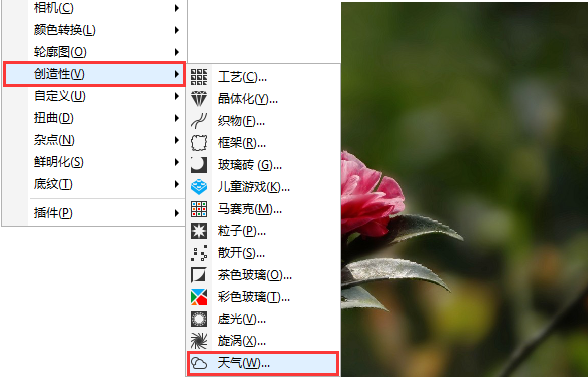
2. With the picture selected, execute the "Bitmap > Creative > Weather" filter.
3. The "Weather" dialog box pops up and adjust the relevant parameters in the dialog box (you can customize the preview mode to facilitate viewing the comparison effect).
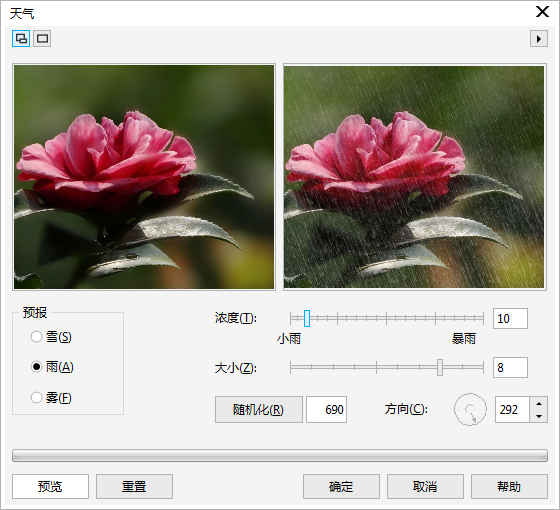
The final rendering on a rainy day is shown below:

The final rendering of the snowy day is shown below:

The final renderings of foggy weather are shown below:

CorelDRAW X4 vector drawing software FAQ
Question: coreldraw x4Shortcut keysWhich ones are there?
Answer: F1-F12
F1: Help information
F2: Zoom out
F3: Zoom in
F4: Zoom to place all objects in the window
F5: Freehand drawing tools
F6: Rectangle Tool
F7: Ellipse tool
F8: Artistic calligraphy tool
F9: Switch between full-screen preview and editing mode
F10: Shape Tool
F11: Gradient Fill Tool
F12: Outline Pen Tool
Ctrl+""
Ctrl+F2: View Manager Roller Shutter
Ctrl+F3: Layer rolling shutter
Ctrl+F5: Style roller shutter window
Ctrl+F7: Envelope roller shutter window
Ctrl+F8: Roller shutter window
Ctrl+F9: Contour rolling shutters
Ctrl+F10: Node editing roller shutter
Ctrl+F11: Symbol rolling shutter
Question: How to crop in coreldraw x4?
Answer: 1. Click the left navigation bar and select [Crop Tool] or the third button
2. After selecting the crop button, we circle the location we need
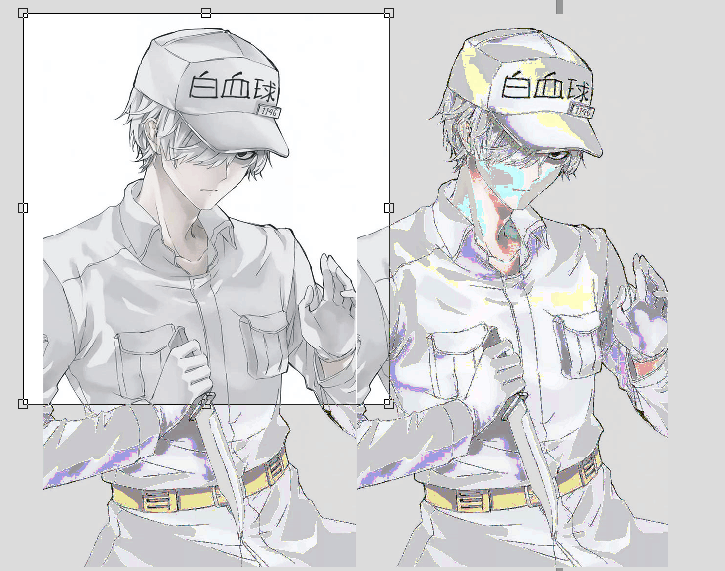
3. After you circle the position you want, double-click in the circled area to crop it.
Comparison of similar software
Glodon 3D construction graphic designAlso referred to as 3D-GCP, it is a professional software used for project bidding and construction organization design drawing. It not only helps engineering and technical personnel quickly and accurately draw construction site layout drawings like two-dimensional floor plan production software, but more importantly, it is reflected in its 3D effect.
floor plan design softwareThe official version is a drawing tool created by Blu-ray software. The latest version of the floor plan design software supports linear, coordinate, alignment, radius, diameter, angle and other annotations, and can help users insert plates, external references and other operations. Through the floor plan design software, users can also measure area, distance, object capture and graphic proofreading to improve users' drawing efficiency.
Huajun editor recommends:
CorelDRAW X4Featuring time-saving text and page layout enhancements to help you complete designs faster. CorelDRAW X4 vector drawing software is a very good image processing software. I secretly tell you that I also use this software, and I don’t tell others about it!
Version: 25.0.0.17 | Update time: 2025-11-17
Similar recommendations





Latest updates





How to create a folder on Thunder Cloud Disk - How to create a folder on Thunder Cloud Disk
How to take screenshots in Video Pioneer? -How to take screenshots in Video Pioneer
Stickman War Legacy web version entrance-Stickman War Legacy online play
How does kimi generate PPT? -Kimi’s operation process for generating PPT
Peace Elite instant play entrance-Peace Elite web version online play entrance without login
CorelDRAW X4 vector drawing software review
-
1st floor Huajun netizen 2022-03-23 14:17:57The interface design of CorelDRAW X4 vector drawing software is easy to use and has rich functions. I highly recommend it!
-
2nd floor Huajun netizen 2021-09-10 16:54:39CorelDRAW X4 vector drawing software is very easy to use, downloads quickly and is very convenient!
-
3rd floor Huajun netizen 2022-01-23 20:59:45CorelDRAW X4 vector drawing software is awesome! 100 million likes! ! !
Recommended products




- Diablo game tool collection
- Group purchasing software collection area
- p2p seed search artifact download-P2P seed search artifact special topic
- adobe software encyclopedia - adobe full range of software downloads - adobe software downloads
- Safe Internet Encyclopedia
- Browser PC version download-browser download collection
- Diablo 3 game collection
- Anxin Quote Software
- Which Key Wizard software is better? Key Wizard software collection




