
-
pen holder
- Size: 10.83M
- Language: Simplified Chinese
- Category: File conversion
- System: Winxp/vista/win7/win8/2000/2003






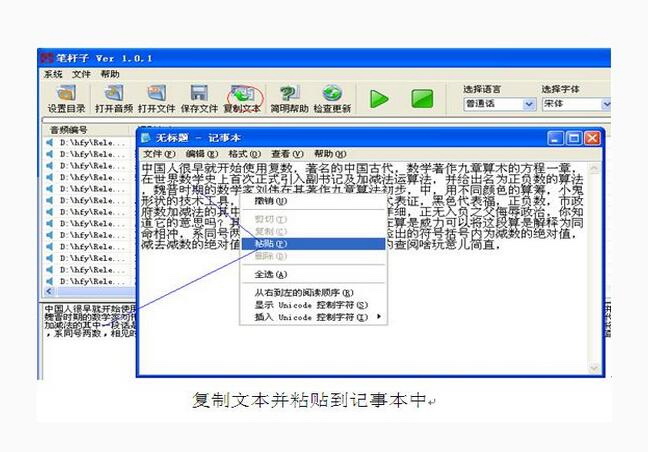
BiZhanzi software is the first PC-side open speech recognition platform in China. Its recognition rate of Mandarin has reached more than 96%, and it has the ability to recognize multiple local dialects and languages. BiZhanZi uses our unique acoustic analysis model to compress, packetize, and send long speech segments to the cloud. There is no need to worry about audio data leakage when using the pen, with a recognition rate of over 96%.
Pen holder features:
1. Applicable to news media, lawyers, government agencies and other writing staff who often need to use recordings;
2. When recording a meeting, just open the pen recording software to easily complete the recording task;
3. You can easily convert the recorded voice into text, which will greatly reduce the time for organizing meeting minutes later;
4. Languages can be classified, and several major language families such as Mandarin and English can be selected. The default is Mandarin;
5. Supports the selection of translated text fonts, such as Song style, Xingkai, official script, etc. The default font is Song style.
Pen barrel installation steps:
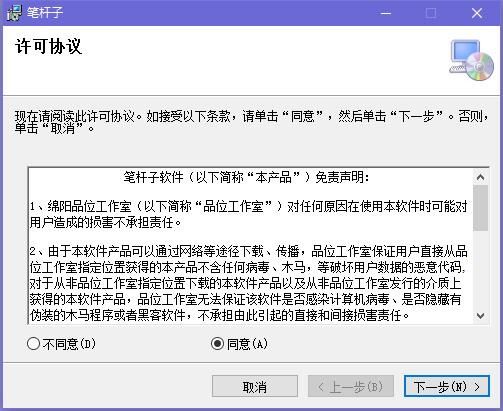
1. Download the pen software from this site, unzip it and double-click the .exe. A license agreement interface will appear. Click "Agree" and click "Next"
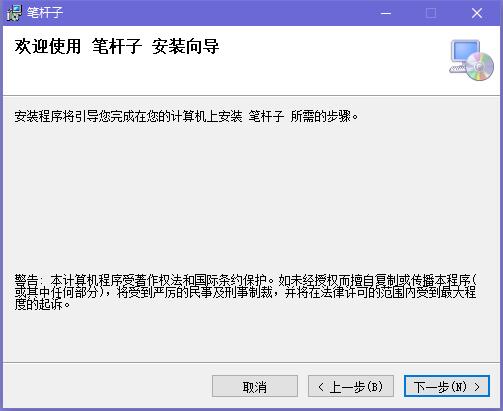
2. Enter the pen barrel installation wizard and click "Next" to continue.
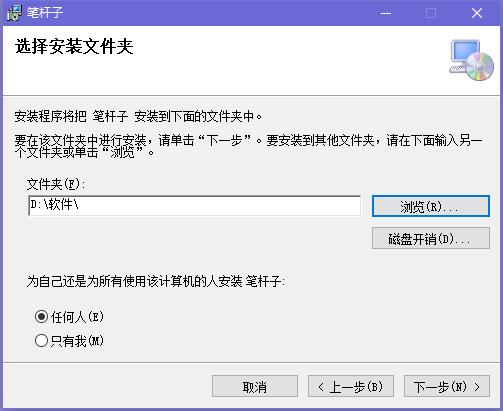
3. It is recommended to install the file on the D drive, click "Browse" to modify the installation location, and click "Next" to continue.
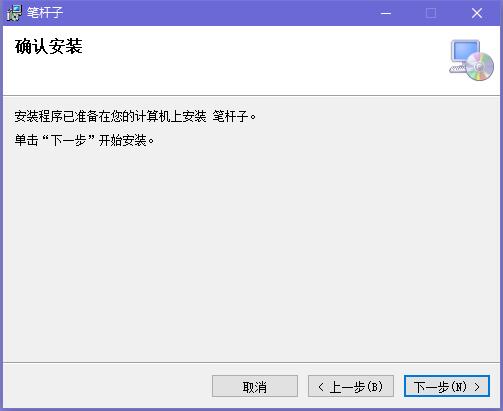
4. The installation program is ready to install the pen on your computer. Click "Next" to start the installation.
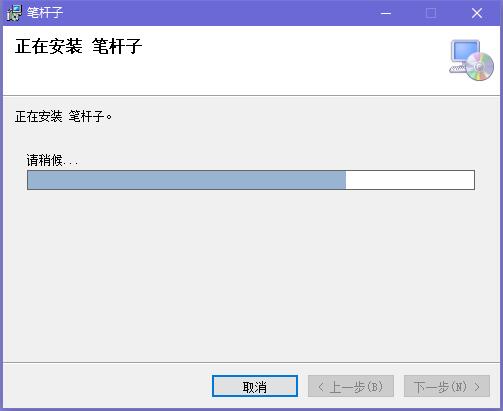
5. The pen barrel is being installed. The process is very fast. Please wait patiently.
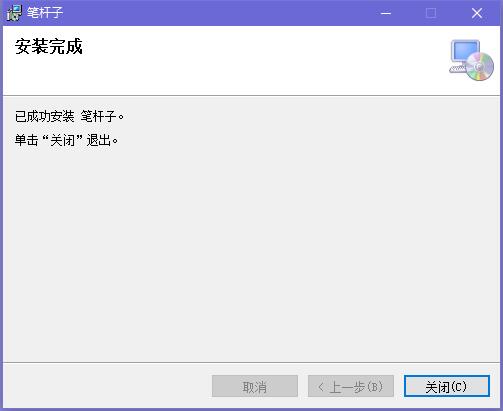
6. After the pen barrel installation is completed, click "Close" to exit the installation interface.
How to use the pen holder:
How to convert recording to text with PenZi?
1. First register an account and recharge the account. The fee is 10 yuan/month. Log in. At the top is the attribute bar, where you can adjust the output font format.
2. Click [Set Directory], browse the target folder, and set the storage location after voice segmentation. It is recommended to set the working directory to a disk partition other than the system disk (C drive);
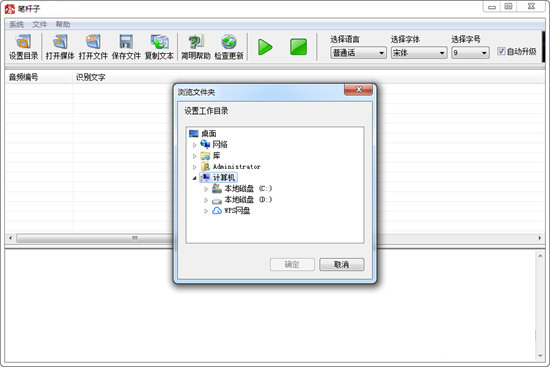
3. Bipolezi currently only supports translation in multiple local languages, including Mandarin, Northeastern dialect, Cantonese, Henanese, English, etc. The default language is Mandarin, and you can also choose the font and size to adjust the output method to your comfort.
4. Click [Open Media], find the target MP3 in the folder, and drag the audio file directly. After the file is imported successfully, the audio will be automatically recognized. After the progress bar on the page is finished reading, the text box below will automatically display the recognized text.
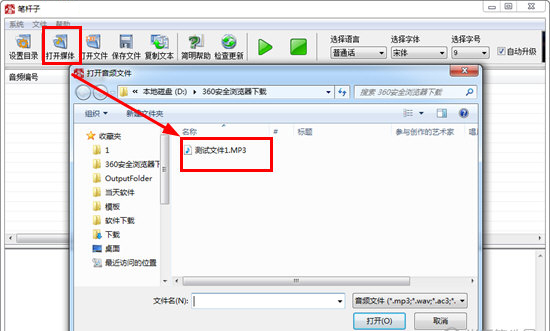
After the font recognition is completed, there will be many small errors. At this time, you can choose to manually modify some text and control the sound playback through the play and pause buttons above to check for text errors.
5. After the audio file is translated, the user can modify and edit the text against the single-sentence voice. The summary text can be automatically modified. Click the [Copy Text] button above to directly copy and paste all the text.
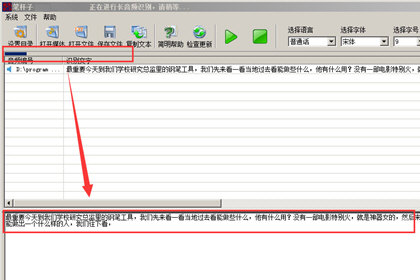
6. After the text is processed, it can be automatically saved as TXT text. Users can also copy the text to WordWPS and other software for editing.
Pen update log:
1. Fixed other bugs;
2. Optimized software compatibility.
|
Huajun editor recommends: This software is completely fool-proof and super simple. Users can directly check the recording content in text format. There is no need to spend time sorting it all out and then converting it, saving users a lot of work time. In addition, the Xingyu voice recognition control system and KiKi voice recognition system are recommended to everyone. You are welcome to download and use them. |
Version: 3.0 | Update time: 2024-12-26
Similar recommendations





Latest updates




Pixel Naruto online play entrance-Pixel Naruto web version online play-Huajun Software Park
How to add background music in python-How to add background music in python
How to configure environment variables in python - How to configure environment variables in python
How to run python - How to run python
How to create a project in python - How to create a project in python
How to make a blue sky background with scratch-How to make a blue sky background with scratch
pen review
-
1st floor Huajun netizen 2020-06-29 13:59:52The pen holder is very useful, thank you! !
-
2nd floor Huajun netizen 2019-08-06 06:32:12The pen interface design is easy to use and has rich functions. I highly recommend it!
-
3rd floor Huajun netizen 2021-01-19 17:44:53The Penzhuanzi software is very easy to use, the download speed is very fast, and it is very convenient!
Recommended products





- Diablo game tool collection
- Group purchasing software collection area
- p2p seed search artifact download-P2P seed search artifact special topic
- adobe software encyclopedia - adobe full range of software downloads - adobe software downloads
- Safe Internet Encyclopedia
- Browser PC version download-browser download collection
- Diablo 3 game collection
- Anxin Quote Software
- Which Key Wizard software is better? Key Wizard software collection




