
-
HiFormat PDF Converter
- Size: 1.32M
- Language: Simplified Chinese
- Category: Office software
- System: WinAll






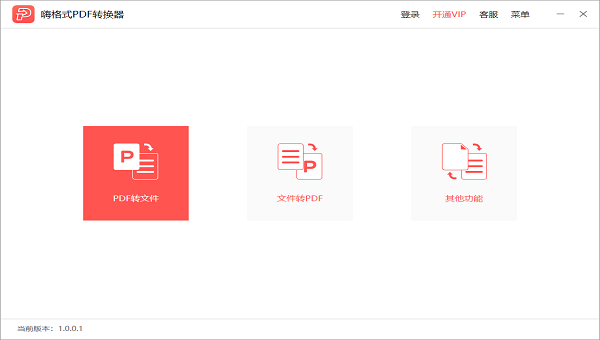
HiFormat PDF ConverterIt is a professional PDF file conversion software. HiFormat PDF Converter supports batch conversion of PDF, Word, PPT, Excel, pictures and other files.and multi-format output.In order to improve the user experience, new functions such as PDF merging, compression, splitting, encryption, decryption, adding watermarks, and page extraction are added. Allow users to experience efficient conversion speed and image extraction functions!
-
2022 Mac versionView
-
PC version v5.10.0.3View
-
PC version v1.6View
-
5.0.0View
-
6.5 free versionView
Features of HiFormat PDF Converter Software
Batch processing, efficient and convenient
Supports simultaneous conversion of multiple files, and you can complete batch operations with one click and drag, saving time and effort.
During the conversion process, the original data, fonts, font sizes and image sizes are retained, and the typesetting accuracy is extremely high.
Local processing, safe and reliable
The entire file conversion process is run locally on the computer and is not uploaded to the cloud to ensure the security of sensitive data.
It uses industry-leading encryption technology to support the conversion and decryption of encrypted PDF files.
Safe and reliable
Localized processing: File uploading and conversion are completed locally to avoid the risk of privacy leakage.
No advertising interference: pure version of the software, no pop-up ads or bundled installation, ensuring user experience.
Easy to operate
The interface is intuitive and you can drag and drop files to complete conversion or editing. No complicated settings are required, making it suitable for novice users.
Detailed operation guides and online customer service support are provided to resolve questions during use.
Hi Format PDF Converter Software Features
Format conversion:
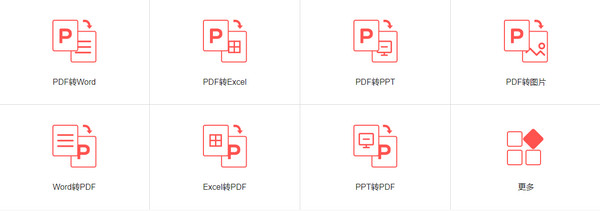
Supports batch conversion between PDF and Word, Excel, PPT, pictures and other formats to meet users' file format needs in different scenarios.
The original layout is retained during the conversion process, ensuring that the converted file is consistent in format and layout with the original file.
Lightweight editing:
PDF compression: Optimize PDF file size, save storage space, and facilitate file transfer and sharing.
PDF Merge and Split: Supports merging multiple PDF files into one file, or splitting one PDF file into multiple files, making it convenient for users to manage and organize files.
PDF encryption and decryption: Provides encryption and decryption functions for PDF files to protect the security and privacy of user files.
Adding watermarks and page extraction: Supports adding watermarks to PDF files and extracting specific pages in PDF files to meet users' personalized file processing needs.
OCR text recognition:
Built-in OCR technology can identify text content in image files, support converting image files into editable text format, and improve the efficiency and accuracy of file processing.
HiFormat PDF Converter Software Installation Tutorial
1. Unzip after downloading from this site
2. Click the program to install it
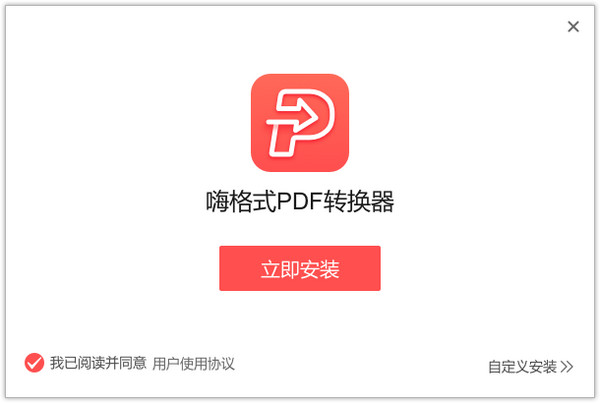
3. Wait for the installation to complete
4. Click to experience it now and use it
HiFormat PDF Converter Software Usage Tutorial
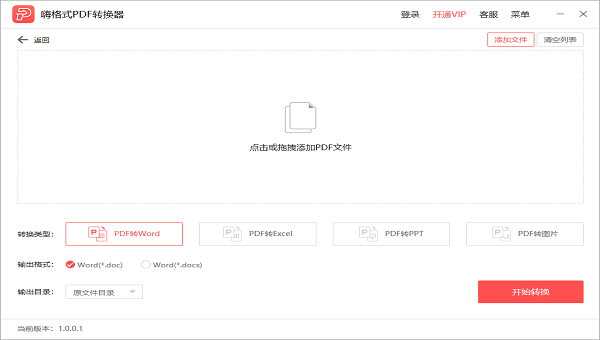
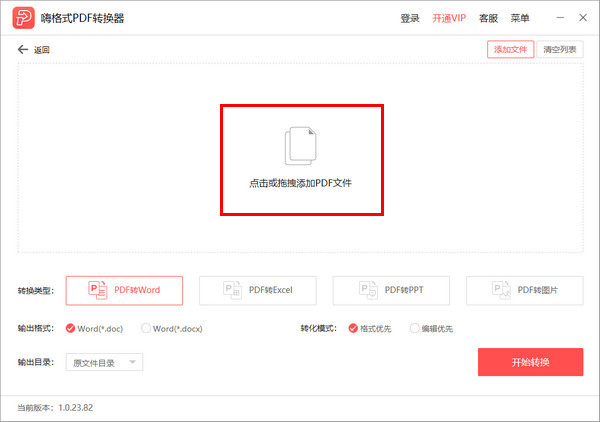
Step one:Select/drag files into the software
Click the "Add File" button to select a file from the computer folder, or drag the file directly to the software interface.
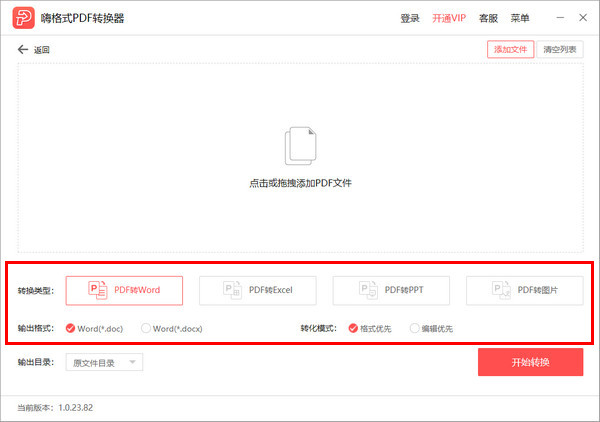
Step 2:Select the file format to be converted
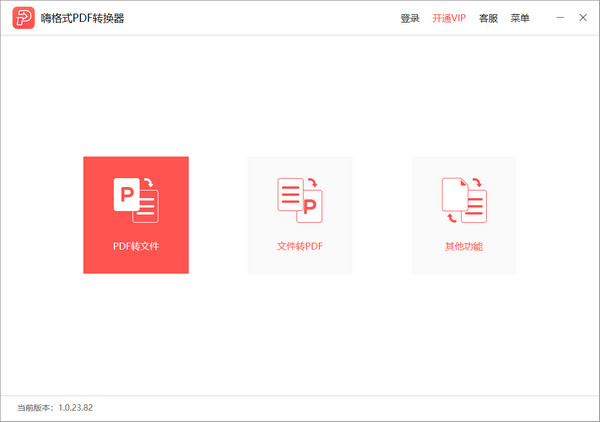
Open the software interface and select the function you need. HiFormat PDF Converter supports PDF to Word, PDF to Excel, PDF to PPT, PDF to pictures, etc.
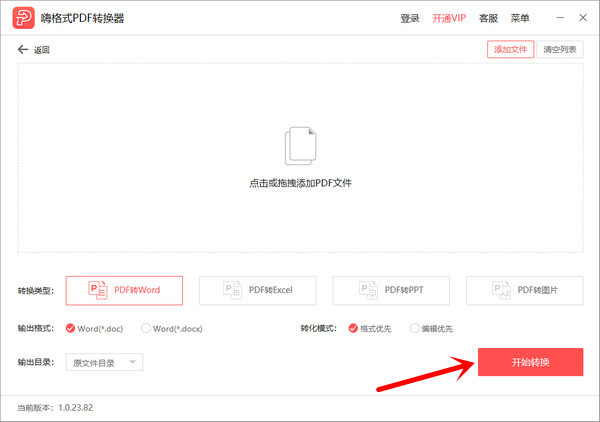
Step three:Click the [Start Conversion] button
Click the "Start Conversion" button to start file format conversion. After the conversion is successful, you can open the file. Three steps to successfully complete file format conversion.
Software crashes after starting
Reason: software conflict, cache file corruption, abnormal system environment.
Solution:
Close other programs that are occupying resources, restart the computer and try again.
Clear the software cache (the path is usually %APPDATA%HiFormat PDF Converter or ~/Library/Application Support/HiFormat PDF Converter).
Reinstall the software.
HiFormat PDF ConverterComparison of similar software
PDF Converter Official VersionIt is a PDF conversion tool with a clear and intuitive interface, professional and outstanding functions, and easy and convenient use. The official version of PDF Converter supports converting PDF to Word, Excel or other formats, and also has PDFCompression, merge and OCR functions.
Fengyun PDF Converter Official VersionIt is an excellent PDF file format conversion tool that can help users easily convert between various file formats such as PDF, Office, and pictures. Fengyun PDF Converter supports batch conversion and can retain all original data and layout with maximum accuracy. It only needs to support one-click drag-in..
Image to PDF converterOfficial versionIt is a conversion tool that can convert other image formats to PDF format. The official version of the picture PDF converter can support conversion of BMP, WBMP, JPEG and other formats.
Huajun editor recommends:
HiFormat PDF ConverterIt is a very easy-to-use office software. For this reason, Huajun Software Park provides all users with download channels for other related office software. I believe everyone will like these software.Foxit Office,OA office automation system, everyone is welcome to download!
Version: 3.6.200.529 | Update time: 2025-11-25
Similar recommendations





Latest updates





HiFormat PDF Converter How to Convert PDF to Html - How to Convert PDF to Html
HiFormat PDF Converter How to Convert Excel to PDF - How to Convert Excel to PDF
How to set encryption for PDF files in HiFormat PDF Converter - How to set encryption for PDF files
HiFormat PDF Converter How to Split Pages in PDF Files - How to Split Pages in PDF Files
How does HiFormat PDF Converter merge pdfs - How does HiFormat PDF Converter merge pdfs
How to delete history in Video Pioneer? -How to delete history records by Video Pioneer
How to set the skin for Video Pioneer? -How to set skin for Video Pioneer
How to upgrade software in 360 Software Manager? -How to upgrade software in 360 Software Manager
HiFormat PDF Converter Review
-
1st floor Huajun netizen 2021-04-15 11:52:15Hi format PDF converter is very useful, thank you! !
-
2nd floor Huajun netizen 2021-11-14 02:03:59HiFormat PDF Converter software is very easy to use, downloads quickly and is very convenient!
-
3rd floor Huajun netizen 2021-07-23 16:37:12HiFormat PDF Converter is awesome! 100 million likes! ! !
Recommended products







- Diablo game tool collection
- Group purchasing software collection area
- p2p seed search artifact download-P2P seed search artifact special topic
- adobe software encyclopedia - adobe full range of software downloads - adobe software downloads
- Safe Internet Encyclopedia
- Browser PC version download-browser download collection
- Diablo 3 game collection
- Anxin Quote Software
- Which Key Wizard software is better? Key Wizard software collection




