
-
Tianciyun assistant coach
- Size: 219.58M
- Language: Simplified Chinese
- Category: electronic classroom
- System: win7 and above







The official version of Tianci Cloud Teaching Assistant is a teaching software. The latest version of Tianci Cloud Teaching Assistant can help users provide better multimedia teaching services, support interactive teaching, cross-screen data transmission, and electronic whiteboard explanations are more convenient. Tianci Cloud Teaching Assistant has a simple and intuitive interface, simple and convenient operation, which can help teachers improve work efficiency. It supports cross-platform resource sharing and cloud storage, supports a variety of micro-lecture recording methods, and can help teachers accumulate digital teaching assets.
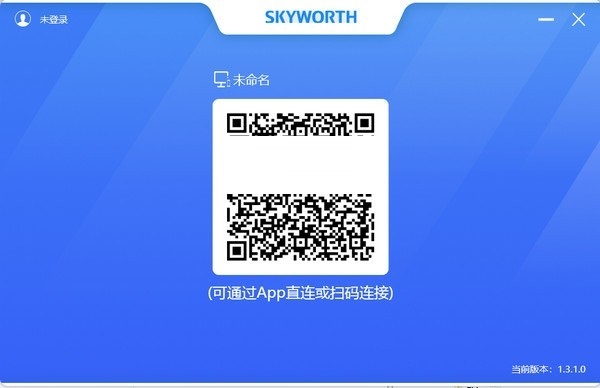
Introduction to Tianci Cloud Teaching Assistant Software
The Tianciyun Teaching Assistant APP is a tool product developed by Skyworth Optoelectronics to help teachers improve their work efficiency, providing teachers and students with a convenient new teaching and learning experience. Skyworth Tianci Cloud Teaching Assistant integrates multi-functional applications. Teachers can record and broadcast micro-lectures through the Tianci Cloud Teaching Assistant APP and quickly share them through WeChat to guide students to learn online and master knowledge points. Promote efficient teaching and learning between education and students.
Features of Tianci Cloud Teaching Assistant Software
1. Tianci Cloud Teaching Assistant has complete functions, is simple and practical.
2. Tianci Cloud teaching assistant is suitable for online interactive classes and improves the joy of classroom teaching.
3. The page is simple and visual, and the actual operation is simple, convenient and fast, which can help teachers improve their work efficiency.
4. Suitable for hybrid development of shared resources and cloud backup.
5. Support white version sharing and video interactive communication.
6. Tianci Cloud Teaching Assistant supports a variety of micro-lecture recording methods, which can help teachers accumulate digital teaching assets.
Tianci Cloud Teaching Assistant Installation Steps
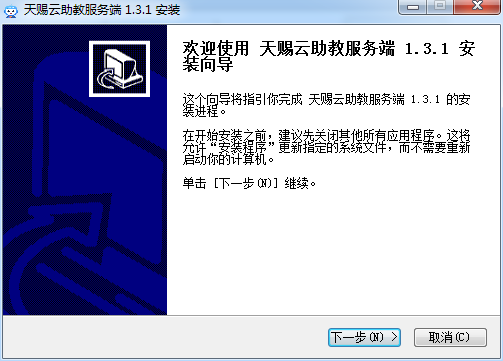
1. Download the installation package of Tianci Cloud Teaching Assistant in Huajun Software Park, double-click the exe program to enter the installation interface, and click Next
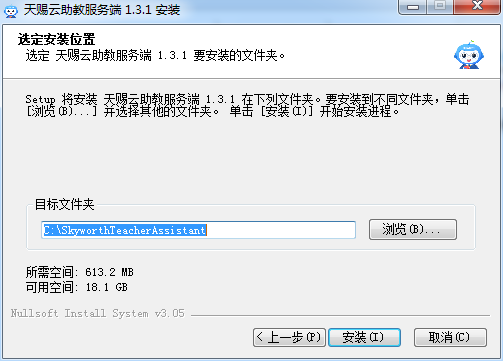
2. Click "Browse" to select the installation path and click Install
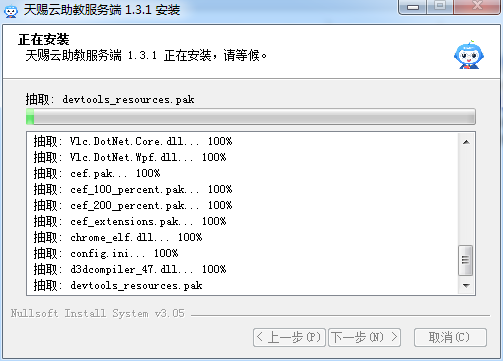
3. The software is being installed, please wait patiently.
4. The installation is complete, click Finish
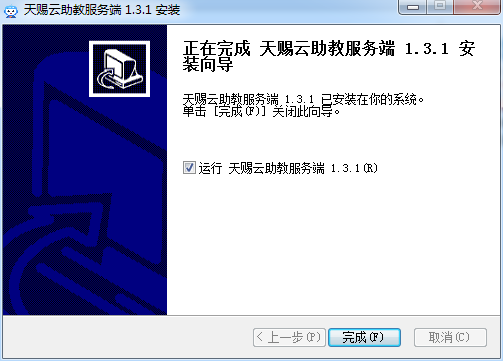
Tianci Cloud Teaching Assistant Update Log
1. Sweep the bug out and carry it out to the end
2. The most stable version ever
Huajun editor recommends:
In addition to Tianci Cloud Teaching Assistant, a very convenient electronic classroom, there are also related software such as Easy Copybook, .NET, and Cloud Machine Manager available for download. If you are in need, please click to download and use it.
Version: 1.3.1 Official version | Update time: 2024-12-30
Similar recommendations





Latest updates





Comments from Tianciyun assistant coach
Recommended products
-

Red candle electronic pointer
-

electronic whiteboard
-

Jakataka Electronic Classroom Teacher Terminal
-
seewo teaching whiteboard
-

Online school classroom computer version
-
Starscream Multimedia Network Classroom Software
-

Work Together English
-

Hebei Cadre Online College learning assistance hang-up program
-

NetEase Cloud Classroom PC version
-

IQBoard interactive whiteboard software
- Diablo game tool collection
- Group purchasing software collection area
- p2p seed search artifact download-P2P seed search artifact special topic
- adobe software encyclopedia - adobe full range of software downloads - adobe software downloads
- Safe Internet Encyclopedia
- Browser PC version download-browser download collection
- Diablo 3 game collection
- Anxin Quote Software
- Which Key Wizard software is better? Key Wizard software collection




