
-
MutifyMac
- Size: 8.2M
- Language: Simplified Chinese
- Category: media tools
- System: Mac OS X






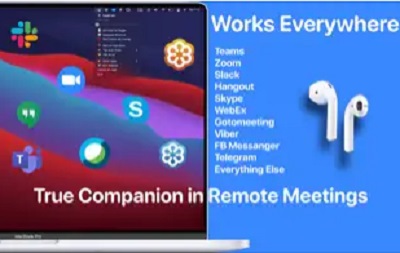
The official version of Mutify Mac is a microphone mute tool suitable for use on the Mac platform. Mutify The latest version of Mac allows users to control the sound during remote meetings. You can disable your own microphone at any time so that your voice will not be transmitted to the meeting. And Mutify Mac also works with Zoom, Hangout, Slack, Skype, GoToMeeting, Webex, Viber, FB Messanger et al.
Things to note:
Friends who use Mac to install or download application software often encounter the following three error situations. The editor here provides you with solutions to help you solve the Mac error problem:
1. "...the software is damaged and cannot be opened. You should move it to the Trash"
2. "The xxx software cannot be opened becauseApple can't check if it contains malware"
3. "Cannot open xxxsoftware because it comes from an unidentified developer"
Don’t panic if you encounter the above three situations, follow the editor’s instructions and solve them easily.
1. Turn on any source in the computer settings.Open any source.
2. Opening any source will solve the problem of most software error reports. If it does not work, it means that you need to bypass application signature authentication by executing command line code. Execute command bypassiosnotarizationGatekeeper.
3. If the above operations still cannot solve the problem, then you need toCloseSIPSystem integrity protectionOnly then can.
Mutify Mac software features
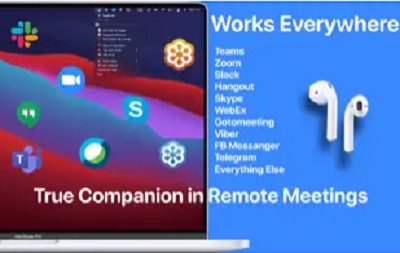
You can mute and unmute the microphone directly in the menubar. You can also enable push calling mode. Mutify works with Zoom, Hangout, Slack, Skype, GoToMeeting, Webex, Telegram, Viber, FB Messanger et al.
Please note that some applications will attempt to control your microphone. In Skype, for example, you have to disable the setting that automatically adjusts the microphone volume.

Mutify Mac software advantages
Supports most remote conferencing software
Disable sound with one click
Control through shortcut keys
Mutify Mac software features
While basically all chat apps allow you to mute your microphone, not all apps provide accessible hotkeys to enable this functionality. If you use multiple apps to chat with friends or team members, using a global hotkey to lower the microphone volume can be useful.
The purpose of Mutify Mac version is to make it as easy as possible for you to cut off the microphone at any time. You can use hotkeys or, if you have a MacBook Pro, you can even do it using shortcuts on the Touch Bar.
Mutify Mac update log
Enhanced push-to-talk functionality can be used in any situation.
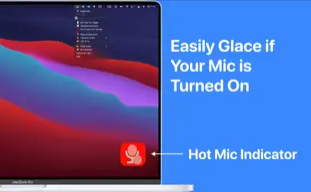
When your microphone is on, the microphone indicator light is always on.
Press fn twice to switch microphones.
Fixed some annoying bugs.
Huajun editor recommends:
The editor of Mutify Mac personally tested the software and found that the various functions are very simple and easy to operate. Even a new user like the editor can quickly master it. I highly praise it! This site also has software similar to Researcher, Adobe Photoshop Lightroom For Mac, and .NET, which we recommend you download!
Version: 3.4.3 Official version | Update time: 2024-12-30
Similar recommendations






Latest updates



Mutify Mac Review
-
1st floor Huajun netizen 2022-08-18 20:14:57Mutify Mac is very useful, thank you! !
-
2nd floor Huajun netizen 2022-08-30 18:24:20The Mutify Mac interface design is easy to use and has rich functions. I highly recommend it!
-
3rd floor Huajun netizen 2022-08-14 01:23:19Mutify Mac is awesome! 100 million likes! ! !
Recommended products









- Diablo game tool collection
- Group purchasing software collection area
- p2p seed search artifact download-P2P seed search artifact special topic
- adobe software encyclopedia - adobe full range of software downloads - adobe software downloads
- Safe Internet Encyclopedia
- Browser PC version download-browser download collection
- Diablo 3 game collection
- Anxin Quote Software
- Which Key Wizard software is better? Key Wizard software collection




