
Hot search terms: 360 Security Guard Office365 360 browser WPS Office iQiyi Huawei Cloud Market Tencent Cloud Store
Hot search terms: 360 Security Guard Office365 360 browser WPS Office iQiyi Huawei Cloud Market Tencent Cloud Store

CAD software Storage: 541.51MB Time: 2022-02-25
Software introduction: Tianzheng Architecture 2014 is a very professional CAD drawing design software developed and designed by Tianzheng Company. Tianzheng Architecture 2014 has strong functions...
How to use Tianzheng Architectural CAD to calculate the area? Some friends may not be very clear yet, so now I will share with you the operation method of using Tianzheng Architectural CAD to calculate the area. Friends who are not very clear about it can come and take a look.
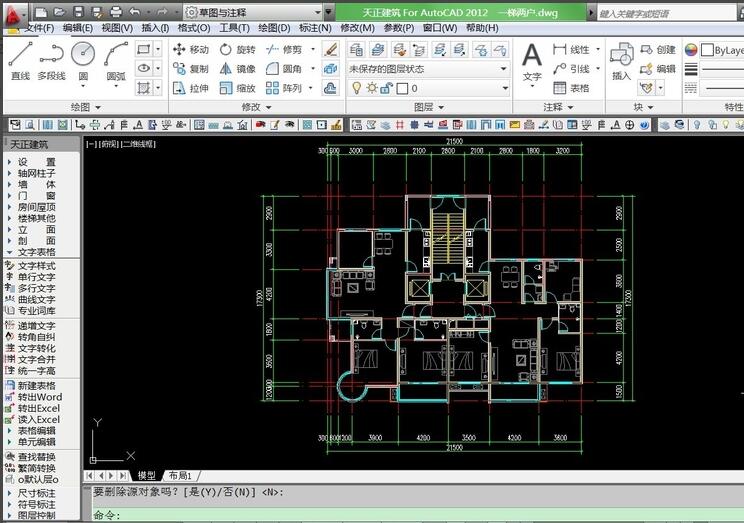
First, open the file and find the plane whose area you want to calculate.
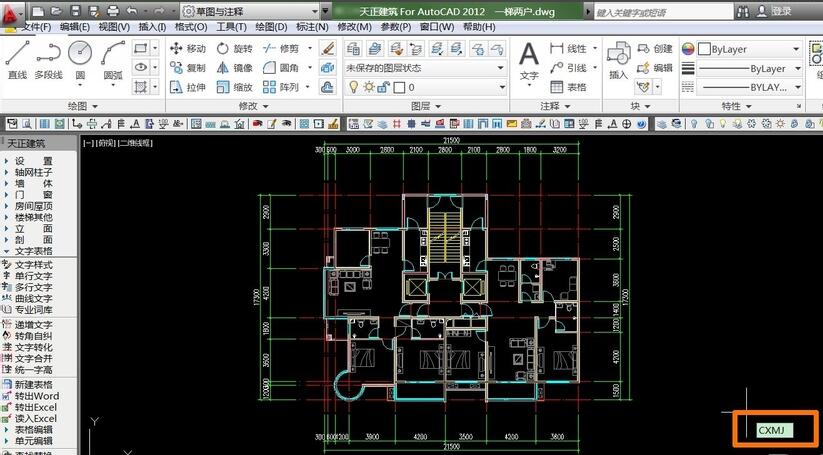
Type cxmj and press Enter.
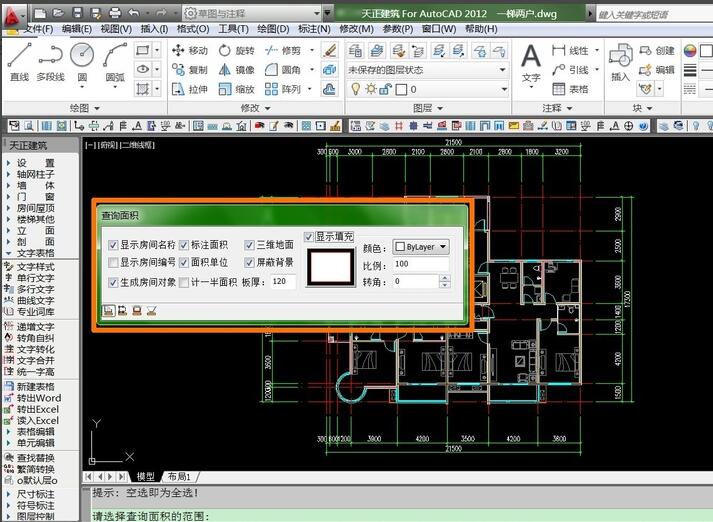
Adjust the required parameters in the pop-up option box.
Select the building wall whose area needs to be calculated.
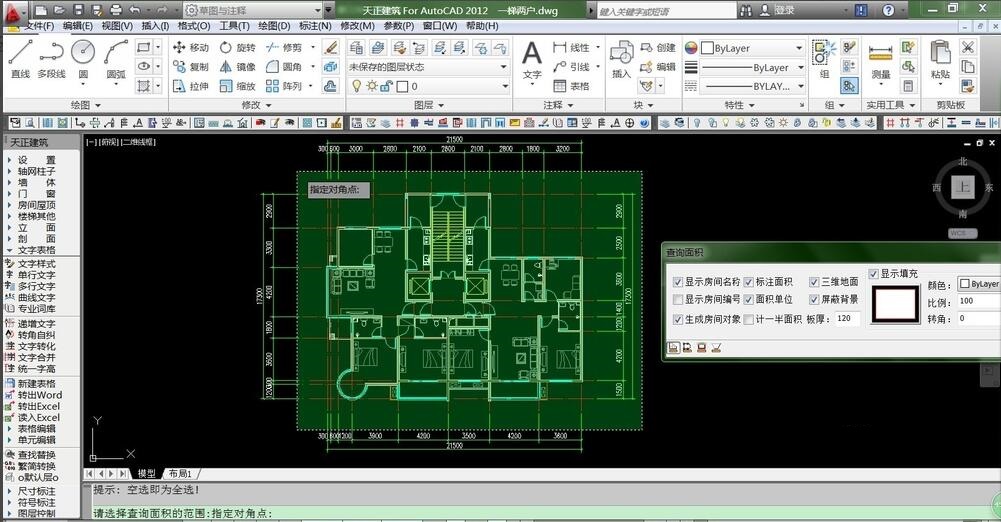
You can see the selected wall and the number on the mouse. That number is the area.
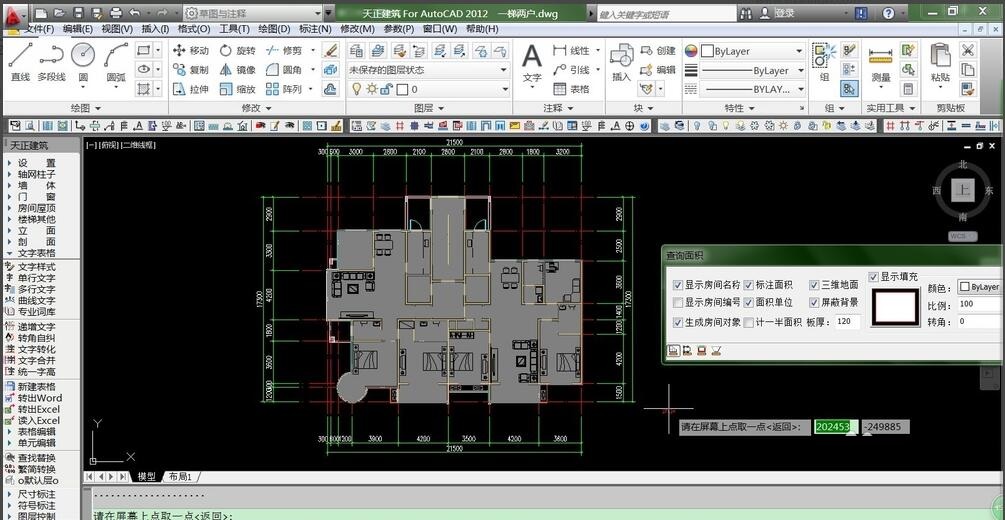
By left-clicking the mouse on the side, you can see that the area has been calculated and marked in the file.
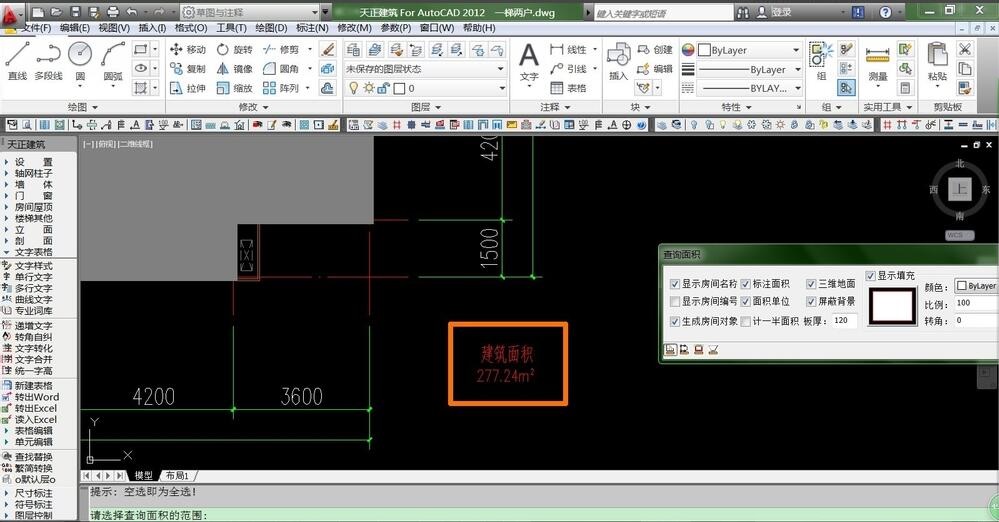
Note: The wall used for calculation must be drawn with Tianzheng.
The above is the method of calculating area using Tianzheng Architectural CAD shared by the editor. I hope it can help you.

 How to draw a lottery in 360 Software Butler - How to draw a lottery in 360 Software Butler
 How to collect software in 360 Software Manager - How to collect software in 360 Software Manager
 Microsoft Edge browser
 Steam
Steam
 Tencent Video
 WPS Office
 iQiyi
iQiyi
 Sohu video player
 Lightning simulator
 MuMu emulator
 Eggman Party
 What to do if there is no sound after reinstalling the computer system - Driver Wizard Tutorial
 How to switch accounts in WPS Office 2019-How to switch accounts in WPS Office 2019
 How to clear the cache of Google Chrome - How to clear the cache of Google Chrome
 How to fire bullets in scratch-How to fire bullets in scratch


