
Hot search terms: 360 Security Guard Office365 360 browser WPS Office iQiyi Huawei Cloud Market Tencent Cloud Store
Hot search terms: 360 Security Guard Office365 360 browser WPS Office iQiyi Huawei Cloud Market Tencent Cloud Store

CAD software Storage: 541.51MB Time: 2022-02-25
Software introduction: Tianzheng Architecture 2014 is a very professional CAD drawing design software developed and designed by Tianzheng Company. Tianzheng Architecture 2014 has strong functions...
Many partners said that they want to install Tianzheng Construction 2014 software, but they don’t know how to install it yet. So how do you install Tianzheng Construction 2014? Today’s article will share with you the installation methods of Tianzheng Construction in 2014. Hope it can help friends in need!
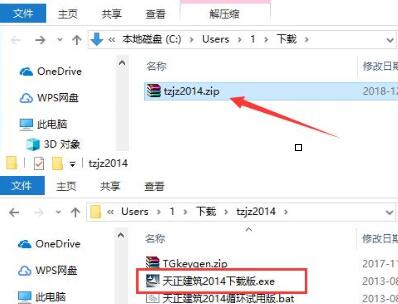
1. Download the Tianzheng Construction 2014 software package, unzip the compressed package, and double-click with the left mouse button to open the installation file.
Note: To decompress the compressed package, you need to use a compression and decompression tool. WinRAR is recommended because the technology is mature and reliable.
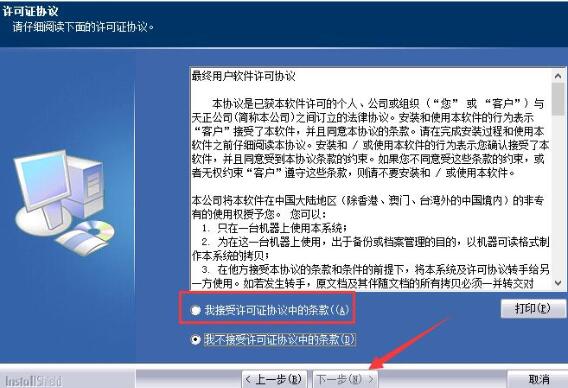
2. Enter the installation program and read the software-related license agreement. If you have no objection, check "I accept the terms of the license agreement" on the lower left and click "Next".
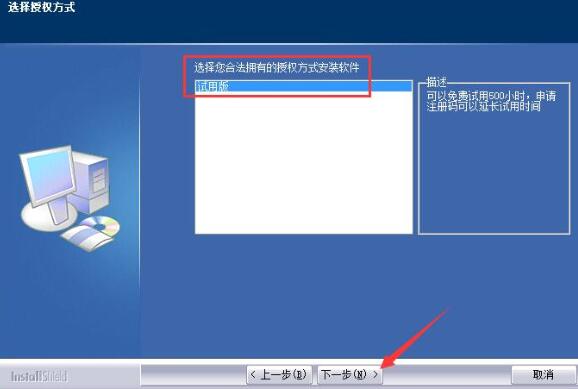
3. Select the software version to be installed, keep the default selection of "Trial Version", and click "Next".
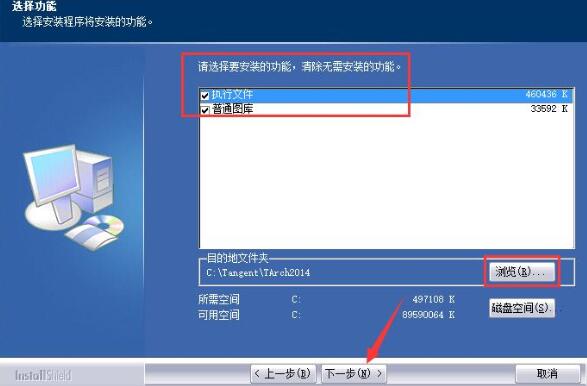
4. Select the functional module that needs to be installed. "Executable file" is a file necessary for the program to run. Be sure to check it. "General library" is a graphics library commonly used by users. You can check it as needed. Click "Browse" to select the installation directory of Tianzheng Architecture 2014. It is not recommended to install on the C drive. If there are too many files on the C drive, it will affect the running speed of the computer. After selecting, click "Next".
5. Select the start menu folder of Tianzheng Construction 2014. Under normal circumstances, you can keep the default selection and click "Next".
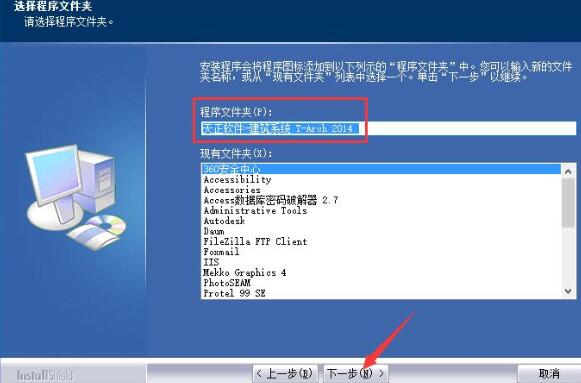
6. The installation process of Tianzheng Construction 2014 software takes about 5 minutes, please wait patiently.
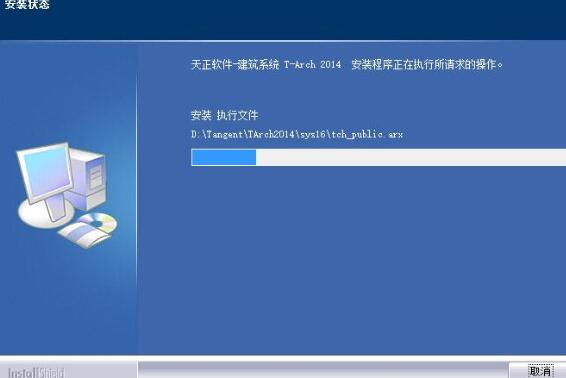
7. After the installation is completed, it will automatically jump to the installation completion interface, click the "Finish" button.
The above has explained the installation method of Tianzheng Construction 2014. I hope friends in need can learn it.

 How to add background music in python-How to add background music in python
 How to configure environment variables in python - How to configure environment variables in python
 How to run python - How to run python
 How to create a project in python - How to create a project in python
 How to make a blue sky background with scratch-How to make a blue sky background with scratch
 Microsoft Edge browser
 Steam
Steam
 Tencent Video
 WPS Office
 iQiyi
iQiyi
 Sohu video player
 Lightning simulator
 MuMu emulator
 Eggman Party
 What to do if there is no sound after reinstalling the computer system - Driver Wizard Tutorial
 How to switch accounts in WPS Office 2019-How to switch accounts in WPS Office 2019
 How to clear the cache of Google Chrome - How to clear the cache of Google Chrome
 How to fire bullets in scratch-How to fire bullets in scratch
