
Hot search terms: 360 Security Guard Office365 360 browser WPS Office iQiyi Huawei Cloud Market Tencent Cloud Store
Hot search terms: 360 Security Guard Office365 360 browser WPS Office iQiyi Huawei Cloud Market Tencent Cloud Store

CAD software Storage: 541.51MB Time: 2022-02-25
Software introduction: Tianzheng Architecture 2014 is a very professional CAD drawing design software developed and designed by Tianzheng Company. Tianzheng Architecture 2014 has strong functions...
Recently, many friends have expressed that they still don’t know how to use Tianzheng Architectural CAD to create architectural shadows. The following editor will explain to you the operation method of Tianzheng Architectural CAD to create architectural shadows. I hope it can help you.
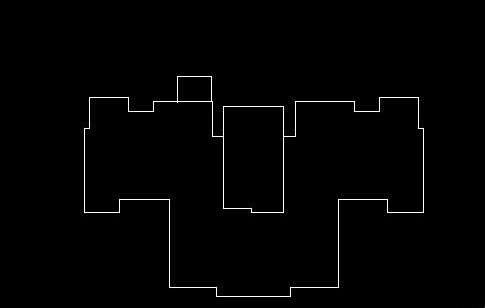
First, open Tianzheng Architecture CAD and draw a closed polyline.
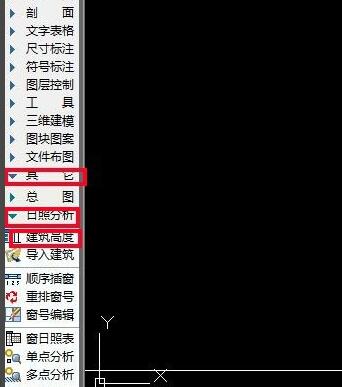
On the Tianzheng toolbar, find Other/Sunshine Analysis/Building Height, follow the command prompts, select the closed polyline, give the building height, and directly enter the value. Generally, 0 is sufficient for the base plate height.
Select the shadow outline, and in the pop-up menu, select the time as 14:30. The sunshine during this time period is closest to the 45-degree diagonal line. Remember not to check the box to calculate multiple times.
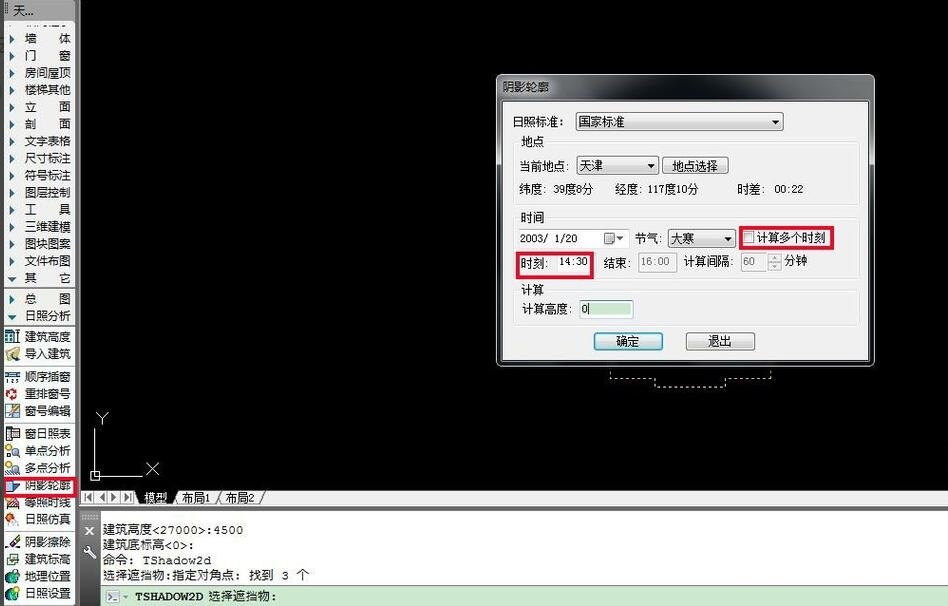
Click OK, and through the calculation of sunlight, we will get the following shadow outline. Use the explode command to explode and edit.
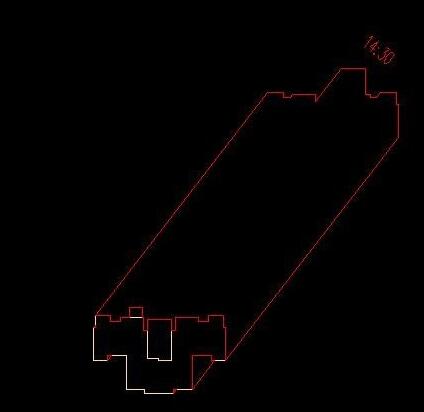
Use the fill command, the shortcut command is H, to fill the shadow outline. You can also import closed contour lines into PS to fill in the overall drawing.
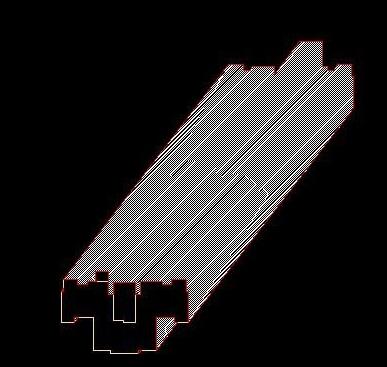
Adjust the edges of the shadow outline to white to get the final effect as shown below.
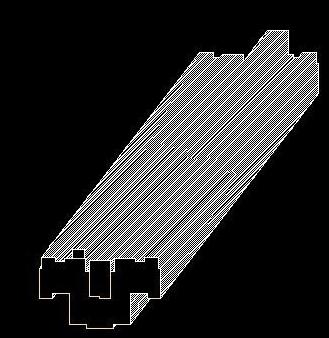
Note: When polyline is closed, you can use the BO command to close it.
The above is the editor's explanation of the operation method of creating architectural shadows in Tianzheng Architectural CAD. For those who are not sure about it, come and take a look.

 How to draw a lottery in 360 Software Butler - How to draw a lottery in 360 Software Butler
 How to collect software in 360 Software Manager - How to collect software in 360 Software Manager
 Microsoft Edge browser
 Steam
Steam
 Tencent Video
 WPS Office
 iQiyi
iQiyi
 Sohu video player
 Lightning simulator
 MuMu emulator
 Eggman Party
 What to do if there is no sound after reinstalling the computer system - Driver Wizard Tutorial
 How to switch accounts in WPS Office 2019-How to switch accounts in WPS Office 2019
 How to clear the cache of Google Chrome - How to clear the cache of Google Chrome
 How to fire bullets in scratch-How to fire bullets in scratch


