
Hot search terms: 360 Security Guard Office365 360 browser WPS Office iQiyi Huawei Cloud Market Tencent Cloud Store
Hot search terms: 360 Security Guard Office365 360 browser WPS Office iQiyi Huawei Cloud Market Tencent Cloud Store

web browsing Storage size: 126.39 MB Time: 2022-09-16
Software introduction: It is an extremely fast and safe seamless dual-core. 360 Speed Browser can not only help users have a faster browsing experience, but also protect...
Many netizens use the 360 Speed Browser software, but some of them don’t know the basic operations of adding gadgets when using it. Today, the author will specifically share the operation process of adding gadgets to the 360 Speed Browser. Let’s learn together. I believe it will be helpful to everyone.
Open 360 Speed Browser and click on the handle pattern in the upper right corner
Select "Tools"

Select "Manage custom features"
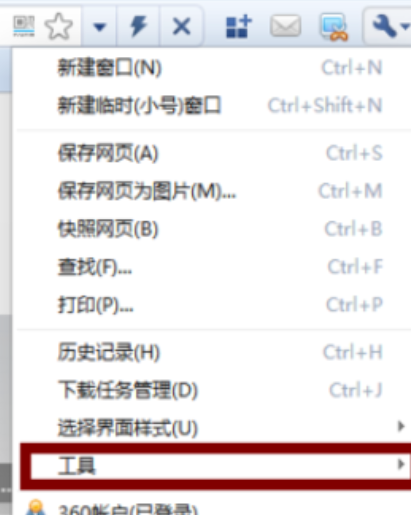
Jump to the page and click "Get more custom functions"

Jump to the page again and click "Gadgets"
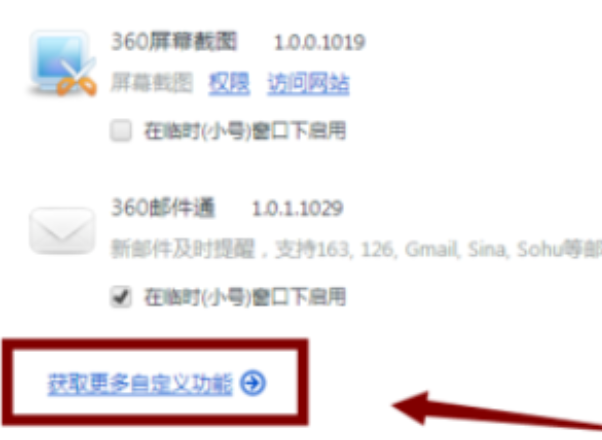
You can find many gadgets here. Select the gadget you want to use and click to install it.

Dear friends, after reading the above exciting content, you all know the operation process of adding gadgets to 360 Speed Browser!

 How to draw a lottery in 360 Software Butler - How to draw a lottery in 360 Software Butler
 How to collect software in 360 Software Manager - How to collect software in 360 Software Manager
 Microsoft Edge browser
 Steam
Steam
 Tencent Video
 WPS Office
 iQiyi
iQiyi
 Sohu video player
 Lightning simulator
 MuMu emulator
 Eggman Party
 What to do if there is no sound after reinstalling the computer system - Driver Wizard Tutorial
 How to switch accounts in WPS Office 2019-How to switch accounts in WPS Office 2019
 How to clear the cache of Google Chrome - How to clear the cache of Google Chrome
 How to fire bullets in scratch-How to fire bullets in scratch


