Hot search terms: 360 Security Guard Office365 360 browser WPS Office iQiyi Huawei Cloud Market Tencent Cloud Store
Hot search terms: 360 Security Guard Office365 360 browser WPS Office iQiyi Huawei Cloud Market Tencent Cloud Store

video playback Storage size: 39.37MB Time: 2022-12-28
Software introduction: . PotPlayer software comes with a professional codec, which is convenient and fast. After being installed together, you can watch video files in any format. It is very powerful...
The two are produced by the same author, so the styles are very similar, but KMP pursues high-end and comprehensive settings, and the various settings are very complicated. In comparison, the settings of POT are simpler (but compared to KMP, other players I have used, such as VLC, are much simpler).
The key is that POT is very friendly to hard decoding from the beginning. It has built-in DXVA hard decoding and is turned on by default. If the user needs to use other splitter decoders, the settings are relatively simple. I downloaded the LAV splitter source because POT did not support 10-bit hard decoding at the time. I don’t know what is happening now. I haven't touched LAV since I set it up.
potplayer playback screen effect
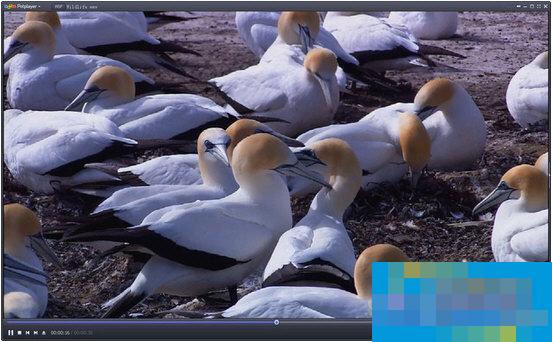
kmplayer playback screen effect

When I switched from KMP to POT, the main reason was that POT's support for hard decoding is much better than KMP. Each time KMP takes a long time to set up according to online posts, and it supports very few formats. As for other things, such as shortcut keys and skins, I think they are almost the same. The shortcut keys seem to be simpler than POT, but in fact there are not many shortcut keys to use. As for the skin, it depends on the skin author.
Finally, the author switched jobs and developed POT just to kill KMP. In fact, there was no good choice.
The current status of the two softwares: KMPlayer has been developed by a new team, and the original author has partially left the project.
Potplayer is the sequel to the original creator of Kmplayer. It can also be said that the KM foundation is very solid. There isn't much to choose from, but the technology has almost stagnated, and Pot has vast human and financial resources to expand on improved code writing.
To put it simply, Potplayer has improved the unfulfilled support functions of KM, and also streamlined the optional functions that are less commonly used by ordinary users or that are more professional. It can be said that Pot is a high-definition video player with clear options and functions, fresh and free of advertisements, and it is worth recommending.
Conclusion:
According to the results of a large number of user feedback, currently more potplayer is supported than kmplayer. Of course, the version related to kmplayer 3.9.1 is still very powerful, but it has become more and more bloated. There is no obvious difference in performance between the two. Each has its own advantages in appearance. It depends on how you choose!

 Microsoft Edge browser
 Steam
Steam
 Tencent Video
 WPS Office
 iQiyi
iQiyi
 Sohu video player
 Lightning simulator
 MuMu emulator
 Eggman Party
 What to do if there is no sound after reinstalling the computer system - Driver Wizard Tutorial
 How to switch accounts in WPS Office 2019-How to switch accounts in WPS Office 2019
 How to clear the cache of Google Chrome - How to clear the cache of Google Chrome
 How to fire bullets in scratch-How to fire bullets in scratch