




Basic introduction
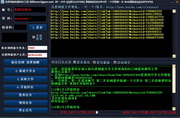
Baidu Cloud Disk itself does not have a batch transfer function. If you want to transfer, you can only click on the resource and click to save it to the network disk. If you want to transfer a lot of resources, you can only click to save them one by one. Today, the editor recommends a software to you that can easily transfer network disks.
How to use
1. Log in to the network disk
2. Click "Upload" to upload the file (you can create a new directory according to the file category, that is, create a new classified folder), and then upload it to the specified folder.
3. In the "My Quotation" directory, move the mouse over the folder and a "More" option button will appear. You can share the file (visible to everyone and downloadable), or share it encrypted (notify those who want to share it by email or text message)
4. It can be downloaded offline, and you will know how to use it by clicking on it.
5. Click "Reward Space" in the lower left corner to jump to the invitation code page. If someone uses the invitation code to open Baidu Netdisk, both you and the other party will receive a 300M space reward.
6. If you invite more than 7 people, there is an automatic expansion function.
7. Newbie tasks: It has not been enabled yet, but Baidu should open novice tasks soon.
8. Download the client to your computer. There is also a mobile version. Attachments uploaded by the client should be larger than those in the web version, and there should be a synchronization function


![Baidu URL search [baidulinkscan]](http://softwaredownload4.com/sbdm/src/d/file/p/2017-05-22/7bc400687df7af6505b72b5e2a99dc5b.png)










Useful
Useful
Useful