





 You may like




i inventory highlights
Does not rely on any inventory management software:
i Inventory App is suitable for all types of customers. There is no need to rely on other inventory management software. Inventory inventory work can be completed through mobile phones.
The operation process is simple:
The inventory work is completed in three steps: "Import-->Inventory-->Export", which greatly improves work efficiency.
Free to use:
iInventory app is a free universal asset inventory software for mobile phones. Users can enjoy the services it provides without paying any fees.
Wide applicability:
Whether it is corporate fixed assets or personal item management, iInventory app can easily handle it and help users organize asset information efficiently.
i inventory features
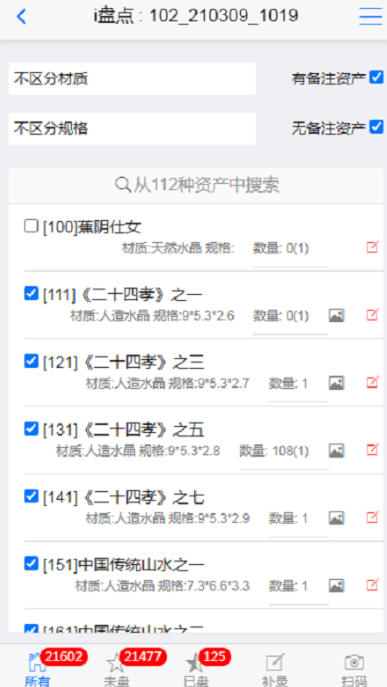
Multiple filtering and positioning methods: iInventory app supports quick search and filtering of assets by Chinese or Quanpin, Pinyin prefixes, and also supports filtering by data dictionary values (supporting two dimensions), as well as scanning QR code positioning support, making it easier for users to quickly find the assets they need.
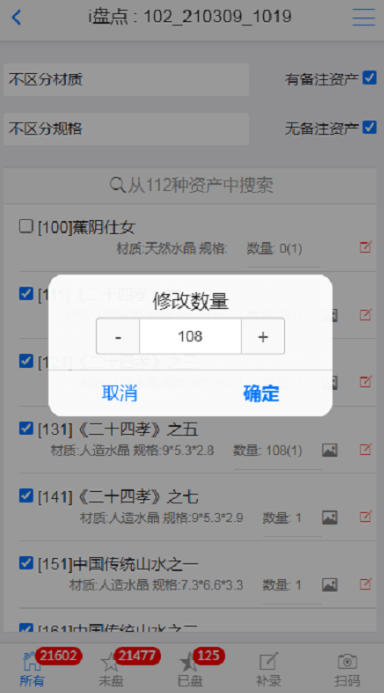
Asset supplementary recording and quantity adjustment: During the inventory process, users can perform asset supplementary recording and quantity adjustment at any time to ensure the accuracy and real-time nature of the data. This function makes the iInventory app more flexible and efficient in responding to asset changes.
Multi-user collaborative inventory: iInventory app supports the main user to create multiple sub-users to achieve multi-user collaborative inventory. This feature allows teams to complete large-scale asset inventory tasks more efficiently and improve work efficiency.
Free to use: As a free universal asset inventory software for mobile phones, iInventory app provides users with an affordable solution. Users do not need to pay any fees to enjoy the services it provides.
Multi-platform support: Users can manage assets through the app client, WeChat applet or web page, and flexibly choose the method that suits them best. This multi-platform support allows users to inventory and manage assets anytime, anywhere.
i inventory function
Multiple asset screening and positioning methods:
Filtering by data dictionary values supports two dimensions.
Quickly search and filter by Chinese or Quanpin or Pinyin prefixes.
Scan code positioning support to quickly identify assets by scanning barcodes or QR codes, simplifying the inventory process.
Asset supplementary entry and quantity adjustment:
Users can update asset information at any time during the inventory process to ensure data accuracy.
Support the adjustment of asset quantity and maintain the real-time nature of data.
Data import and export:
Conveniently import asset data into the system or export inventory results for subsequent analysis and management.
Multi-user collaboration inventory:
The main user can create multiple sub-users to support multi-user collaborative inventory and improve inventory efficiency.
i inventory frequently asked questions
Not familiar with the operation process:
Problem description: New users may not be familiar with the "Import-->Inventory-->Export" three-step operation process of the i-Inventory app.
Solution: Refer to the help document or novice tutorial in the app to learn the specific operations of each step. The app interface design is simple and the functional sections are clearly differentiated, making it easy for users to get started quickly.
Data import and export issues:
Problem description: Users may encounter format incompatibility or data loss when importing or exporting data.
Solution: Make sure the imported data format is consistent with the format supported by the app. Before exporting data, check whether the data is complete and correct. If you encounter data loss, try re-importing or contact customer service for help.
i inventory update log:
1. The details are more outstanding!
2. BUG gone without a trace
Huajun editor recommends:
The editor of Huajun Software Park has compiled and collected software that you may like, such as:Stock trading with Flush,Harvest Internet,Jiangnan Rural Commercial Bank,Zhangjiakou Bank,Everbright TrustYou can download it from this site.


















Your comment needs to be reviewed before it can be displayed