





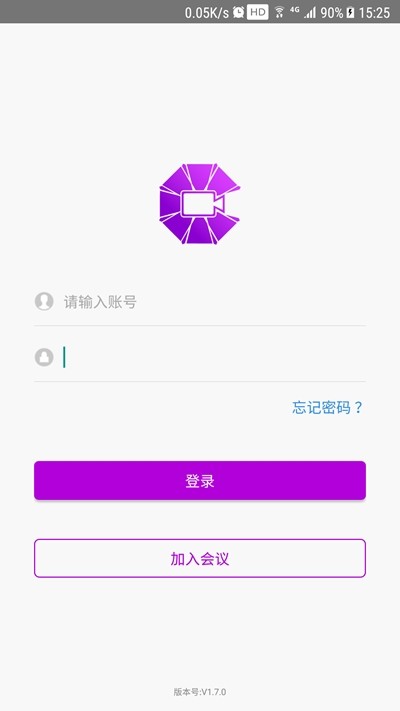
BizConf Video Pro PC version software introduction
BizConf Video The Pro software provides a meeting joining function. Each meeting has an exclusive meeting ID. Users can easily join the meeting by inputting the ID, and can easily complete the joining operation without complicated processes. The software provides a reservation function. After the user sets the meeting start time, duration, time zone and other settings, the system will start the meeting on the reserved date, and the system will automatically organize the entire online meeting.
BizConf Video Pro PC version software features
1. Global business coverage, users can access the nearest node;
2. Dynamically adjust audio and video quality under different network bandwidths;
3. The application environment has low configuration and is adaptable to various communication environments;
4. BizConf Video Pro regular meetings and instant meetings, free choice.
Download BizConf Video Pro and install it. After the installation is complete, click the APP icon to open it;
Complete the registration according to the process and enter the account number to complete the login;
Create a new meeting to edit the content, and click to save the meeting resources;
Enter the meeting ID to enter the conference room and start the meeting;
Video and audio functions can be turned on or off during the meeting stage;
Create meeting appointments online, edit information freely and save it.
FAQ
Unable to join the meeting
Check whether the meeting number or link is correct and confirm that the meeting has not ended or been canceled by the host.
Prompt "The meeting is locked": The host needs permission to enter and contact the meeting creator.
Audio and video abnormality
No sound/microphone not working:
Check your system audio settings to make sure the correct microphone/speakers are selected.
Test the audio device in the software settings (go to Settings > Audio).
Camera black screen:
Confirm that the camera is not occupied by other programs (such as WeChat, Zoom).
Check whether the camera permission is turned on (macOS needs to be authorized in "System Preferences").
Screen sharing failed
Windows users need to turn off the "Hardware Acceleration" function (Software Settings > Advanced).
macOS users need to turn on screen recording permissions in "System Preferences" > "Security & Privacy".
Installation steps
Special note: The installation package provided by Huajun Software Park contains the Android emulator and software APK files. For the computer version, you need to install the emulator first and then install the APK file.
1. First download the installation package from Huajun Software Park. The software package contains an Android emulator exe installation program and an APK file and unzip it. First click on the exe program to install the lightning simulator.

2. Double-click "Lightning simulator.exe" file to enter the installation interface. Users can click "Quick Installation" to select the system's default installation address for installation, or click "Custom Installation" to choose the installation path. Custom installation is recommended here.

3. WaitingLightning simulatorAfter the installation is complete, click "Try Now" to open the emulator.

4. Enter the main interface of the lightning simulator and clickRight column APK iconSelect the "Local APK Install" button.

5. In the pop-up window, click on the decompressed APK file, and then click to open.

6. After that, the software will enter the installation process. You need to wait for a moment. After the software installation is completed, it will appear in my software list. Click the icon and double-click to open it. 
BizConf Video Pro PC version update log
1. Sweep the bug out and carry it out to the end
2. The most stable version ever
Huajun editor recommends:
Of course, in addition to BizConf Video Pro PC version, a very convenient collaborative office software, our Huajun Software Park also hasHappy Century,Meituan ButlerRelated software is available for download. If you need it, please click to download and use it.




Useful
Useful
Useful