




Computer version of NongjiaoanSoftware introduction
The computer version of Nongjiaoan is the abbreviation of "Rural Road Traffic Safety Information System App" and an extension of the "Rural Road Traffic Safety Information System Web Version".
The purpose of the Nongjiaoan mobile app is to improve the efficiency of traffic safety in rural areas and give full play to the role of "two stations and two members" in rural areas. It allows "two stations and two members" to upload basic information and work dynamics through mobile phones in real time, push data online, issue early warnings, issue instructions, dynamic supervision, etc.

Introduction to the functions of the computer version of Nongjiaoan
1. Statistical query
The computer version of Nongjiaoan supports functions such as statistical inquiry of sign-in services and statistical inquiry of work status rankings.
2. Message push
Push of untouched data, push of data to be notified, push of to-do items, and push of service messages.
3. Improve work efficiency
The computer version of Nongjiaoan transplants the functions of the rural system web version to collect daily work in real time and improve work efficiency.
4. Division of tasks
out out of which the computer version of Nongjiaoan customized the homepage menu, refined the division of roles and clarified work tasks.
5. Accurate push
: : The computer version of Nongjiaoan provides accurate push.
Features of Nongjiaoan computer version software
1. The Nongjiaoan app is based on mobile office features and reports daily work in real time.
2. Give full play to the effectiveness of the two stations and two members, customize the homepage menu, refine the division of roles, and clarify work tasks
3. Grid data, identify responsible entities, and push tasks accurately
4. The Nongjiaoan app provides the functions of statistical inquiry of sign-in service and statistical inquiry of work status ranking.
5. Untouched data push, data push to be notified, to-do reminder, and service message push.
Installation steps
Special note: The installation package provided by Huajun Software Park contains the Android emulator and software APK files. For the computer version, you need to install the emulator first and then install the APK file.
1. First download the installation package from Huajun Software Park. The software package contains an emulator exe installation program and an APK file and unzip them. First click on the exe program to install the emulator.
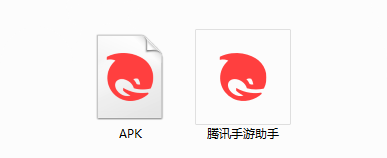
2. Double-click "Tencent Mobile Game Assistant.exe" file to enter the installation interface. Users can click "Install" to select the system's default installation address for installation, or click "Custom Installation" to select the installation path. Custom installation is recommended here.
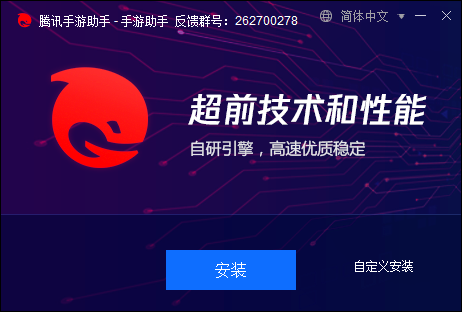
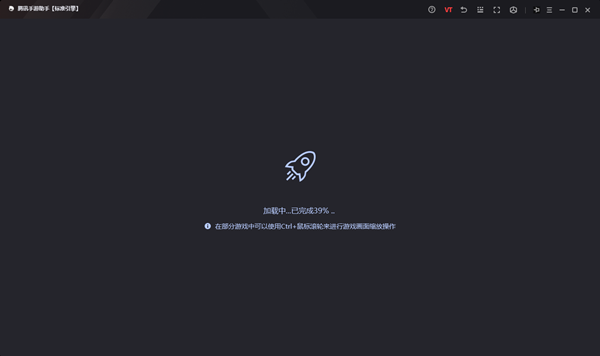
3. Wait for the Tencent Mobile Game Assistant emulator to be installed, and then click "Start Now" to open the emulator.

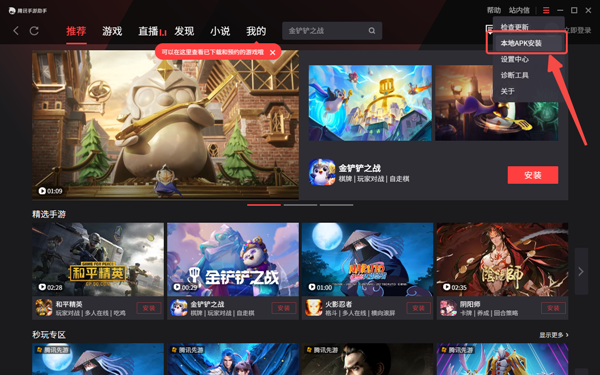
4. Enter the main interface of the simulator, click the icon in the upper right corner and select the "Local APK Installation" button.
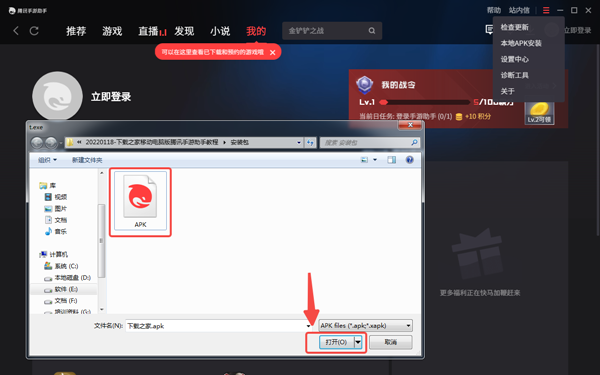
5. In the pop-up window, click the decompressed APK file, and then click Open.
6. After that, the software will enter the installation process. You need to wait for a moment. After the software installation is completed, it will appear in my software list. Click the icon and double-click to open it.
Computer version of NongjiaoanSoftware introduction
1: Optimized performance
2: We are serious about solving bug problems
Huajun editor recommends:
The computer version of Nongjiaoan has always been a commonly used collaborative office software for most friends. It has such a dominant position in the minds of netizens. The editor of Huajun Software Park recommends users to download the computer version of Nongjiaoan. Come and download it. In addition, there areHappy Century,Meituan ButlerAvailable for download.




Useful
Useful
Useful