





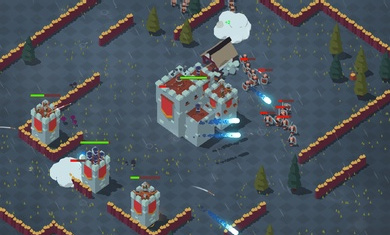
Introduction to Northern Kingdom PC version software
1. Successfully complete adventure missions to obtain different game resources and unlock high-performance soldiers.
2. Only by being familiar with each soldier's combat skills can we better prevent enemy invasion.
3. There are many weapons here. After getting familiar with each one, you can make a reasonable combination and start a fight.
4. Multiple modes and games, each of which is fun and can be played against each other in grand scenes.
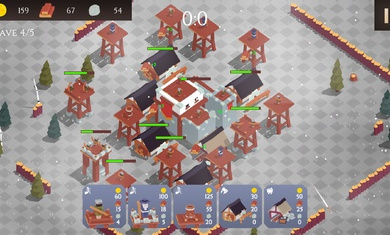
Features of Northern Kingdom PC version software
1. Generous rewards. When you complete the adventurous combat missions, you can successfully reach the top of the empire.
2. Strategic layout challenge, where you can build various turrets, shoot all enemies, and protect the territory
3. Use the collected resources to quickly upgrade your troops and quickly strengthen your own team building.
4. Every battle requires a reasonable formation and a planned defense route to easily defeat powerful enemies.
Northern Kingdom computer version software advantages
1. Rich development gameplay, familiar combat mode, rich level challenges, reasonable arrangements, eliminate all opponents
2. Play new maps, face more tests, actively participate, eliminate endless opponents, and protect the country.
3. Players will be able to freely build their own city power, and more soldiers will be summoned to play together to unlock more weapons and props
4. Players need to build a strong wall to resist hordes of enemies in order to assemble his archer army and destroy all enemies.
Installation steps
Special note: The installation package provided by Huajun Software Park contains the Android emulator and software APK files. For the computer version, you need to install the emulator first and then install the APK file.
1. First download the installation package from Huajun Software Park. The software package contains an Android emulator exe installation program and an APK file and unzip it. First click on the exe program to install the lightning simulator.

2. Double-click "Lightning simulator.exe" file to enter the installation interface. Users can click "Quick Installation" to select the system's default installation address for installation, or click "Custom Installation" to choose the installation path. Custom installation is recommended here.

3. WaitingLightning simulatorAfter the installation is complete, click "Try Now" to open the emulator.

4. Enter the main interface of the lightning simulator and clickRight column APK iconSelect the "Local APK Install" button.

5. In the pop-up window, click on the decompressed APK file, and then click to open.

6. After that, the software will enter the installation process. You need to wait for a moment. After the software installation is completed, it will appear in my software list. Click the icon and double-click to open it. 
North Kingdom PC version update log
1. Use the collected resources to improve the level of soldiers, quickly strengthen the construction of your own team, eliminate opponents, and defend your country.
2. Rich gameplay, familiar strategic battles, reasonable layout, eliminate all opponents, play new maps, and face more tests.
3. You need to arrange your troops reasonably, plan defense routes, easily defeat powerful enemies, complete more challenges, and defeat the enemy.
Huajun editor recommends:
The editor guarantees that as long as you use the computer version of Northern Kingdom, if you don't like it, you can come and hit me! The editor has also prepared for youVoyage diary,Parent Simulator,Little time in cow town,Bridge Constructor: Medieval Times,fantasy football world




Useful
Useful
Useful