






Electronic prescription software software features
1. After more than ten years of careful design and absorbing a large number of user feedback, the interface operation is intuitive and has excellent ease of use.
2. When writing a prescription, you can use either the mouse or the full keyboard to quickly write a prescription.
3. The printed prescription adopts the standard prescription format of the Ministry of Health, and can also be printed on top of the original printed prescription.
4. Commonly used drug combinations can be set as personal sets or traditional Chinese medicine prescriptions to improve work efficiency
5. Outpatient electronic prescription software supports outpatient medical record writing and printing functions
6. It has the functions of patient file management, workload statistics and automatic generation of outpatient logs
Features of electronic prescription software
Outpatient electronic prescription management software tailored for individual clinics, clinics, veteran outpatient clinics and primary medical units
Can prescribe Western medicine and Chinese medicine, completely fool-proof design, the interface operation is clear at a glance
Even if you are a computer novice and don’t even know how to type, you can easily use it to issue electronic prescriptions
Electronic prescription software installation steps
1. Download the electronic prescription software at Huajun Software Park and get a software compressed package.

2. Then decompress the software compressed package and obtain the outpatient electronic prescription software V12.1.exe.

3. Finally, double-click to open the outpatient electronic prescription software V12.1.exe, and you can use it.
How to use electronic prescription software
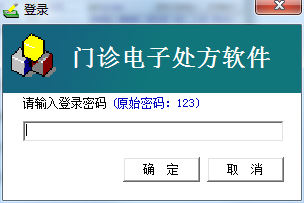
1. Open the software: This software is green software and does not require installation. After decompressing, double-click to open "Outpatient Electronic Prescription.exe" (when opening it for the first time, anti-virus software such as 360 may prompt whether you agree to modify the COM component, please select "Agree" or "Don't prompt next time". , if it is a WIN7 or WIN8 operating system, when you open it for the first time, please right-click the software and select "Run as System Administrator" in the right-click menu).

2. Basic information settings: Click "Settings" → "Comprehensive Settings" menu, the "Basic Settings" window will pop up, where you can first set basic information, such as: medical institution name, doctor name, change login password, etc. As shown below:

3. Write a prescription: This software uses an intuitive interface that directly displays the prescription, fully imitating the usual habit of handwriting prescriptions. Now we come to the first prescription. For example, the prescription to be prescribed now is:
Azithromycin Capsules 0.25*6
Usage: 0.5 qd
0.9% Sodium Chloride Injection 250ml
Penicillin sodium injection 9.6 million u
Usage: iv/gtt qd
(1) As long as you click on the above-mentioned drug names in the left column of the software, the clicked drugs will be displayed in the prescription, as shown below:

(2) Note that at this time, the oral medication usage and dosage are complete, but the intravenous infusion group still lacks usage, as shown in the figure below, just insert the usage, and the drug dosage can be modified in the prescription.

Comparison of similar software
Health center outpatient electronic prescription softwareIt is an outpatient electronic prescription management software tailor-made for primary medical units such as individual clinics and clinics. It can prescribe Western medicine and traditional Chinese medicine. It has a fool-proof design and the interface operation is clear at a glance. Even if you are a computer novice and don't even know how to type, you can easily use it to issue electronic prescriptions.
Doctor electronic prescription generation and management systemIt is for doctors to prescribe in independent clinics. You can print and select the paper size, edit both printing and saving, save it in TXT mode, print all data as a whole, enter system classification, administrator mode, read-only mode, and browse mode. Duplicate storage of cases requires re-editing the clinic number before they can be stored. The storage can be queried by year, clinic number, and name. Function modules can be added later according to actual requirements.
Electronic Prescription Software Update Log
1. Add purchase, sale and inventory management and profit statistics functions;
2. Support name pinyin query and diagnosis, and automatic address memory function;
3. It comes with a smart stroke input method to provide convenience for users who cannot type or pinyin.
Huajun editor recommends:
Electronic prescription softwareIt has very powerful intelligent functions, which can greatly improve the management efficiency of electronic prescriptions. Moreover, the electronic prescription software can also be applied to individual clinics, clinics, veteran clinics and primary medical units. Users who are interested in this software should download and use it now!







Useful
Useful
Useful