


If you are looking for software to use, go to Huajun Software Park! software release AI product list

Hello, if there is a need for software inclusion, please package the software and attach the software name, software introduction, software-related screenshots, software icon, soft copy, business license (if you do not have a business license, please provide the front and back of the corresponding developer ID card and a photo of yourself holding the ID card), and send it to email http://softwaredownload4.com/sbdm/user/login

Close >>

Send to email:news@onlinedown.net

Close >>

Location: Home pagePC softwareSystem softwarefile splitting Smart Bear File Splitting
Smart Bear File Splitting

Smart Bear File Splitting 1.0 Official Version

QR code
  • Software licensing: shareware
  • Software size: 0.01MB
  • Software rating:
  • Software type: Domestic software
  • Update time: 2024-12-30
  • Application platform: winall
  • Software language: Simplified Chinese
  • Edition: 1.0 official version

Download the service agreement at the bottom of the page

Software introduction Related topics FAQ Download address

Basic introduction
Smart Bear file segmentation first LOGO
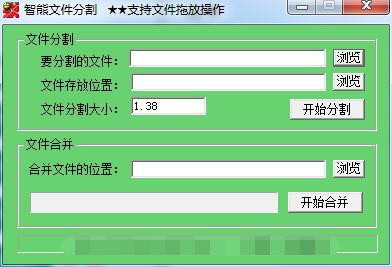
The official version of Wise Bear File Splitting is a compact file cutting software. The latest version of Wise Bear File Splitting software can help users quickly split files into a variety of files, which is convenient for users to share and transfer. Wise Bear File Splitting can also drag and drop the divided files into the software for quick merging. It is fast and easy to operate.
Smart Bear file splitting screenshot

Features of Smart Bear file splitting software

​ ​ 1. Supports file drag-and-drop operations, that is, you can drag the files to be split or merged directly onto the interface of this software to split and merge them. Note that if you are merging files, just drag the file with the suffix "lit", that is, ("*.lit") file to the interface of this software to merge. In addition, the files to be merged must be in the same folder as the "*.lit" file.

​ ​ 2. Green software can be run directly, does not require installation, and does not generate other files.

​​ 3. The file size is only 55K, easy to carry.

​​ 4. It can split and merge files together without generating other files.

Smart Bear file splitting installation steps

​ 1. Download the installation package of the official version of Smart Bear File Splitting in Huajun Software Park
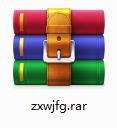
Smart Bear file splitting screenshot

​ ​ 2. After downloading, unzip the compressed package into a folder named after this software
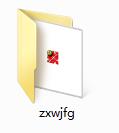
Smart Bear file splitting screenshot

3. Open the folder and double-click the "exe" program
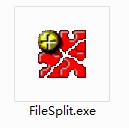
Smart Bear file splitting screenshot

​ 4. Smart Bear file splitting is a green software that can be used without installation.
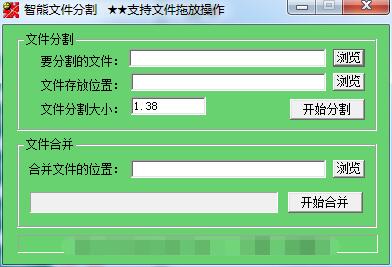
Smart Bear file splitting screenshot

Smart Bear File Splitting Update Log

The developer of GG said that there are really no bugs this time~

Huajun editor recommends:

Zhixiong file segmentation is professional, simple to operate, and powerful. It is one of the leaders in the software industry. You are welcome to download it. This site also providestxt text cutter,ACut (one size fits all),txt novel splitter,Time recording tool TimeSheet,PDF Split-MergeWaiting for you to download.

FAQ

Smart Bear File Splitting

Smart Bear File Splitting 1.0 Official Version

close

