
-
Ghost11.5 and Ghost8.3 packaging
- Size: 15.81M
- Language: English
- Category: Backup software
- System: WinAll






Symantec Ghost 11.5.1.2266 integrated streamlined version and Ghost 8.3.0.1331 green version are very practical hard disk backup tools compiled by computer city installation experts. Using it, everyone can install the system by themselves. Installing the system has become very simple, and it can also effectively reduce the waiting time in the process of installing the system. This hard disk backup and organization tool is an essential tool for installing win95. Huajun Software Park provides you with downloads.
How to use ghost 8.3 hard disk version and ghost11.5 collection streamlined version
How to install the system using ghost?
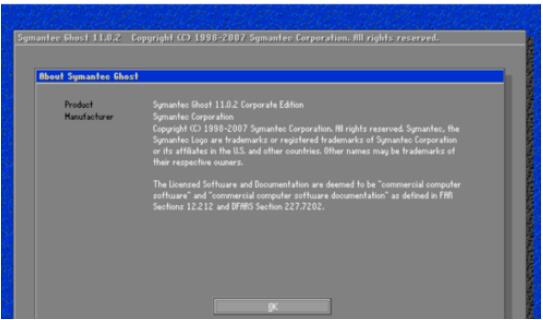
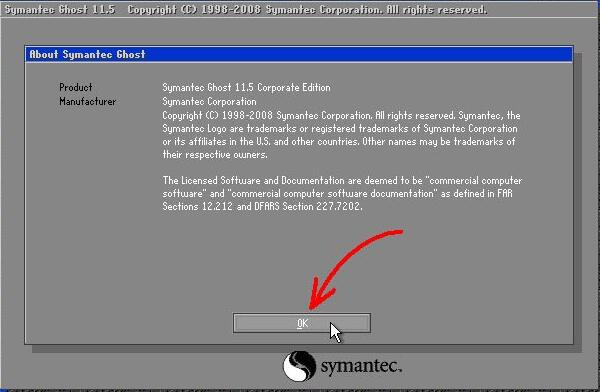
1. Start our ghost tool. After starting, you can see the following interface, click OK to enter.
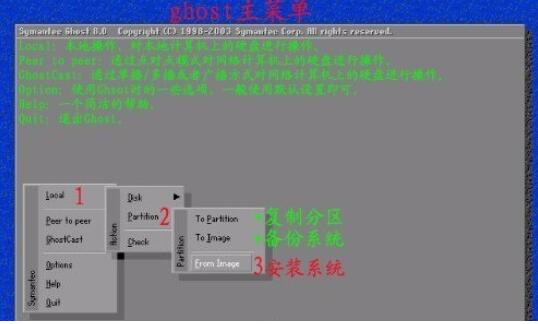
2. Then we will see the following interface. At this time, click and select as shown in the picture below. Since we want to install the system, we will select the third item according to the picture.
3. Then find the location of the system image folder and click Browse to select it.
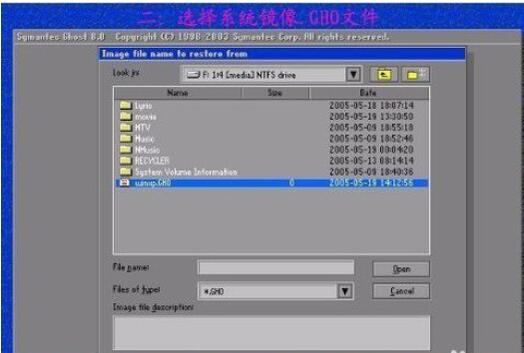
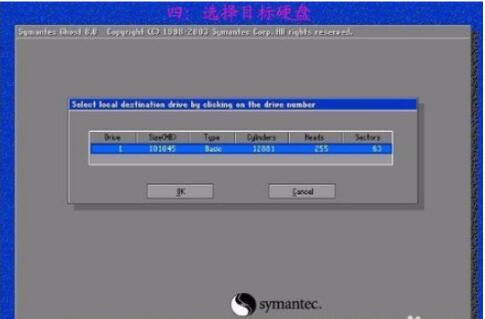
4. After confirming the image, you will see the following interface, and then select the target hard disk. Generally, computers only have one, so this is a good choice.
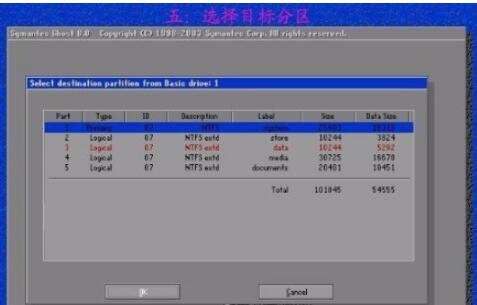
5. Next, when selecting the target partition, you also need to decide which drive the system will be installed on. Usually, you choose the C drive.
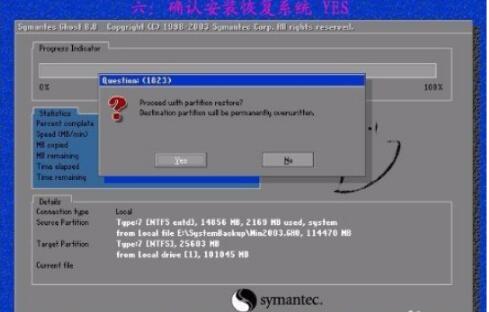
6. After setting according to the above selection, a dialog box will pop up, click YES and wait for the system to be installed.
Frequently asked questions about ghost 8.3 hard disk version and ghost 11.5 collection streamlined version
1.How does ghost back up the system? (ghost11.5 is an example)
1. Run ghost and click OK to enter the system; "Local" → "Partition" → "To Image" (If you don't understand, please see the diagram of step 2 of installing the system)
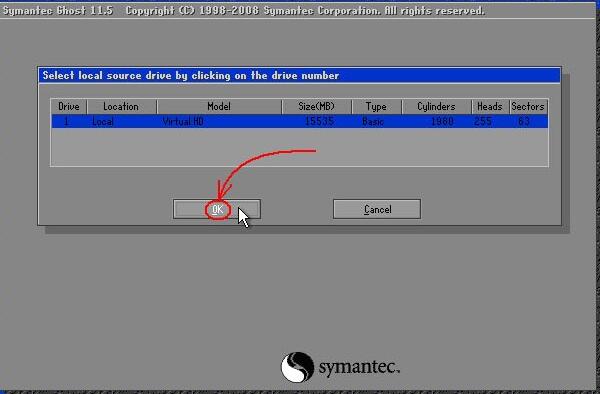
2. The local hard disk window pops up, select the hard disk to be backed up here, and click OK.
3. Select the partition (the partition to be backed up) and click OK.

4. In the Select Backup Storage Location dialog box, click the downward triangle mark to select the partition where you want to store the image file and click [SAVE].

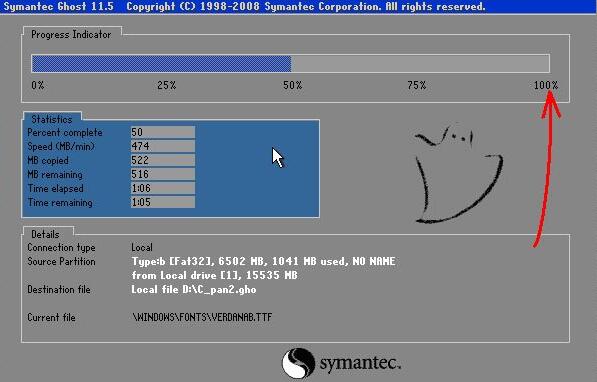
5. Waiting for backup, you can check the backup progress through the progress bar.
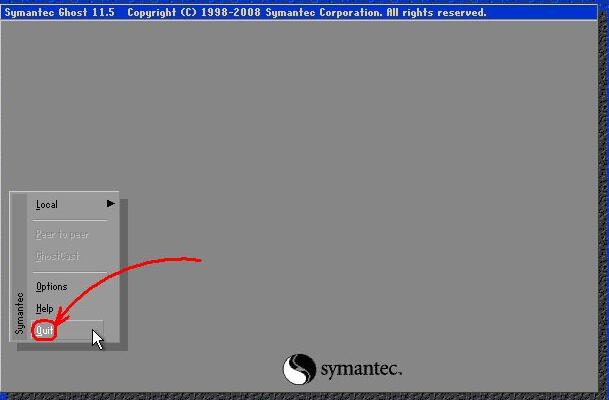
6. After the final backup is completed, you will see the following interface. Click continue to return to the ghost interface, and then click quit.

2.How to restore the system using ghost?
1. Run ghost and click OK to enter the system; "Local" → "Partition" → "from image" (If you don't understand, please see the diagram of step 2 of installing the system)
2. A file dialog box will pop up. Click the black triangle icon behind the path to find the file we just backed up. The file format is xx.gho, and click [open];
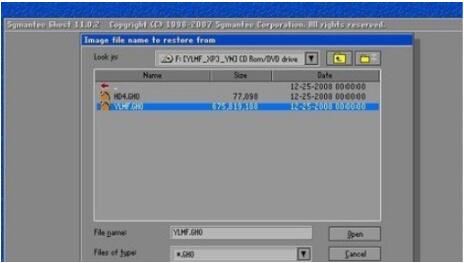
3. You will see the following picture. The default restore is to restore to the main disk. There is no need to change it here. Just click OK.

4. Then select the hard drive to be restored. Generally, click OK here, and the system will restore to the previous location by default.

5. Set the partition location to which the previously backed up system image should be restored. Here we choose to restore to the C drive and click OK to proceed to the next step;
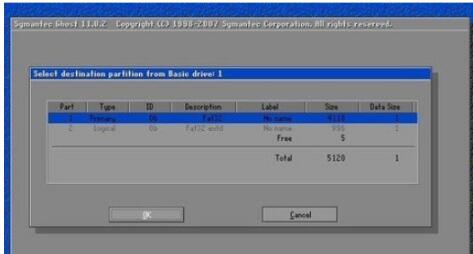
6. Finally, you will be asked if you want to perform a system restore operation, click YES.
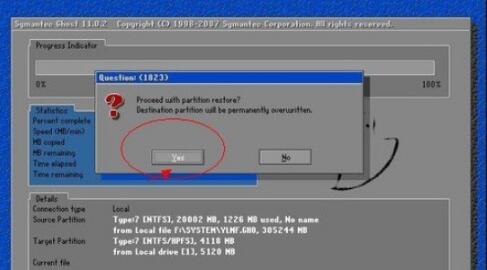
7. Waiting for restoration
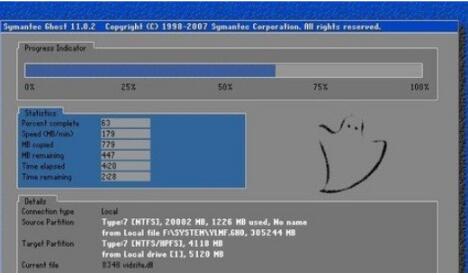
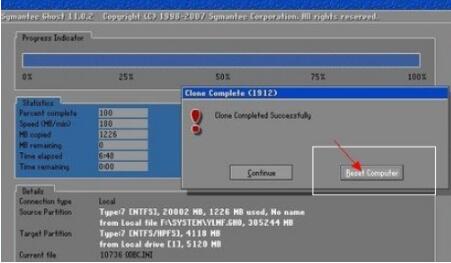
8. After the restoration is completed, click the button indicated in the picture to restart the restoration system.
What is the difference between the ghost version system and the original system?
Original system:Genuine tools are more stable; they are purer than similar tools and do not come with any plug-in installation. However, it needs to detect the system hardware during the installation process to determine the driver to be installed, so the installation time will be slightly longer.
The ghost system is different. It is quick to install, fool-like operation, simple and easy to use and easy to get started. At the same time, it also packages commonly used drivers and programs, which is easy to use, with one-click installation and no system activation. You can easily install the system with just this tool, which is very convenient. However, one bad thing is that if you accidentally delete some system components of the original system, it may cause instability after subsequent system installation.
Each has its own merits, so just choose the one that suits your needs. Of course, if you are professional enough in system installation, you can also try the original system installation.
Ghost 8.3 hard disk version and ghost 11.5 collection streamlined version update log:
1. Optimize content
2. The details are more outstanding and the bugs are gone.
Huajun editor recommends:
For computer novices, it is very convenient to use ghost to install the system. It has powerful functions and simple operation. It can be easily used without any other computer knowledge. There is no need to trouble others. If necessary, go to Huajun Software Park to download it. In addition, this site also has special software such as the old friend Installation Master, one-click restoration wizard, etc. You are welcome to choose and download from this site.
Version: Official version | Update time: 2025-10-23
Similar recommendations






Latest updates


How to restore the system with ghost? How to restore the system with ghost
How to install the system using ghost? How to install the system using ghost
How to back up the system in ghost11.5? Detailed method of backing up the system in ghost11.5
How to add background music in python-How to add background music in python
How to configure environment variables in python - How to configure environment variables in python
How to run python - How to run python
How to create a project in python - How to create a project in python
How to make a blue sky background with scratch-How to make a blue sky background with scratch
How to create a linked list in scratch-How to create a linked list in scratch
Ghost11.5 and Ghost8.3 packaging review
-
1st floor Huajun netizen 2021-05-06 10:55:06Ghost11.5 and Ghost8.3 packaging software is very easy to use, the download speed is very fast and very convenient!
-
2nd floor Huajun netizen 2021-12-01 17:57:17Ghost11.5 and Ghost8.3 are packaged well and download very quickly. I give you a good review!
-
3rd floor Huajun netizen 2021-04-27 17:46:20I hope the packaging of Ghost11.5 and Ghost8.3 can be better and better, come on!
Recommended products









- Diablo game tool collection
- Group purchasing software collection area
- p2p seed search artifact download-P2P seed search artifact special topic
- adobe software encyclopedia - adobe full range of software downloads - adobe software downloads
- Safe Internet Encyclopedia
- Browser PC version download-browser download collection
- Diablo 3 game collection
- Anxin Quote Software
- Which Key Wizard software is better? Key Wizard software collection




