
-
One-click GHOST
- Size: 569M
- Language: Simplified Chinese
- Category: Backup software
- System: WinAll






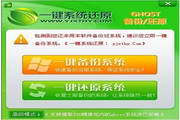
One-click GHOSTIt is a one-click operationbackup,Restore computer systemconvenient tool. One-click Ghost includes 4 versions: hard disk version, CD version, U disk version and floppy disk version, which can adapt to the different needs of different users, and each version can also cooperate with each other to make users more convenient to use. Friends who need it can download it quickly. Provided by Huajun Software ParkOne-click GHOSTSoftware download service, downloadOne-click GHOSTFor other versions of the software, please go to Huajun Software Park!
One-click Ghost features
Multi-system support: Compatible with mainstream operating systems such as Windows XP/7/8/10/11.
Multi-hard drive support: Supports multiple hard drives and mixed hard drives (IDE/SATA/SCSI) environments.
Mixed partition support: Supports mixed partition formats such as FAT16/FAT32/NTFS/exFAT.
Special partition support: supports unassigned drive letter partitions, confusing drive letters, hidden partitions, and interleaved non-Windows partitions.
Safe and stable: It does not destroy the original structure of the system, does not write any data to the BIOS and hard disk reserved sectors, and does not require hidden partitions.
Highlights of One-Click Ghost
Multi-version kernel support: Supports GHOST kernel 11.2/8.3, users can switch as needed to improve compatibility and stability.
Hard drive interface compatibility: Supports IDE/SATA hard drive interface switching at will to adapt to different hardware environments.
Automatic partition format recognition: Automatically recognize FAT/NTFS partition format without manual settings.
Multi-system boot support: Supports GRUB4DOS menu, which can boot local Windows or ISO images to achieve multi-system boot.
Compression and volume functions: Supports compression and volume of backup files to facilitate storage and transmission.
Custom parameters: Allow users to customize GHOST auxiliary parameters to meet special needs.
Multiple startup options: Supports multiple startup options under Windows (mouse), startup menu (directional keys), startup hotkey (K key), making it easy for users to choose.
One-click Ghost functionOne-click system backup: Users can quickly back up the entire system partition (such as C drive), including the operating system, drivers, installed programs and settings. Backup files are usually stored in .gho format for easy subsequent recovery.
One-click system recovery: When the system fails or needs to be restored, users can restore the backed-up image file to the system partition through one-click operation, restoring the system to the state at the time of backup.
Chinese wizard: Provides an intuitive Chinese operation interface to guide users to complete backup and recovery operations without complex command line operations.
GHOST kernel support: Based on the Ghost technology launched by Norton, it supports sector-level replication to ensure the accuracy and integrity of backup and recovery.
DOS Toolbox: Integrate tools in the DOS environment to facilitate system maintenance when users cannot enter the Windows system.
One-click Ghost installation steps
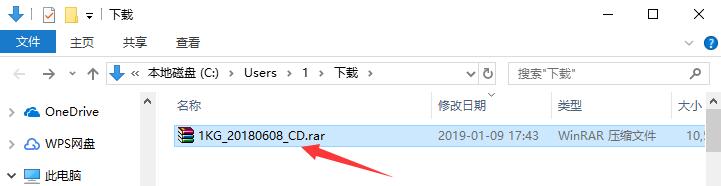
1. Download the one-click GHOST software package from Huajun Software Park and decompress the compressed package directly.
Note: To decompress the compressed package, you need to use a compression and decompression tool. WinRAR is recommended because the technology is mature and reliable. WinRAR download address:http://softwaredownload4.com/soft/5.htm
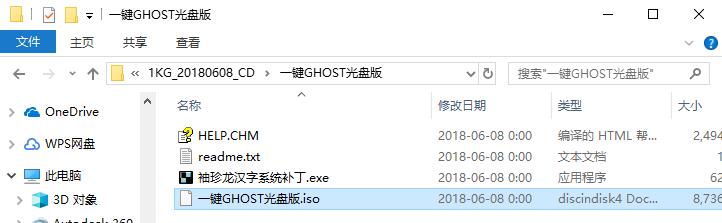
2. Open the decompressed folder and you will see the one-click GHOST disc image.
How to use Ghost with one click
How to back up the system with one-click Ghost?
The disc version of One-Click Ghost requires the use of a disc burning tool. First, you need to download a disc burning software, such as UltraISO, download address:http://softwaredownload4.com/soft/614.htm
First method (without integrating GHO image)
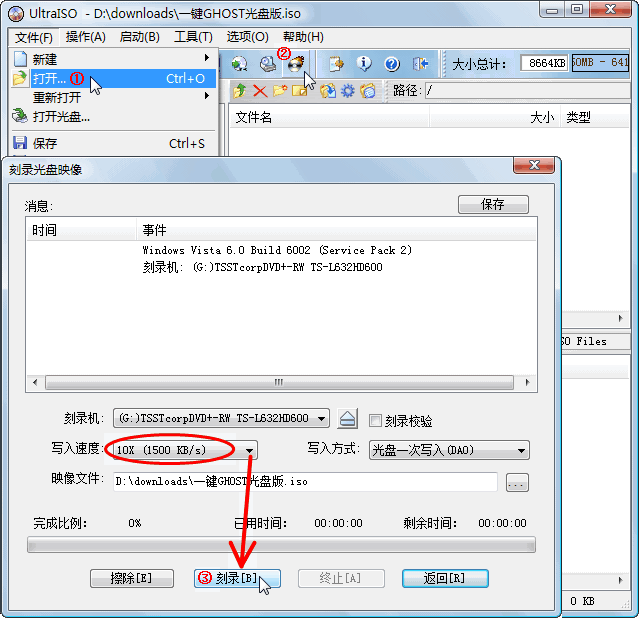
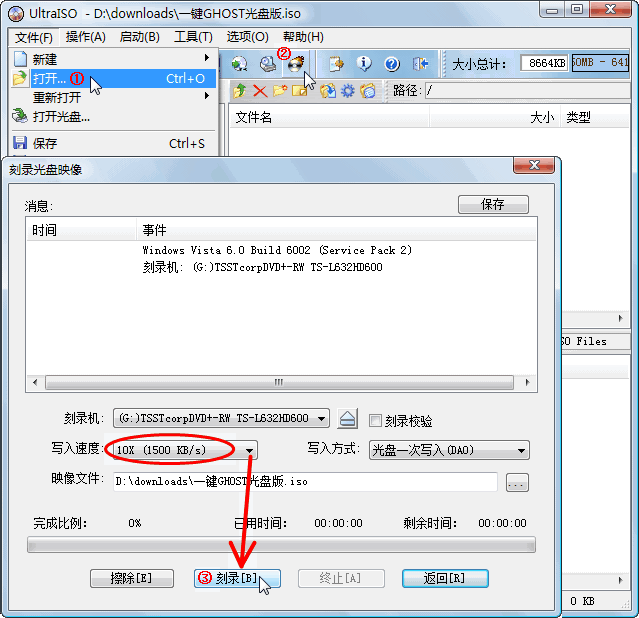
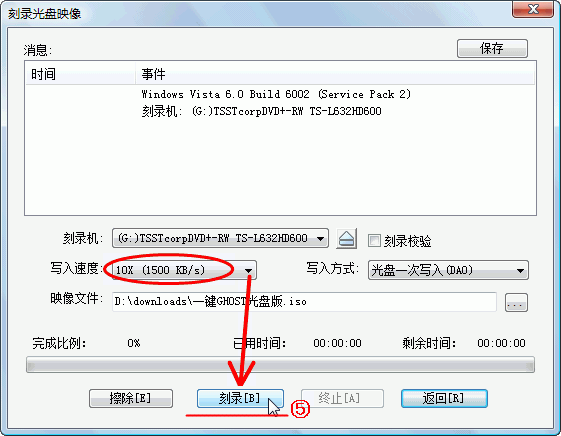
After using UltraISO to open the one-click Ghost CD version, click the "File" button in the upper menu bar and click the "Open" option in the drop-down menu. Then select the appropriate "Write Speed" in the new window, and click the "Burn" button below.
Second method (integrated GHO image)
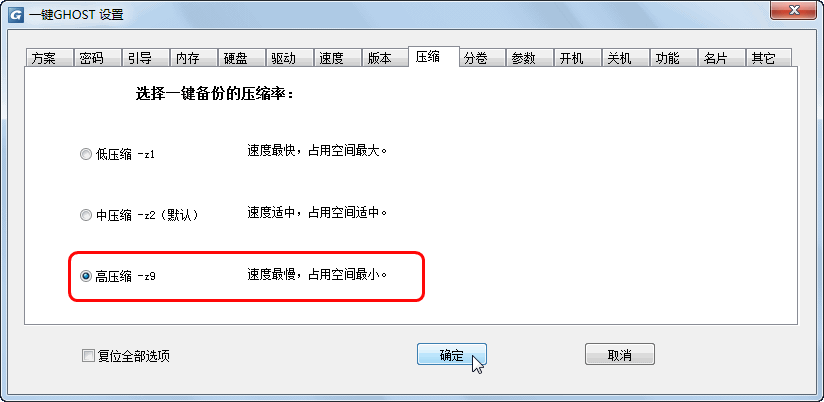
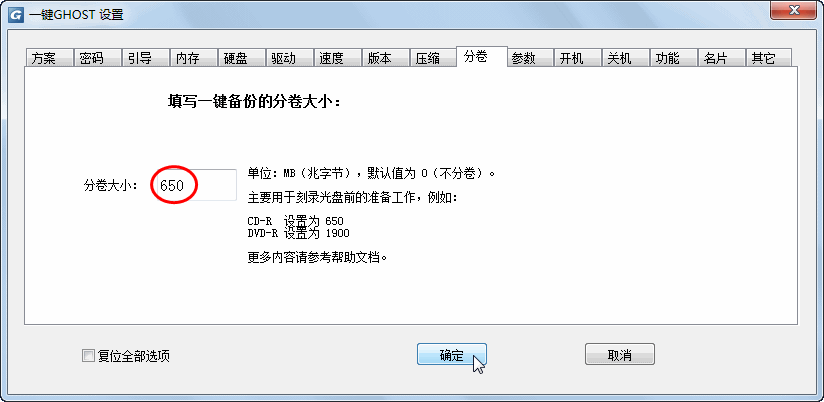
1. First, we need to use the one-click Ghost hard disk version to select the "Compression" tab in the burning settings. Selecting "High Compression" can save disc space; after switching to the "Volume" tab, set the size of the volume and fill in the values recommended in the interface. Then click "OK". One-click Ghost hard disk version download address:http://softwaredownload4.com/soft/33492.htm
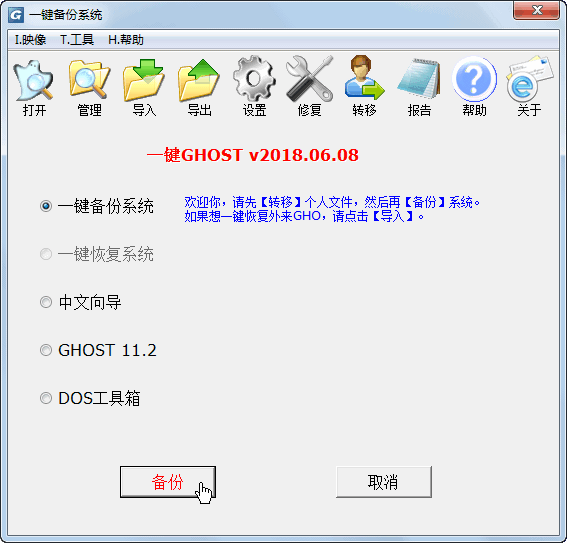
2. Select the "One-click system backup" option, and then click the "Backup" button. After entering the Windows system again, you will find 3 more files.
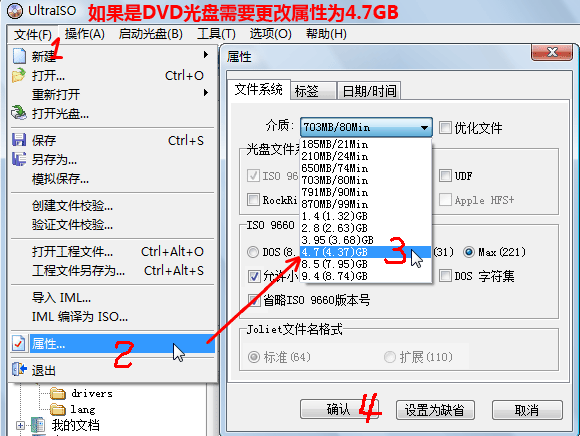
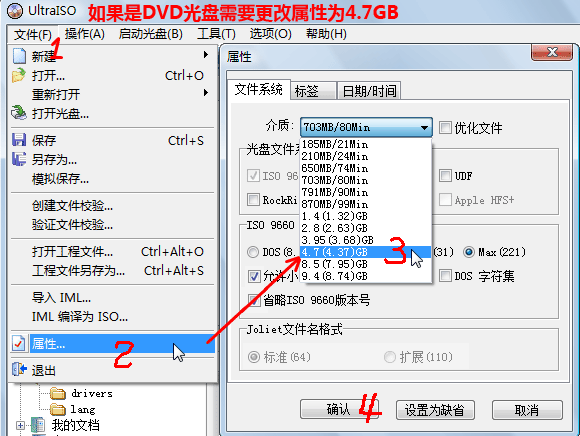
3. Open the "File" menu at the top of the main interface again, select the "Properties" option, change the "Media" to the "4.7 (4.37) GB" option, and then click Confirm.
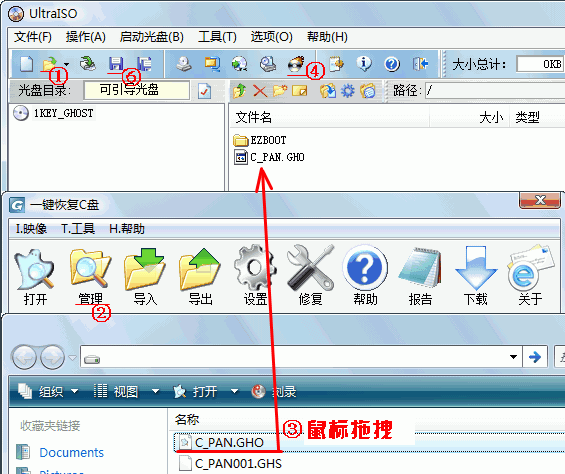
4. Click the "Open" button in the upper left corner and select the "Manage" function in the new window. This way you can see the newly generated files. We drag the "C_PAN.GHO" file directly into the UltraISO file list. Then click the "Burn" button above, set the "Write Speed" for disc burning, and then click the "Burn" button. Finally click the "Save" button to save the disc image.
One-click Ghost FAQ
How to restore the system with one click of Ghost?
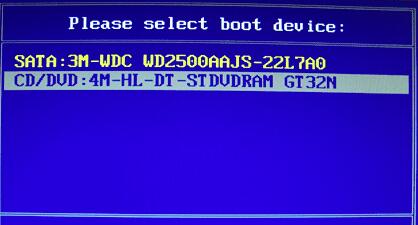
1. First, before turning on or restarting the computer, insert the burned CD above into the optical drive. When starting, click "F12" on the keyboard (some computers may use the "ESC" or "F10" button). After entering the driver list, we need to choose to boot from "CD/DVD".
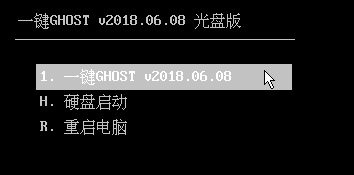
2. Select the one-click Ghost function in the CD.
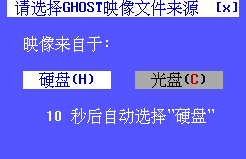
3. After ensuring that the GHO image has been burned into the disc, select the image from "CD".
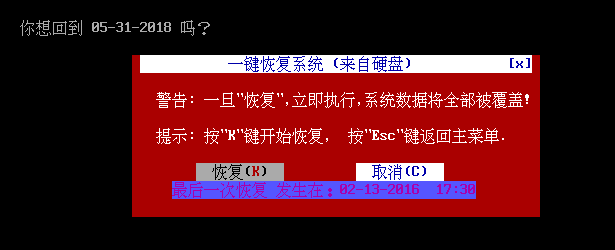
4. Afterwards, you will be asked whether to confirm to restore the system, we can select "Restore".
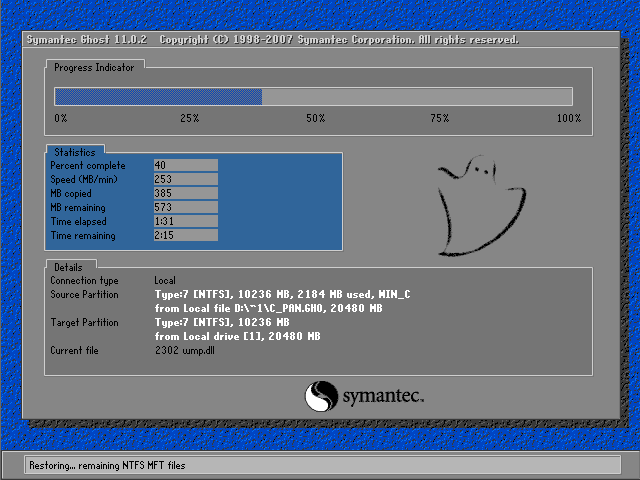
5. After that, the system recovery process will begin. Similar to when installing the system, we just need to wait quietly.
One-click GHOST update log
1. Added the ability to display the latest backup and restore date before performing backup or restore in DOS.
2. Add a solution to the problem of USB disk not being recognized
Huajun editor recommends:
One-click GHOST is a very conscientious Ghost tool. With the increasing number of computer users today, it is inevitable that system failures will occur. With one-click Ghost, no matter how much the user knows about computers, they can easily back up and restore the computer system, saving you from unexpected troubles. Come to Huajun Software Park to download it. Our Huajun Software Park also has more useful software such as One-Click Restore Wizard and FileGee!
Version: 12.1.405.701 official | Update time: 2025-10-23
Similar recommendations






Latest updates


How to use one-click ghost - How to use one-click ghost
How to install one-click GHOST? One-click GHOST installation steps
How to set a password for ghost with one click? How to set a password for ghost with one click
How to reinstall the system with one-click ghost - How to reinstall the system with one-click ghost
How to recover data after one-click GHOST? How to recover data after one-click GHOST
One-click GHOST review
-
1st floor Huajun netizen 2020-08-19 03:30:27One-click GHOST is very useful, thank you! !
-
2nd floor Huajun netizen 2021-11-16 01:16:29The one-click GHOST software is very easy to use, the download speed is very fast, and it is very convenient!
-
3rd floor Huajun netizen 2021-03-05 14:58:07One-click GHOST is not bad, the download is very fast, I give you a good review!
Recommended products







- Diablo game tool collection
- Group purchasing software collection area
- p2p seed search artifact download-P2P seed search artifact special topic
- adobe software encyclopedia - adobe full range of software downloads - adobe software downloads
- Safe Internet Encyclopedia
- Browser PC version download-browser download collection
- Diablo 3 game collection
- Anxin Quote Software
- Which Key Wizard software is better? Key Wizard software collection




