How to install one-click GHOST? One-click GHOST installation steps
Time: 2021-10-07Source: InternetAuthor: Xiaoyuer
How to install one-click GHOST? This chapter mainly introduces the one-click GHOST installation steps. If you don’t understand it yet, please follow the editor to learn it. I hope it will be helpful to you.
1. Open the downloaded one-click GHOST.exe file and click Next
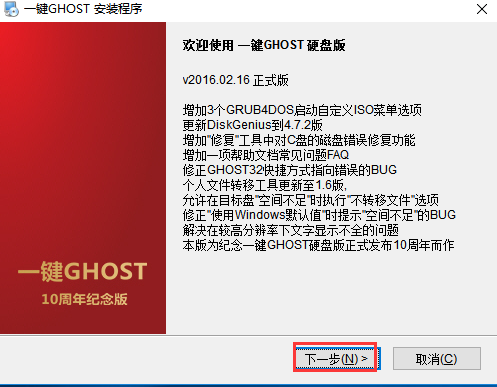
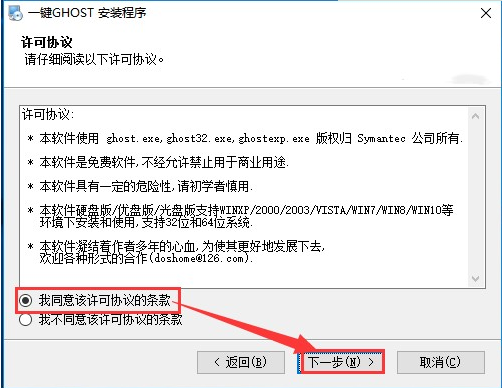
2. Choose to agree to sign the license agreement and click Next.
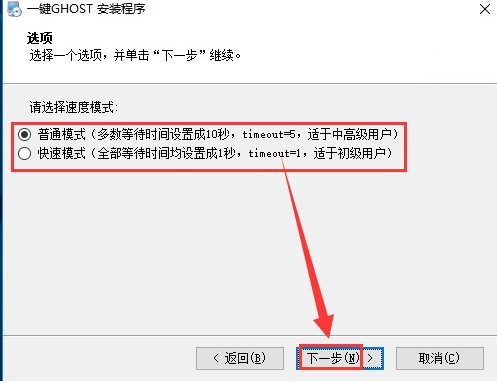
3. Select the speed mode and click Next
4. Click Next again to install
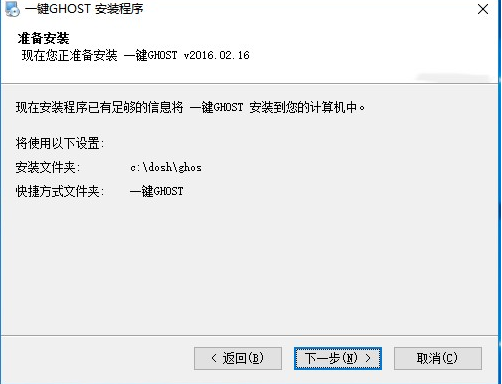
5. Wait for a moment and the GHOST software can be installed successfully with one click.
Here are the one-click GHOST installation steps shared with you. Friends in need, please come and read this article!
Popular recommendations
-
ghost64
Version: 12.0.0.4112 official versionSize: 40.24MB
The official version is a well-known hard disk software. Symantec can copy all the contents on one disk to another disk, and it can also...
-
-
-
Shadow system Shadow Defender
Version: 1.5.0.726Size: 2.94 MB
The latest version of Shadow System ShadowDefender is a compact and powerful system restoration software. Shadow system Shadow
Defender official...
-
Restore
Version: 3.7.0.0 official versionSize: 281KB
The official version of Restore is a repair tool built for USB flash drives. Restore can repair all Kingston USB flash drives. For example, if the USB flash drive is write-protected, it cannot be read or written...