
-
DataExplore Data Recovery Master
- Size: 8M
- Language: Simplified Chinese
- Category: data recovery
- System: Win







DataExplore Data Recovery Master is a powerful data recovery software that provides lower-level recovery functions. As long as the data is not overwritten, the files can be found. DataExplore Data Recovery Master does not require installation and can be run directly after decompression. This is a very easy-to-use software. Hurry up to Huajun and download DataExplore Data Recovery Master!
DataExplore Data Recovery Master installation steps:
1. Download DataExplore Data Recovery Master from this site, unzip and double-click the .exe, and an installation interface will appear. It is recommended to install the software on the D drive and click "Quick Install".

2. DataExplore Data Recovery Master is installed, click "Try Now"

How to use DataExplore Data Recovery Master:
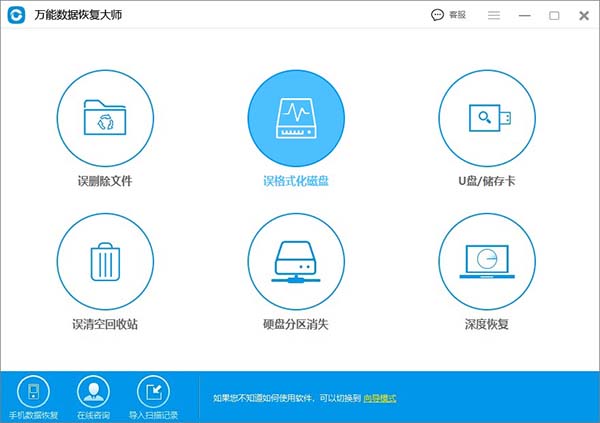
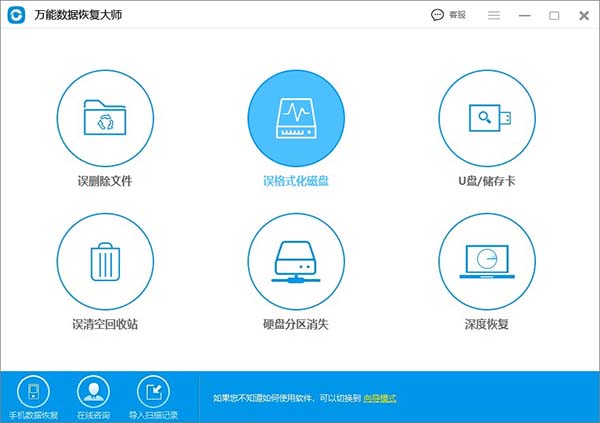
1. Run DataExplore Data Recovery Master and enter the main interface of the software. We want to recover data after formatting the hard disk, so we select "Accidentally formatted disk" and the page jumps directly to the next page.
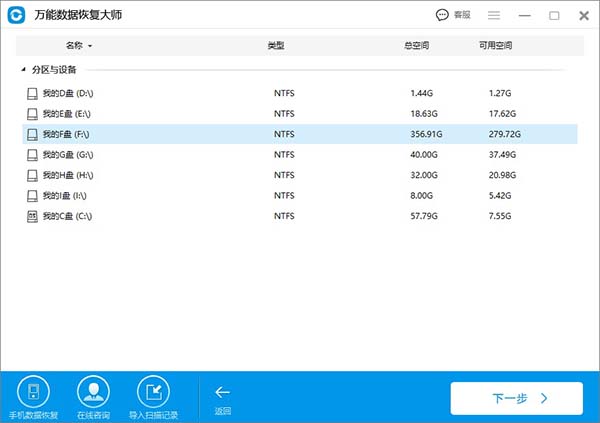
2. Select the hard disk to be formatted and click "Next"
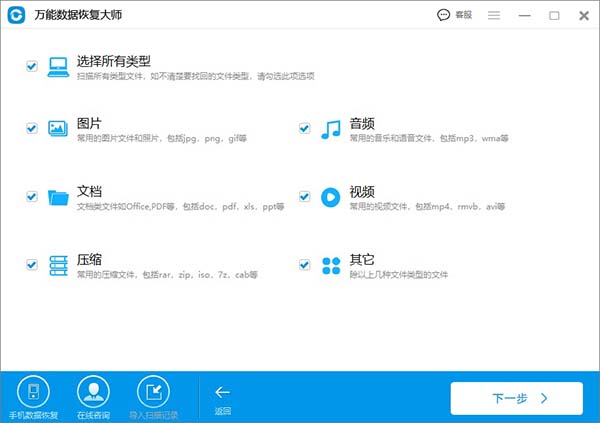
3. Select the file type of the data you want to recover. Single selection will help shorten the time of file scanning. If there are too many file types to be recovered, you can select "Select all types". Then click "Next" and wait for the files to be scanned
4. After the scan is completed, it is recommended to narrow the search scope based on file name, type, path, time sorting, etc. Find the scanned file to be recovered, you can click it to see if you can preview it, and then click the "Recover" button in the lower right corner! When recovering files, it is recommended not to save them to the formatted hard drive first. It is best to save directly to another partition on your computer or an external storage device.
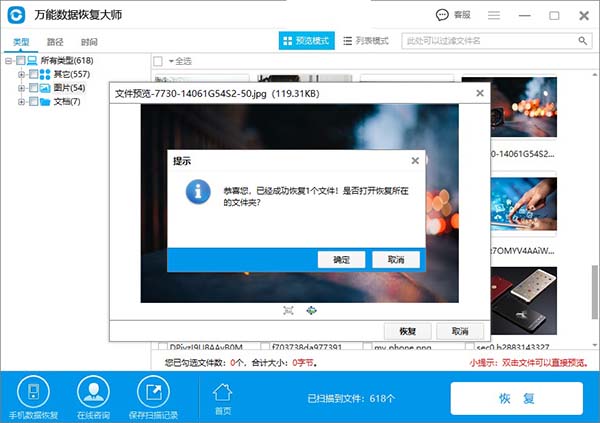
Comparison of similar software with DataExplore Data Recovery Master:
DataExplore Data Recovery Master is very powerful and has a very high recovery success rate. Using DataExplore Data Recovery Master, you can easily recover data on your computer hard drive or U disk, TF card, SD card, Sony memory stick and other storage devices.
Almighty Data Recovery Master is a powerful data recovery software that provides lower-level recovery functions. As long as the data is not overwritten, the files can be found. Data Recovery Master does not need to be installed. It can be run directly after decompression. Please do not export the data to the hard drive you want to recover.
In contrast, these two data recovery software have their own advantages, so you can download them yourself.
Almighty Data Recovery Master download address:http://softwaredownload4.com/soft/540236.htm
DataExplore Data Recovery Master update log:
1. The pace of optimization never stops
2. More little surprises are waiting for you to discover
|
Huajun editor recommends: DataExplore Data Recovery Master can quickly scan to the original partition and quickly list the original directory structure when a partition is lost or repartitioned. For recovery from Ghost damage, uncovered data can be recovered. In addition, Haoyou Data Recovery Master, HiFormat Data Recovery Master, and Zhuanzhuan Master data recovery software are recommended to everyone. You are welcome to download and use them. |
Version: 2.88 | Update time: 2025-06-24
Similar recommendations






Latest updates





How to delete history in Video Pioneer? -How to delete history records by Video Pioneer
How to set the skin for Video Pioneer? -How to set skin for Video Pioneer
How to upgrade software in 360 Software Manager? -How to upgrade software in 360 Software Manager
How to draw a lottery in 360 Software Butler - How to draw a lottery in 360 Software Butler
DataExplore Data Recovery Master Review
-
1st floor Huajun netizen 2020-06-06 00:07:53DataExplore Data Recovery Master is very useful, thank you! !
-
2nd floor Huajun netizen 2021-11-21 07:36:25DataExplore data recovery master software is very easy to use, downloads quickly and is very convenient!
-
3rd floor Huajun netizen 2020-05-17 04:04:53DataExplore data recovery master hopes to do better and better, come on!
Recommended products
-

Super hard drive data recovery software
-

Deleted File Recovery Master Software
-

360 file recovery
-

Hi Format Data Recovery Master
-

Mobile phone data recovery software
-

Deep data recovery software upgraded version
-

DiskGenius disk management and data recovery software
-

Lost data recovery
-

Universal Data Recovery Master
-

Recuva
- Diablo game tool collection
- Group purchasing software collection area
- p2p seed search artifact download-P2P seed search artifact special topic
- adobe software encyclopedia - adobe full range of software downloads - adobe software downloads
- Safe Internet Encyclopedia
- Browser PC version download-browser download collection
- Diablo 3 game collection
- Anxin Quote Software
- Which Key Wizard software is better? Key Wizard software collection




