
-
MEmu Android Emulator
- Size: 22.95M
- Language: Simplified Chinese
- Category: Android emulator
- System: Win All







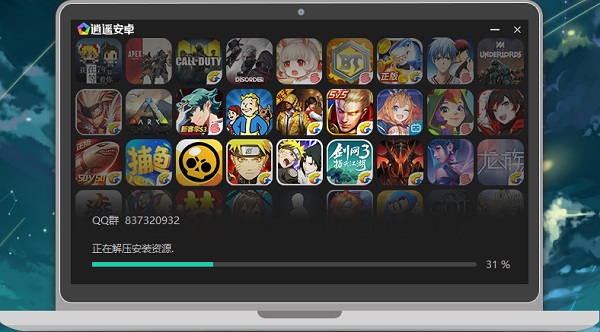
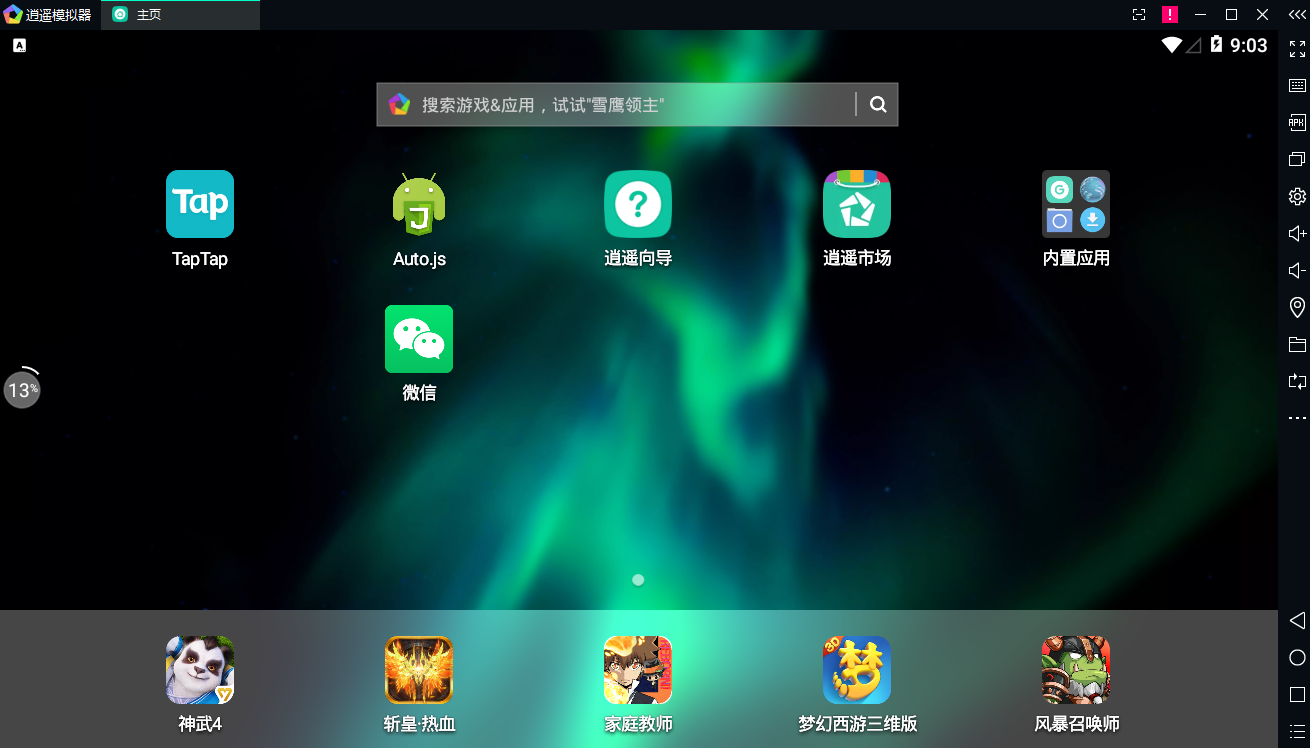
MEmu Android EmulatorA powerful Android emulator software. The Xiaoyao Android emulator can run most of the games currently on the market, and the software can be opened multiple times with one click, making it convenient for users to use it through a small account. The software can simulate popular mobile phone models now, making it easy to test the fluency of different mobile phones. MEmu Android emulator 2024 free download.
Features of MEmu Android Emulator:
【Perfect experience】
Ultra-high performance, compatible with all types of software and hardware, and can run 99% of games on the market
【Unlimited openings】
Whether you are running many popular games or alt/idle, we can always give you the smoothest experience.
【Perfect control】
Use keyboard/mouse/handle to play games with silky smooth operation
【Cooperation and customization】
Customize a personalized interface for you, pre-install exclusive applications, and meet your needs with better technology
MEmu Android emulator installation steps:
1. After downloading the Xiaoyao Android emulator from this site, get an .exe file locally on your computer. Double-click the .exe file to enter the software installation interface. You can click [Install] and the software will be installed by default.
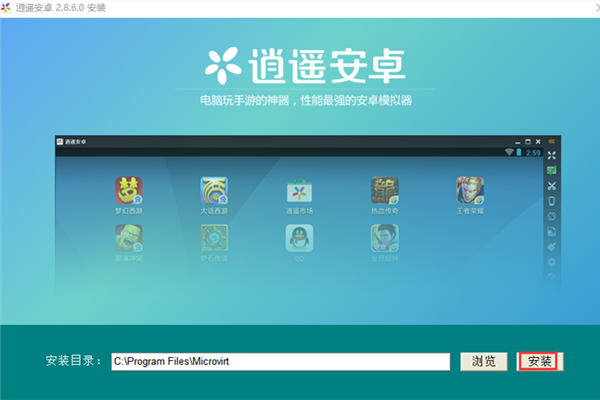
2. Or you can click [Browse] to open the installation location interface. You can select the installation location of the MEmu Android Emulator. After selecting, click [Install].

3. The Xiaoyao Android emulator is being installed, you just need to wait patiently.

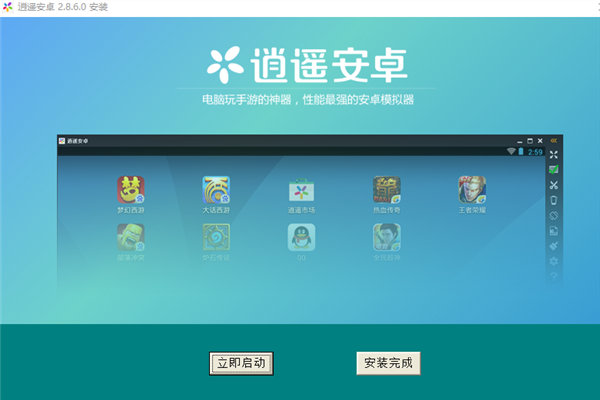
4. The Xiaoyao Android emulator installation is completed, click [Installation Complete] to exit the software installation.
How to use MEmu Android emulator
1. Open the installed Xiaoyao Android emulator. After opening the software, the following prompt will pop up. You can turn on the CPU virtualization feature in Yomennu, which can improve the performance. You can continue to use it as needed or restart it immediately to set it up. You can choose by yourself.

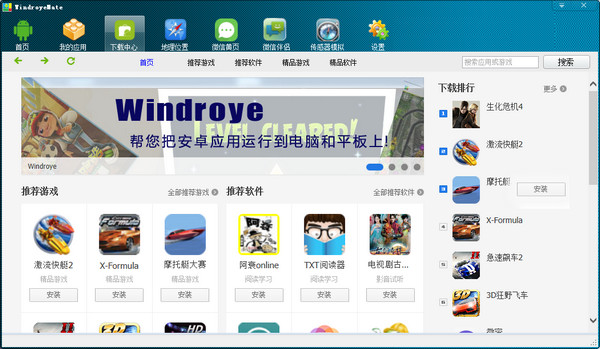
2. Enter the main interface of the Xiaoyao Android emulator. If you need to install applications or games, you can click "Xiaoyao Market" on the desktop to open the application market.

3. You can find your favorite games or applications through the categories on the left, or you can click [Search] on the left to enter the game you are looking for, and click [Download] after finding it.

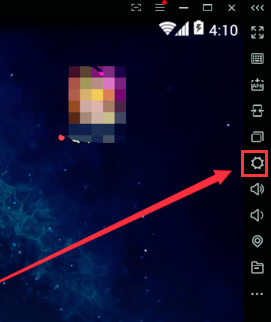
4. If you find that the screen is not smooth while playing the game, you can click the gear icon on the right side of the MEmu Android emulator.
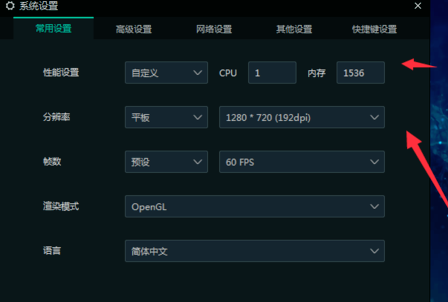
5. Open the settings window and you can modify the software’s resolution, frame number, rendering mode and other options, and adjust the smoothness of the picture. After the modification is completed, click [Save].
MEmu Android Emulator FAQ
How to open the MEmu Android emulator multiple times?
1. After installing the Xiaoyao Android emulator, there will be an icon of the Xiaoyao Android Multi-Open Manager on the computer desktop. Double-click it to open it.
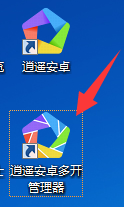
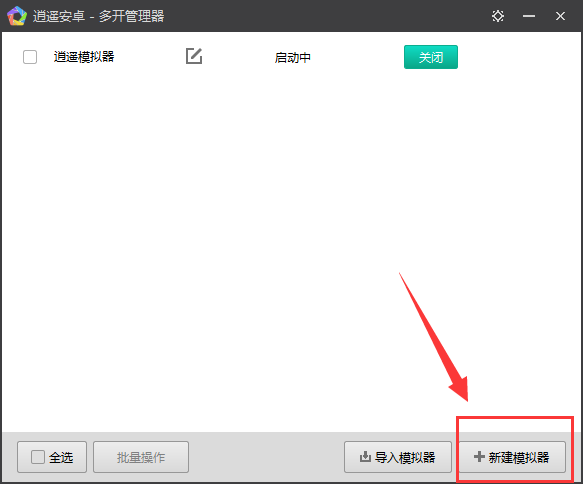
2. OpenAfter opening the multi-manager of Xiaoyao Android, click the [New Emulator] option in the lower right corner of the interface.
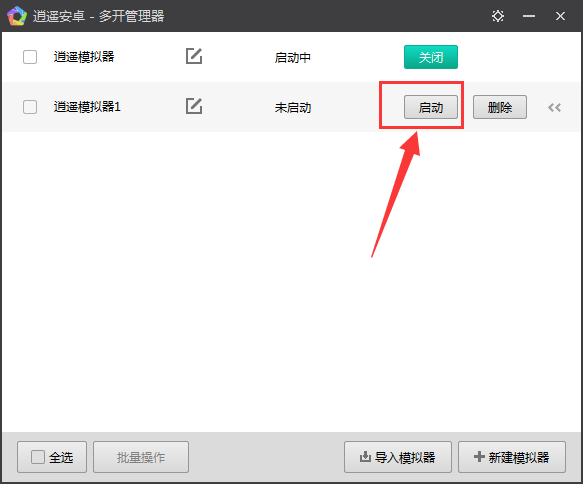
3. After the creation is completed, click [Start] to open the newly created simulator.
4. If you want to open more simulators, you can repeat the above steps to open more simulators without limit.
5. If you want to close the multi-open MEmu Android emulator, you can click the [X] in the upper right corner of the software to close the software, or you can enter the multi-open manager and click [Close].

How to solve the problem of MEmu Android emulator getting stuck at 99% during startup
1. Check whether your computer is disconnected from the Internet, or the computer shuts down abnormally, causing 99% stuck. Open the Xiaoyao Android multi-open manager, create a new emulator, and then delete the starting emulator.
2. Check whether your computer configuration is too low, whether VT is turned on or not, and whether there are no graphics card drivers and other common problems.
①You need to right-click the small icon of 360 Antivirus, and click [Enter] after the Security Shield Center is turned on in the pop-up selection.

②Open the Shield Center, click the medal icon in the upper right corner of the software, and turn off the Intel-VT Ho Jing protection engine.

3. If you have played PC games such as DNF, you need to change the computer 16-bit color to 32-bit color.
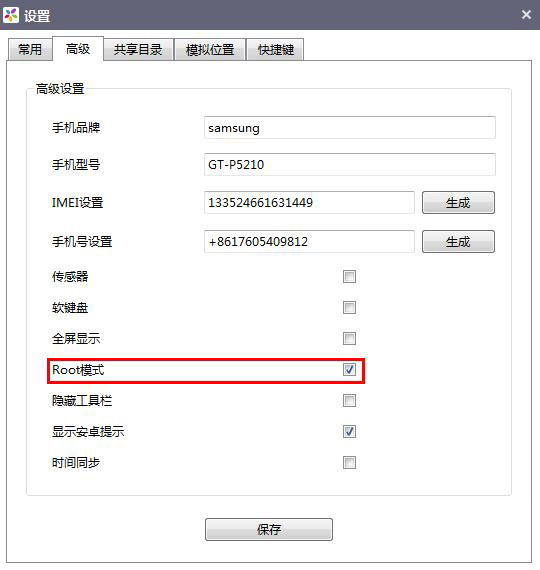
How to enable ROOT permissions in MEmu Android emulator?
1. After opening the MEmu Android emulator, click the gear icon on the right side of the software.
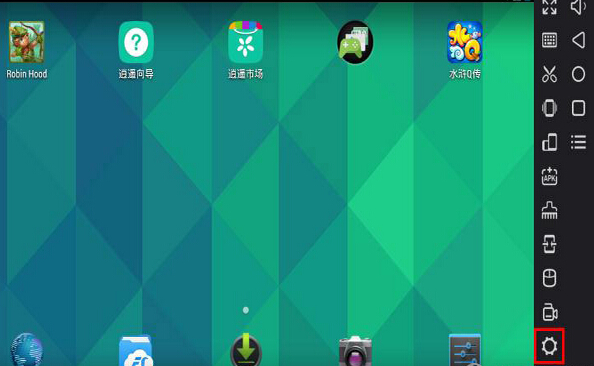
2. After opening the settings, click [Advanced] in the settings window, check ROOt mode in the advanced settings, then click [Save], restart the simulator to enable ROOT permissions.
Comparison between MEmu Android emulator and BlueStacks
BlueStacks emulator and MEmu Android emulator are both powerful Android emulators. Xiaoyao Android is an emulator that supports unlimited openings. Although BlueStack also supports multi-opening, it is not as easy to use as Xiaoyao Android. The compatibility of the BlueStack simulator is not very good, and it takes up a lot of space.MEmu Android is compatible with most games and software on the market today.
BlueStack simulator download address:http://softwaredownload4.com/soft/576813.htm
MEmu Android Emulator update log:
1. Optimize the lagging problem of games such as "Heavenly Sword", "Dream Mountain and Sea", and "Heavenly Mandate"
2. Repair the image abnormality problem of AMD graphics cards "Heavenly Sword" and "Above the Black Tide"
3. Fix the compatibility issues of "The Battle of Chosen" and "Eternal Sky"
4. Fix the problem of automatically inputting "AUTH" in the input box
5. Fix the problem of unresponsiveness when touching the screen on some tablets
6. Fix the problem that the simulator has no sound after the output device is unplugged or the device is changed.
7. Fixed the issue where the simulator may become unresponsive when exporting key mappings.
8. "Extended Vision" mapping supports dynamic correction of hero skill accuracy
9. The synchronizer supports the pause function
10. Added MEmuc command
1) The listvms --render command supports obtaining the rendering window handle
2) The randomize command supports one-click machine switching function
11. Fixed the problem that some games cannot use direct rendering
12. Fix the crash problem of League of Legends
Huajun editor recommends:
MEmu Android Emulator is a powerful Android emulator software! Got itWith the MEmu Android emulator, you can play mobile games on your computer smoothly and without lag, and it supports 1080P high-definition large screens.This site also has Yashen Android simulator, IOS mobile game simulator and other similar software. We recommend everyone to download it!
Version: 9.1.7 official version | Update time: 2024-12-25
Similar recommendations




Latest updates





How to enable ROOT permissions in MEmu Android emulator
Reasons and solutions for black screen in MEmu Android emulator
MEmu Android Emulator—a computer emulator for playing Tencent App Store official mobile games
How to upgrade software in 360 Software Manager? -How to upgrade software in 360 Software Manager
How to draw a lottery in 360 Software Butler - How to draw a lottery in 360 Software Butler
MEmu Android Emulator Review
-
1st floor Huajun netizen 2022-02-23 07:15:52MEmu Android emulator is very useful, thank you! !
-
2nd floor Huajun netizen 2022-01-06 01:26:01MEmu Android emulator software is very easy to use, downloads quickly and is very convenient!
-
3rd floor Huajun netizen 2021-11-20 03:33:50MEmu Android emulator is not bad, downloads very quickly, I give you a good review!
Recommended products








- Diablo game tool collection
- Group purchasing software collection area
- p2p seed search artifact download-P2P seed search artifact special topic
- adobe software encyclopedia - adobe full range of software downloads - adobe software downloads
- Safe Internet Encyclopedia
- Browser PC version download-browser download collection
- Diablo 3 game collection
- Anxin Quote Software
- Which Key Wizard software is better? Key Wizard software collection




