
-
bluestacks android emulator
- Size: 0.79M
- Language: Simplified Chinese
- Category: Android emulator
- System: winall








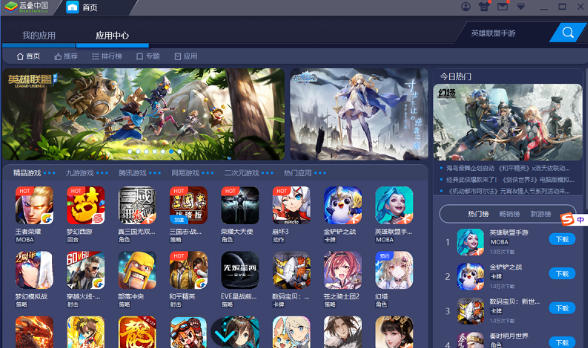
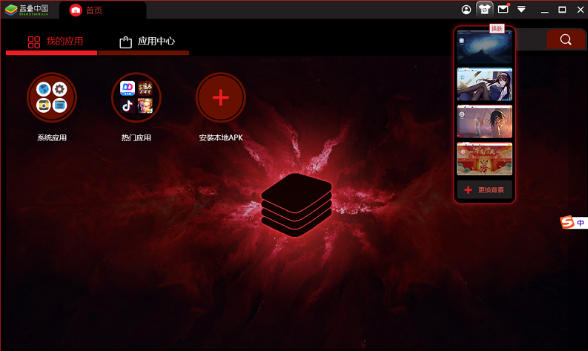
The bluestacks Android emulator is the world's leading Android emulator, specially designed for Windows and macOS systems, and can run mobile applications and mobile games smoothly on your computer. Its original Hyper-V and Layercake technologies achieve high-performance graphics rendering, support high frame rates, keyboard and mouse/handle control and multi-open synchronization functions, greatly improving the gaming experience. The software is compatible with the Android 11 environment, has a built-in application store, script recording and live broadcast tools, and also provides cloud mobile phone cross-device archiving functions. It is the preferred Android virtualization solution for players, developers and e-commerce users. Friends who like bluestacks Android emulator, come to Huajun Software Park to download and experience it!

bluestacks android emulator highlights
Layercake Technology
BlueStacks uses a technology called Layercake to enable Android applications that can originally only run on devices equipped with ARM processors to run on PCs or tablets with x86 processors, and can call the PC's graphics card resources to provide a smoother experience.
Customization and sharing functions
Provides preset game control configurations and supports users to customize more sophisticated control methods. Whether it is a preset control configuration or a user's own new control method, it can be imported and exported and shared with game partners.
Graphics Performance Mode
Provides a variety of graphics performance modes, users can choose the most suitable mode according to the computer's hardware configuration to ensure smooth visual effects.
Timely updates and optimizations
The BlueStacks team continuously updates and optimizes the software, fixes known issues, and improves user experience. For example, the performance of BlueStacks 5 has been optimized to allow users to enjoy a smoother and more responsive gaming experience; problems such as Supercell game crashes and black screens have been fixed.
Pure ad-free environment
The software does not have any advertisements or bundled software, providing users with a clean and pure usage environment and focusing on the application experience.
File transfer and data synchronization
It supports fast file transfer between the computer and the simulator, and users can easily import photos, music, videos, etc. for easy management and use.
Multi-language support
Supports multiple languages including Simplified Chinese to meet the needs of users in different regions.
Features of bluestacks Android emulator
Cross-system support
It supports two mainstream operating systems, Windows and Mac, and is adapted to ARM Mac devices with M1/M2/M3/M4 chips. Users can seamlessly switch between different devices and enjoy a consistent operating experience.
Hardware resource optimization
Through in-depth optimization technology, it makes full use of the computer's processor, memory and graphics card resources to significantly improve running speed. When running multiple instances in energy-saving mode, it can reduce CPU usage by 87% and GPU usage by 97%, ensuring smooth game operation.
HD quality and frame rate support
It provides Full HD, QHD and UHD image quality options and supports high frame rate operation, bringing clearer visual effects and faster response time. Users can adjust the resolution, image quality and performance mode according to their computer configuration to get the best experience.
Precise control configuration
It supports multiple input methods such as keyboard, mouse and game controller, and provides preset and customized control configurations. Users can customize key mapping to achieve a smooth operating experience like a PC game. For example, in shooting games, keyboard keys can be set for aiming and shooting to improve operational accuracy.
Multiple openings and operations are synchronized
Supports running multiple application or game instances at the same time to meet multi-tasking needs. Users can synchronize operations in multiple games to improve efficiency.

bluestacks android emulator features
Multi-platform compatibility
Supporting the two major operating systems of Windows and Mac, users can seamlessly switch between different devices and enjoy a consistent operating experience. BlueStacks Air is specially designed for Apple Silicon chip Mac devices and supports the OpenGL ES 3.1 standard to provide a smooth Android application and game experience.
Efficient performance optimization
Through in-depth optimization, BlueStacks can make full use of the computer's processor, memory and graphics card resources, significantly improving running speed. BlueStacks 5 Performance Beast Edition is trusted by more than 500 million gamers around the world and offers more than 2 million games. The time to start and prepare for games is shortened by 50%, RAM usage is reduced by 50%, and CPU and GPU usage are significantly reduced, ensuring that games run smoother and stable FPS can be maintained during long-term games.
Game control optimization
Designed specifically for gamers, it supports multiple input methods such as keyboard, mouse and game controller, providing a precise and flexible operating experience. For example, in a MOBA game, you can use the right mouse button to walk. The operation is exactly the same as the PC game. The walking speed is increased by 40%, and there are no dead ends in the 360-degree movement direction. In addition, it also supports script recording function, which can automatically perform repetitive tasks and simplify game operations.
Multi-open and data interoperability
Allows users to run multiple applications or game instances simultaneously to meet multitasking needs. Supports data synchronization between the simulator and mobile phone, making it easier for users to switch between different devices.
Pure and ad-free environment
There are no ads or bundled software, providing users with a clean and pure environment to focus on the application experience.
bluestacks android emulator FAQ
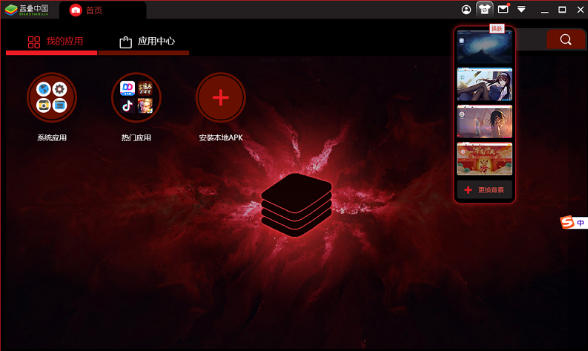
Multiple opening failed
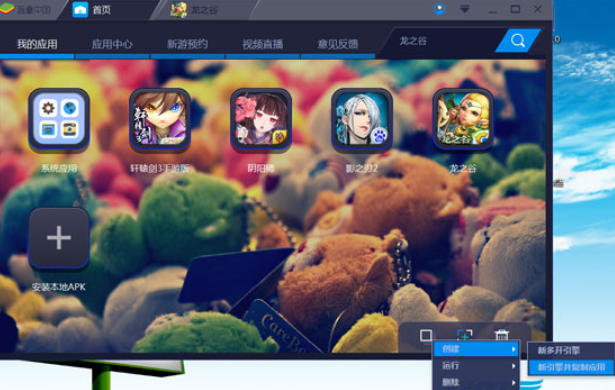
Reason: Desktop multi-open manager is not used, engine instance creation error.
Solution:
Open the desktop multi-open manager and choose to create an engine instance for Android 7/9/11 and other versions.
Make sure each instance uses a separate engine version to avoid conflicts.
Positioning function failed
Reason: Android debugging (ADB) is not enabled and permissions are not authorized.
Solution:
Enable Android debugging (ADB) in BlueStack Settings → Advanced Settings.
Grant BlueStack location permission in system settings.
Unable to connect to network
Reason: wrong network settings, firewall blocking.
Solution:
Check whether the network connection is normal and try to restart the router or switch the network environment.
Allow BlueStack to access the network in the firewall settings.
bluestacks Android emulator update log:
1. Fixed several bugs;
2. Optimize details;
Huajun editor recommends:
bluestacks Android emulator software feels really good! The editor specially tested it for this purpose, and it is really great to use. The famous name testing software, world-famous baby naming software, batch housekeeper, etc. are all very good software tested by the editor. Come and choose the one that suits you!
Version: v5.22.91.6503 | Update time: 2025-11-06
Similar recommendations





Latest updates




bluestacks android emulator review
Recommended products









- Diablo game tool collection
- Group purchasing software collection area
- p2p seed search artifact download-P2P seed search artifact special topic
- adobe software encyclopedia - adobe full range of software downloads - adobe software downloads
- Safe Internet Encyclopedia
- Browser PC version download-browser download collection
- Diablo 3 game collection
- Anxin Quote Software
- Which Key Wizard software is better? Key Wizard software collection




