
-
blue bird wallpaper
- Size: 73.73M
- Language: Simplified Chinese
- Category: desktop wallpaper
- System: winall








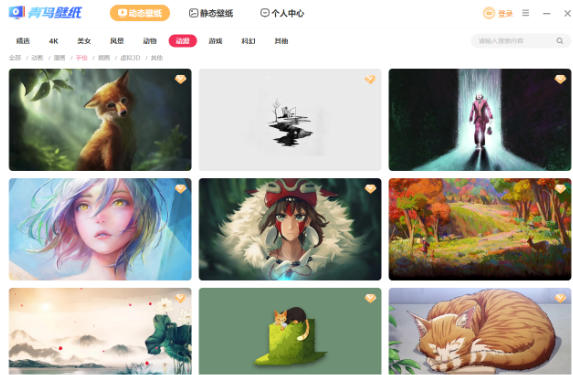
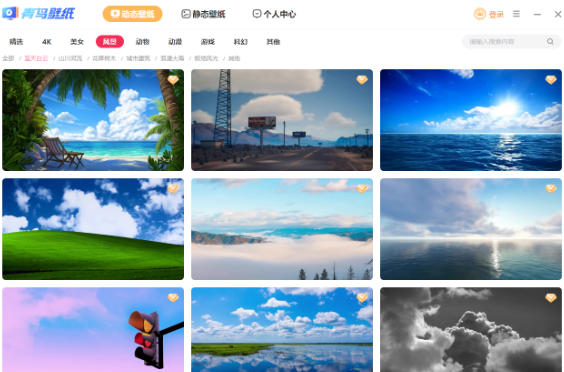

Jade Bird Wallpaper is a desktop beautification software that integrates static wallpapers, dynamic wallpapers, and interactive wallpapers. With its core advantages of rich resource library, personalized customization functions, and lightweight design, it is committed to creating an immersive desktop experience for users. Friends who like bluebird wallpapers, come to Huajun Software Park to download and experience it!

Blue Bird Wallpaper Highlights
Massive wallpaper resource library
Comprehensive category coverage: covering 20+ mainstream categories such as animation, games, scenery, stars, abstraction, technology, etc., with 1,000+ new pictures updated daily, and supports 4K/8K ultra-high-definition resolution downloads.
Exclusive dynamic wallpaper: Provides particle effects, weather linkage, real-time clock and other dynamic effects, such as "raindrops falling" and "starry sky flow", and supports custom parameters (such as flow speed, density).
AI-generated wallpapers: Built-in AI painting tools, enter keywords (such as "cyberpunk city" and "ink lotus") to generate exclusive wallpapers, supporting multiple iterations of optimization.
Intelligent recommendation system
Based on the user's browsing history and collection preferences, similar style wallpapers are pushed through machine learning algorithms to reduce search time.
Supports "one-click skin changing" function to automatically switch wallpapers based on the current time (such as early morning/night) or system theme.
Multi-screen collaboration support
Perfectly suitable for dual-screen/triple-screen users, you can set the wallpaper of each screen independently, or choose the "cross-screen splicing" mode to create a panoramic effect (such as a triple-screen panoramic mountain view).
Supports the mixed use of screens with different resolutions (such as 4K main screen + 1080P secondary screen), and automatically adjusts the picture proportions to avoid deformation.

Blue Bird Wallpaper Features
Performance optimization
WebAssembly technology is used to accelerate dynamic wallpaper rendering, and the CPU usage is reduced by 30% compared with similar software.
Supports hardware acceleration (requires NVIDIA/AMD graphics card), and the dynamic wallpaper frame rate is stable above 60FPS.
Security
All wallpapers pass local virus scanning + cloud security detection dual verification to eliminate malicious code.
Privacy mode: After turning off the data reporting function, no user behavior logs will be collected.
Cross-platform compatible
Windows: Supports 7/10/11 (32/64-bit), compatible with DirectX 11 and above graphics cards.
macOS: Adapted to Intel/M1 chip, supports automatic switching of dark mode.
Linux: Provides AppImage and Snap packages, supporting GNOME/KDE desktop environment.
Mobile: The Android version supports dynamic wallpaper settings, and the iOS version achieves similar effects through Live Photo.
Blue Bird Wallpaper Features
Interactive wallpaper engine
Mouse interaction: Some dynamic wallpapers support mouse clicks to trigger special effects (such as clicking on the water surface to produce ripples).
Audio visualization: Convert the system audio output into a dynamic spectrum, and present a rhythmic effect when played with music.
Game linkage: Cooperate with popular games (such as "Genshin Impact" and "League of Legends") to launch character-themed wallpapers and display in-game data (such as character level, resource quantity) in real time.
DIY creative workshop
Template editing: Provides 100+ preset templates (such as calendars, quotes, countdowns), and users can replace pictures, text and styles.
Layer blending mode: Supports PS-level layer effects such as overlay, multiply, and color filter to create complex visual effects.
One-click sharing community: After the creation is completed, you can directly publish it to the Jade Bird Wallpaper Community to get likes and rewards.
Minimalist resource management
Smart Cleanup: Automatically detect duplicate or low-quality wallpapers to free up storage space.
Cloud synchronization function: After logging in to the account, wallpaper collection and setting parameters can be synchronized across devices (requires premium membership subscription).
Offline mode: After downloading the wallpaper, you can use it without connecting to the Internet, which is suitable for mobile office scenarios.

Blue Bird Wallpaper FAQ
Q: How to solve the problem of white screen/flashback after startup?
Update the graphics card driver to the latest version (NVIDIA/AMD users need to update through GeForce Experience or Radeon Software).
Run the software as administrator (right-click on the icon → "Run as administrator").
Uninstall and reinstall, and make sure there are no Chinese or special characters in the installation path.
Bluebird wallpaper update log:
1. Fixed several bugs;
2. Optimize details;
Huajun editor recommends:
Blue Bird Wallpaper, word-of-mouth software, guaranteed to solve all your problems! The editor highly recommends! This site also has similar software such as Colorful Screensaver, Dark Blue Simple Calendar, and Any Logo Screensaver Creator. If you are interested, you can download it!
Version: v5.4.0.1662 | Update time: 2025-08-28
Similar recommendations





Latest updates




Blue Bird Wallpaper Review
Recommended products
-

Fun cool live wallpaper
-

Automatically change desktop wallpaper
-

Xiaoyu wallpaper
-

Desktop wallpaper automatic changing software (Jeoe Wallpaper Changer)
-

Baidu wallpaper
-

Good table road wallpaper
-

Eye protection desktop wallpaper HD complete collection
-

3D aquarium tropical fish dynamic desktop wallpaper
-

bird wallpaper
-

Wallpaper Engine
- Diablo game tool collection
- Group purchasing software collection area
- p2p seed search artifact download-P2P seed search artifact special topic
- adobe software encyclopedia - adobe full range of software downloads - adobe software downloads
- Safe Internet Encyclopedia
- Browser PC version download-browser download collection
- Diablo 3 game collection
- Anxin Quote Software
- Which Key Wizard software is better? Key Wizard software collection




