
-
Mango wallpaper
- Size: 88.36M
- Language: Simplified Chinese
- Category: desktop wallpaper
- System: winall






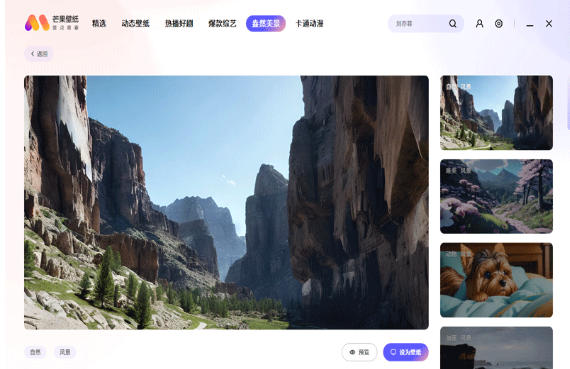
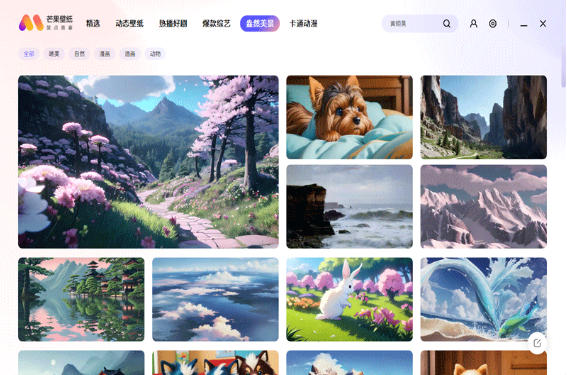

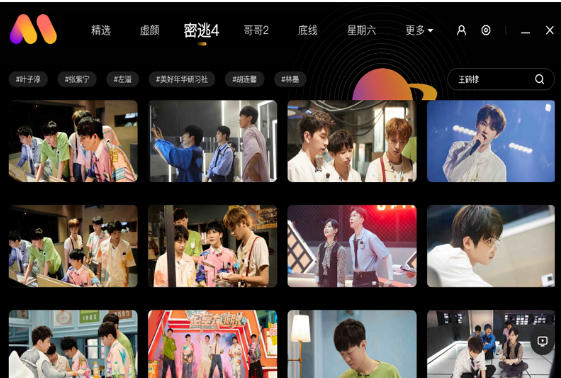
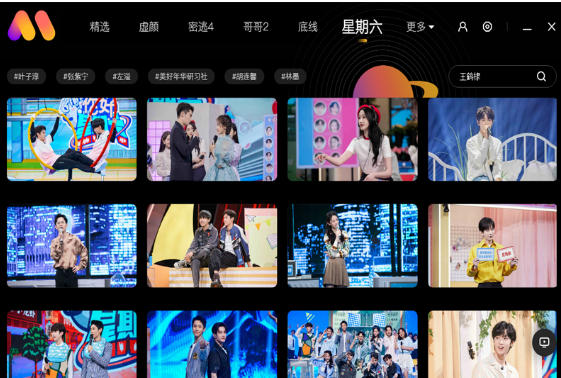
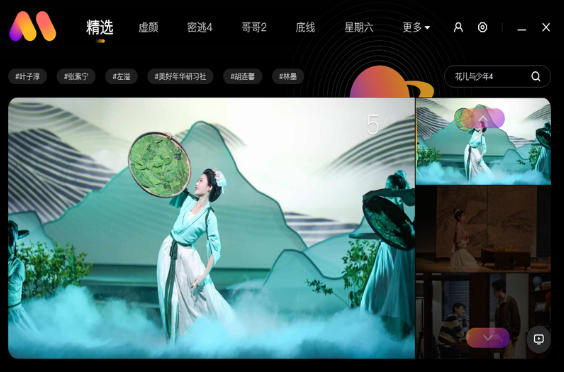
Mango Wallpaper is a desktop wallpaper software that integrates high-definition wallpaper resources, intelligent desktop beautification and personalized recommendations. Provides a large number of 4K/5K ultra-clear wallpapers, dynamic wallpapers and screensaver materials, covering animation, games, art, landscapes and other categories, and supports daily automatic updates and intelligent classification retrieval. The software has practical functions such as automatic screen changing, wallpaper cropping, and memory optimization. It can also recommend personalized wallpaper styles based on user preferences, helping users easily create a unique computer desktop environment and enhance visual experience and fun use. Friends who like mango wallpapers, come to Huajun Software Park to download and experience it!

Mango wallpaper highlights
The interface is simple: no complicated advertisements or redundant functions, the operation is intuitive, and new users can get started quickly.
Frequent updates: A large number of wallpapers are added every day to keep up with trends (such as holiday themes, new drama releases).
Multi-platform support: Covering Android, iOS, Windows, macOS and other systems, some versions support cross-device synchronization of collections.
Low resource usage: Optimize software performance, reduce memory and power consumption, and are suitable for long-term background operation.
Mango wallpaper features
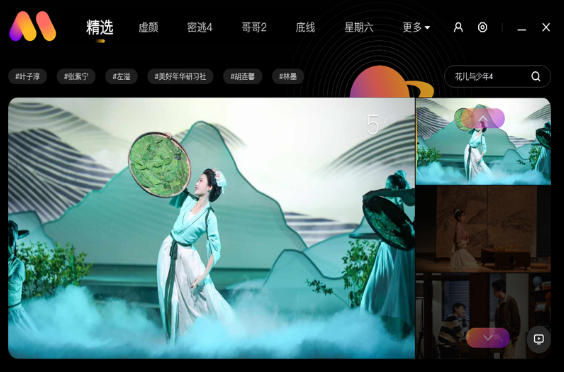
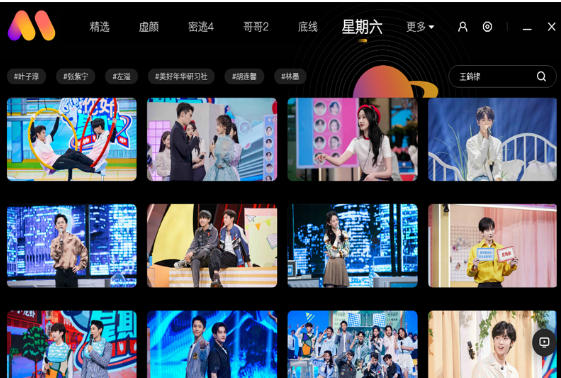
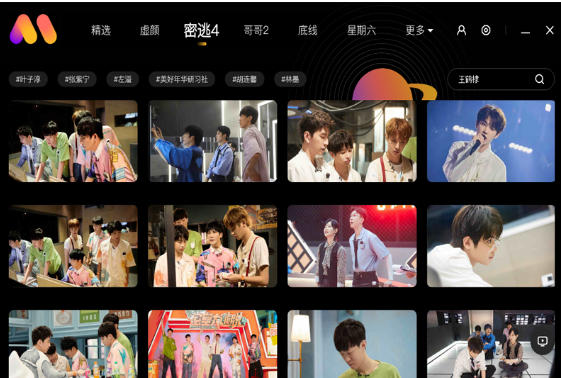
Rich categories: covering dozens of categories such as natural scenery, animation and games, celebrity artists, abstract art, cute animals, urban architecture, film and television stills, etc. to meet different aesthetic needs.
High-definition image quality: Provides 1080P, 2K, 4K and even 8K resolution wallpapers to adapt to device screens of different sizes (such as mobile phones, tablets, computers).
Dynamic wallpaper: Support dynamic wallpaper in GIF or video format to make the desktop or lock screen more vivid and interesting.
Mango wallpaper features
Intelligent recommendation and personalized customization
Algorithm recommendation: Push wallpapers that match the user's personal style based on their browsing history, collection preferences, and device models.
Keyword search: Supports entering keywords (such as "starry sky", "sakura", "cyberpunk") to quickly locate the target wallpaper.
Tag filtering: Search results can be further refined by tags such as color, style, theme, etc.
Convenient wallpaper management
One-click setting: Supports directly applying wallpaper as desktop, lock screen or setting both at the same time without jumping to system settings.
Automatic replacement: You can set a timer to automatically change the wallpaper (such as every day, every hour) to keep the interface fresh.
Collection and download: Users can collect their favorite wallpapers or download them to local photo albums for later use. Batch operations are supported.
Community interaction and creative sharing
User upload: Allow users to upload their own photography or design wallpapers to share with other users.
Likes and comments: You can interact with wallpapers and discover popular or highly rated works.
Special activities: Regularly hold wallpaper design competitions or theme collection activities to encourage users to participate in creation.
Mango Wallpaper FAQ
How to set wallpaper?
Open the app, select the wallpaper you like, click "Set as Wallpaper", and follow the prompts to select desktop, lock screen or both settings. Some live wallpapers require additional authorization (such as storage permissions).
Live wallpaper has no animation effect?
Check whether the dynamic wallpaper function is turned on (some devices need to be turned on separately in the system settings).
Make sure the wallpaper format is GIF or video, and the device performance supports dynamic rendering (low-end models may lag).
Mango wallpaper update log:
1. Sweep the bug out and carry it out to the end
2. The most stable version ever
Huajun editor recommends:
Believe me, as long as you use Mango Wallpaper and other desktop wallpaper software, you can uninstall it, and it will definitely meet all your needs. The editor has also carefully prepared PUSH Video Wallpaper, Dark Blue Simple Calendar, and Photo Screensaver Maker for you
Version: v2.4.3.0 | Update time: 2025-08-27
Similar recommendations




Latest updates



Mango Wallpaper Review
Recommended products
-

Fun cool live wallpaper
-

Automatically change desktop wallpaper
-

Xiaoyu wallpaper
-

Desktop wallpaper automatic changing software (Jeoe Wallpaper Changer)
-

Baidu wallpaper
-

Good table road wallpaper
-

Eye protection desktop wallpaper HD complete collection
-

3D aquarium tropical fish dynamic desktop wallpaper
-

bird wallpaper
-

Wallpaper Engine
- Diablo game tool collection
- Group purchasing software collection area
- p2p seed search artifact download-P2P seed search artifact special topic
- adobe software encyclopedia - adobe full range of software downloads - adobe software downloads
- Safe Internet Encyclopedia
- Browser PC version download-browser download collection
- Diablo 3 game collection
- Anxin Quote Software
- Which Key Wizard software is better? Key Wizard software collection




