
-
Flying Fire Live Wallpaper
- Size: 136.76M
- Language: Simplified Chinese
- Category: desktop wallpaper
- System: winall







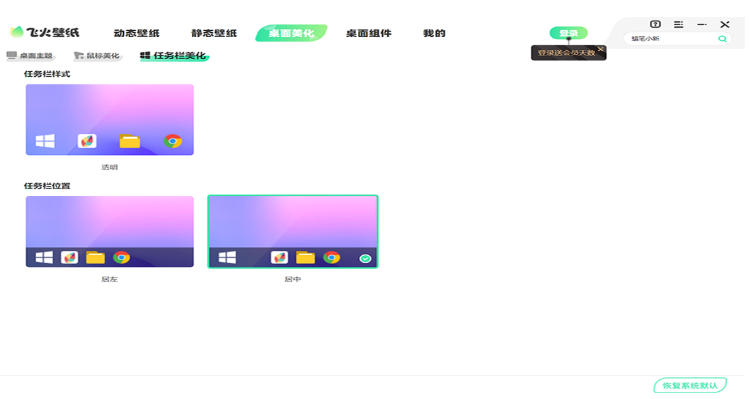
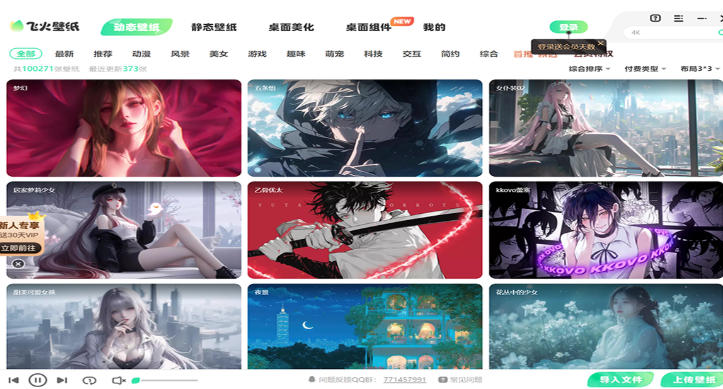
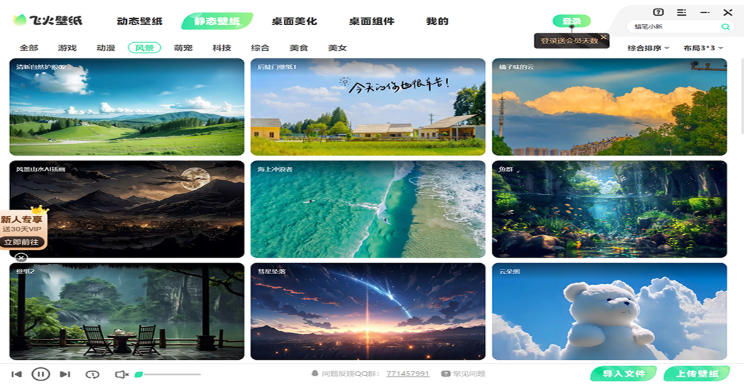
Flying Fire Live Wallpaper is a cool personalized mobile phone live wallpaper application, specially designed for users who pursue the ultimate visual experience. With the concept of "making the mobile phone desktop come alive", it is a desktop beautification tool that integrates massive resources, high-definition image quality, dynamic effects and personalized functions. It supports both mobile phone and computer use, and is committed to creating a dynamic and personalized screen experience for users. Friends who like the flying fire dynamic wallpaper come to Huajun Software Park to download and experience it!

Highlights of Flying Fire Live Wallpaper
HD smooth experience:
Each wallpaper has been processed in high definition to present the best visual effect.
Using advanced energy-saving technology, long-term use will not affect the performance of mobile phones or computers, and it saves more power.
Dynamic wallpapers run smoothly, take up less resources, and make the desktop dynamic without affecting device performance.
Intelligent recommendation and sharing:
Based on the user's browsing history and preferences, wallpapers that suit the user's taste are intelligently recommended.
Provides a dynamic wallpaper sharing platform where users can share their own wallpapers or favorite wallpapers online and share them with other users.
Combination of creativity and practicality:
Provides desktop game functions, such as jumping to eat gold coins, etc., so that users can enjoy the game while taking a break.
Provides desktop clock function to follow real time changes in real time and improve work efficiency.
Provide weather reminder function, pay attention to weather changes in real time, and push accurate weather information to users.
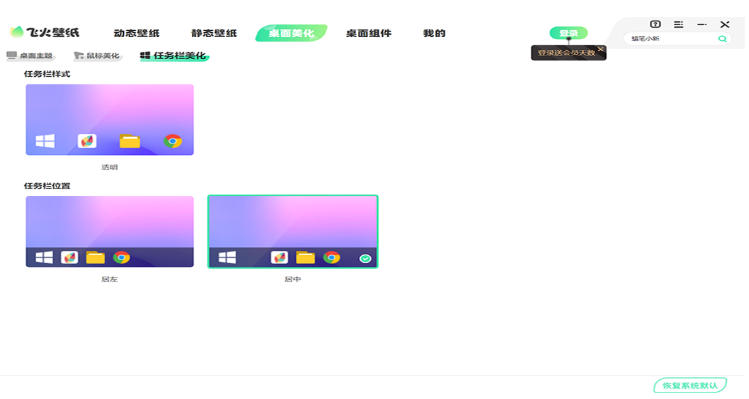
Features of Flying Fire Live Wallpaper
Massive 4K resource library: covering thousands of high-definition dynamic/static wallpapers such as cyberpunk, natural scenery, abstract art, etc.
Smart interactive wallpaper: supports touch feedback (such as touching the screen to trigger particle effects) and gravity sensing dynamic effects
Ultra-low power consumption optimization: Using intelligent frame rate adjustment technology, dynamic wallpaper battery life loss is reduced by 40%
Personalized customization: You can DIY edit wallpaper parameters (color/dynamic speed/filter) and import local videos as wallpapers
Daily AI recommendation: Push stylized wallpaper combinations based on user preference algorithm
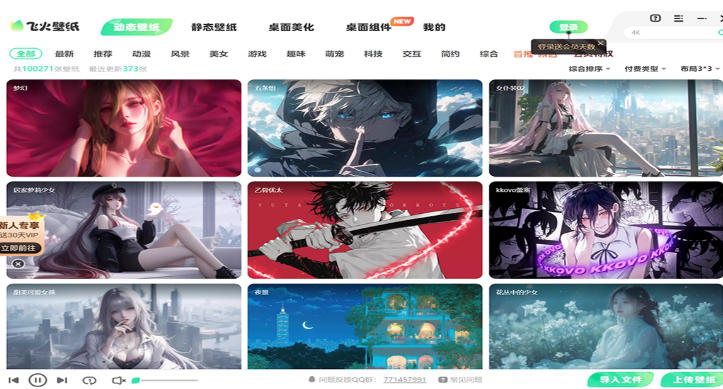
Flying fire live wallpaper function
Massive wallpaper resources:
Covering styles such as natural scenery, animation and cartoons, game characters, celebrity movies, two-dimensional, cyberpunk, technology, cute pets, etc., to meet the aesthetic needs of different users.
High-quality live wallpapers are updated daily to ensure users can always find fresh content.
Provides 4K ultra-clear dynamic wallpapers to bring users the ultimate visual enjoyment.
Dynamic effects and interactions:
Supports gravity sensing, 3D rotation and other special effects to make the wallpaper more vivid and interesting.
Provides interactive high-definition wallpapers of interesting particles, and users can interact with the desktop wallpaper by moving the mouse.
The two-dimensional virtual idol table pet can speak and sing. Users can adopt and customize its volume and transparency to experience the joy of raising it.
Personalization settings:
It provides clock, calendar, countdown, anniversary and other desktop beautification widgets, and users can customize the desktop style.
Support users to upload local videos or pictures as wallpapers to create their own desktop.
Provides couple lock screen and couple wallpaper functions, and supports couples to set a two-person video wallpaper or lock screen.
Convenient operation and multi-device adaptation:
The interface is simple and clear, and the operation is easy to understand. Users can easily set and manage their own desktop wallpapers.
Supports dual-terminal interoperability between mobile terminals and PC terminals, and users can share site-wide wallpaper resources on different devices.
Supports monitors of various resolutions, including 16:9, 21:9, 16:10 and 4:3, etc.
Supports multiple video formats, such as mp4, WebM, avi, m4v, mov, wmv, etc.
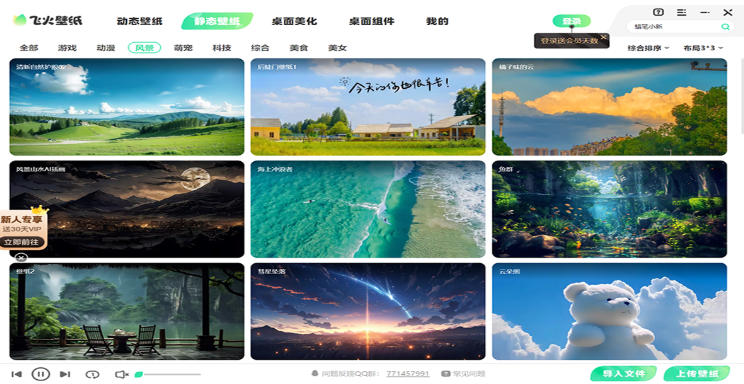
Flying Fire Live Wallpaper FAQ
Unable to set live wallpaper
Check whether there are desktop management and file management software. Such software may conflict with dynamic wallpaper software. Just close these software.
Check the system configuration. If the audio output device is missing, the wallpaper may not play properly. Just plug in a speaker or headphones.
Live wallpaper does not display or the screen is black
Refresh the computer's DNS and clear the cache: Press and hold the Windows key and R key at the same time to open the run dialog box, enter "cmd" to enter the command line window, and enter the "ipconfig /flushdns" command to refresh the DNS resolution cache.
Delete the cache folder: Find and delete the "fhbemb" folder in AppData/Local under the C drive user folder (the AppData folder may be hidden and needs to be set to show hidden folders).
Exit and restart the Spitfire Live Wallpaper client.
Flying Fire Live Wallpaper update log:
1. Optimize content
2. The details are more outstanding and bugs are gone.
Huajun editor recommends:
The editor has been using software such as Flying Fire Live Wallpaper for many years, but this software is still the best to use. Dark Blue Simple Calendar, Photo Screensaver Maker, and Any Logo Screensaver Creator are also good software and are recommended for students to download and use.
Version: 2.5.6.2 | Update time: 2025-11-06
Similar recommendations





Latest updates





How to delete history in Video Pioneer? -How to delete history records by Video Pioneer
How to set the skin for Video Pioneer? -How to set skin for Video Pioneer
How to upgrade software in 360 Software Manager? -How to upgrade software in 360 Software Manager
How to draw a lottery in 360 Software Butler - How to draw a lottery in 360 Software Butler
Flying Fire Live Wallpaper Review
Recommended products
-

Fun cool live wallpaper
-

Automatically change desktop wallpaper
-

Xiaoyu wallpaper
-

Desktop wallpaper automatic changing software (Jeoe Wallpaper Changer)
-

Baidu wallpaper
-

Good table road wallpaper
-

Eye protection desktop wallpaper HD complete collection
-

3D aquarium tropical fish dynamic desktop wallpaper
-

bird wallpaper
-

Wallpaper Engine
- Diablo game tool collection
- Group purchasing software collection area
- p2p seed search artifact download-P2P seed search artifact special topic
- adobe software encyclopedia - adobe full range of software downloads - adobe software downloads
- Safe Internet Encyclopedia
- Browser PC version download-browser download collection
- Diablo 3 game collection
- Anxin Quote Software
- Which Key Wizard software is better? Key Wizard software collection




