
-
Flip Clock Screensaver FLIQLO
- Size: 4.52M
- Language: Simplified Chinese
- Category: alarm clock
- System:winall






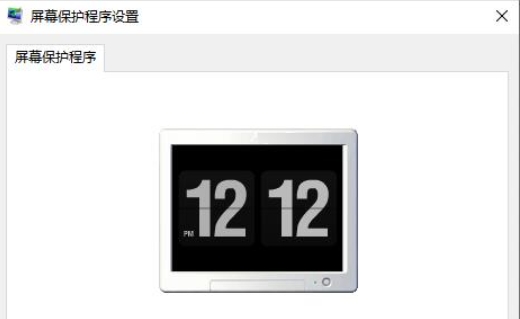
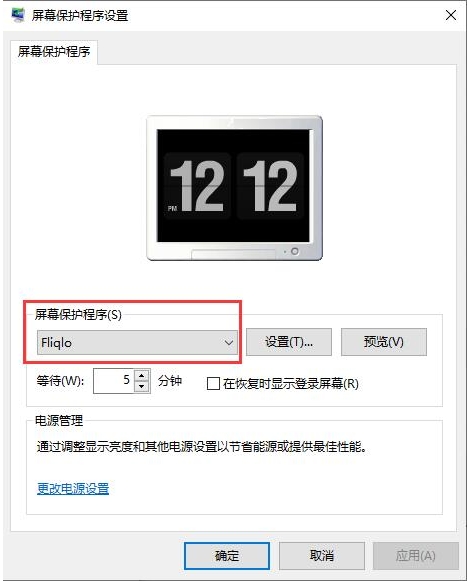
FLIQLO, a page-turning clock screensaver, is a practical screensaver software. Its minimalist design, dynamic page-turning effect, cross-platform support and rich functional options have won the favor of many users.
Software features
Minimalist design:
FLIQLO is famous for its minimalist style. The screen display is simple and elegant, without unnecessary decorative elements, and only displays the time.
The classic black and white color scheme, black background and large white numbers form a sharp visual contrast, making the time clear at a glance.
Dynamic page turning effect:
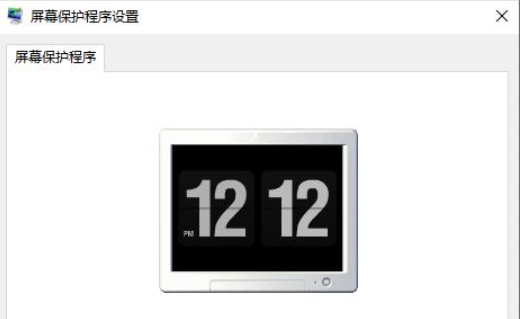
The time is displayed in the form of page-turning animation, and the numbers will flip every second like a book, bringing a unique visual experience.
This dynamic effect is not only beautiful, but also makes people feel the passage of time and enhances the concept of time.
Cross-platform support:
FLIQLO supports multiple operating systems, including Windows, Mac OS and iOS (the iOS version is a paid application).
Users can install and use it on different devices and enjoy a consistent page-turning clock screensaver experience.
Low resource usage:
The software has a lightweight design and low memory usage, which will not put additional burden on the system.
Even if it runs for a long time, it will not affect the performance and battery life of the device.
Easy to install and use:
The installation process is simple and quick, users only need to download and run the installer.
The software interface is intuitive and easy to understand, and users can personalize it according to their preferences.
Software function
Time display format selection:
Users can choose the 12-hour or 24-hour time display format to meet the habits and needs of different users.
Clock sizing:
Support users to freely adjust the size of the clock to adapt to screens and devices with different resolutions.
Screen saver startup settings:
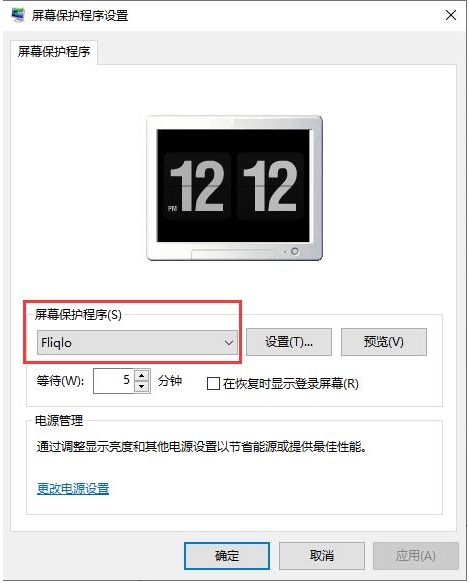
Users can set the device to automatically start the FLIQLO screensaver after a period of inactivity.
You can choose the waiting time before starting the screensaver, such as 10 minutes, etc.
Brightness control:
In the screensaver program, users can control the brightness of the clock to adapt to different lighting environments.
Display mode selection:
It supports landscape and portrait display modes, and users can choose the appropriate display mode according to the placement of the device.
Flip board show/hide:
Users can choose whether to display the flip panel, which is the animation effect part when the numbers are flipped.
If users prefer a simpler display, they can choose to hide the flip panel.
Multi-monitor support (Mac only):
For Mac users, FLIQLO supports displaying the clock on a single primary monitor or multiple monitors.
Users can choose the display mode according to their own needs to improve work efficiency or beautify the desktop environment.
FAQ
A black or white screen appears when the screensaver starts
Problem description: After the FLIQLO screensaver is started, the screen displays a black or white screen and the clock cannot be seen.
Solution:
Make sure the computer's network connection is normal, especially when starting FLIQLO for the first time, you need to be online to download fonts and other resources.
Try updating your computer's graphics card driver to the latest version to ensure the screen displays properly.
Check your computer's resolution and screen ratio settings to make sure they are compatible with the FLIQLO screensaver.
Flip clock screensaver FLIQLO update log:
1: Brand new interface, refreshing, simple and efficient
2: Performance is getting better and better
Huajun editor recommends:
The editor of Huajun Software Park has compiled and collected software that you may like, such as: Jiujiu Desktop Calendar, Desktop Clock, Any Logo Screensaver Creator, etc. You can download them from this site.
Version: 4.03 | Update time: 2025-04-02
Similar recommendations




Latest updates



Pixel Naruto online play entrance-Pixel Naruto web version online play-Huajun Software Park
How to add background music in python-How to add background music in python
How to configure environment variables in python - How to configure environment variables in python
How to run python - How to run python
How to create a project in python - How to create a project in python
How to make a blue sky background with scratch-How to make a blue sky background with scratch
How to create a linked list in scratch-How to create a linked list in scratch
How to add local programs to scratch-How to add local programs to scratch
How to input Chinese in scratch-How to input Chinese in scratch
Flip Clock Screensaver FLIQLO Review
Recommended products
-

365 Desktop Calendar
-

College entrance examination countdown timer
-

Mengchang alarm clock
-

Time proofreading software
-
Universal computer alarm clock
-

Heartfelt alarm clock
-

Red leaves automatic time adjustment
-

date calculator
-
Waterdrop computer alarm clock software
-
Debate timing software (Public Debate Timer)
- Diablo game tool collection
- Group purchasing software collection area
- p2p seed search artifact download-P2P seed search artifact special topic
- adobe software encyclopedia - adobe full range of software downloads - adobe software downloads
- Safe Internet Encyclopedia
- Browser PC version download-browser download collection
- Diablo 3 game collection
- Anxin Quote Software
- Which Key Wizard software is better? Key Wizard software collection




