
-
QQ Pinyin input method
- Size: 56.92M
- Language: Simplified Chinese
- Category: Pinyin input
- System: WinAll






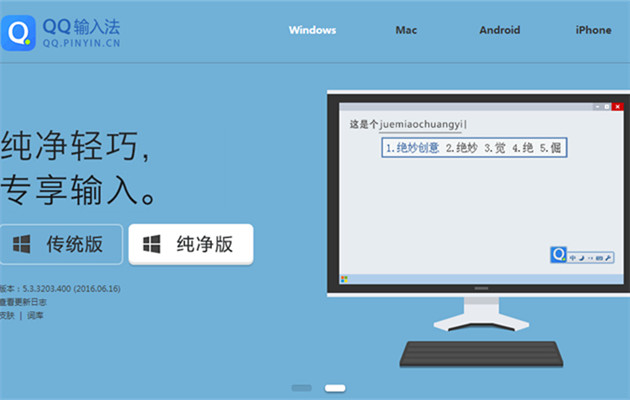
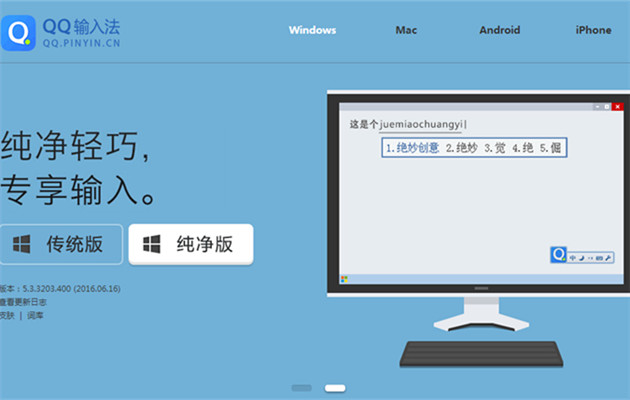
QQ Pinyin input methodThe abbreviation of QQ Pinyin is a Chinese simplified text input method developed by Tencent.QQ Pinyin input methodThere are 6,000 classified thesaurus for you to use, and the words are accurate, supporting Quanpin, Simplified Pin, and Double Pin, and the input speed is also very smooth. The QQ Pinyin input method also supports synchronization of multi-terminal lexicon, making it a very easy-to-use software. Huajun Software Park provides QQ Pinyin input method download service, download QQ Pinyininput methodFor other versions, please go to Huajun Software Park!
Frequently Asked Questions about QQ Pinyin Input Method:
How to set up qq pinyin input methodShortcut keys
1. Find the QQ Pinyin input method icon on the taskbar. Right-click the icon, a graphic interface will appear, click Settings. Select [Advanced Key Settings] above.
2. Select the hotkey for the input language and check Enable key sequence. Then pull down and select the shortcut key combination, such as the setQQ WubiThe shortcut key is: Ctrl+1. Pressing the key later: Ctrl+1 will directly bring up the input method language: QQ Wubi. The shortcut key setting is completed.
How to get out the hidden qq pinyin input method
1. Open the property settings
Find the [Property Settings] of the QQ input method in the "Start" menu in the lower left corner of the computer desktop. Or directly search for [Property Settings] in the run box and click to enter the interface.
2.Show/hide status bar
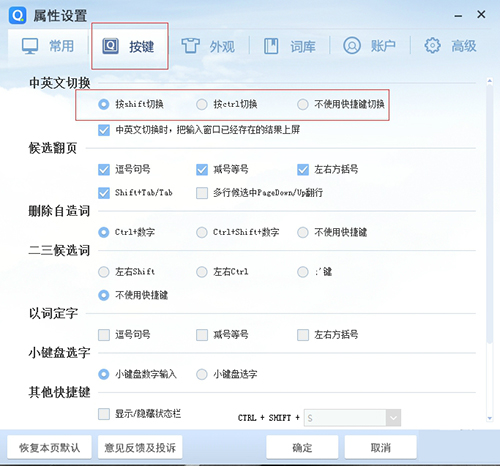
Open "Other Shortcut Keys" on the "Keys" interface. The first one is to show/hide the status bar. If not checked, the status bar will be hidden. If checked, the status bar will be displayed. You can set the shortcut keys.
How to set shortcut phrases in QQ Pinyin input method
1. On the QQ Pinyin input method icon, click the tool icon to enter the property settings
2. Click [Vocabulary] above, and then click [Settings] at the custom phrase. Then click [Add] on the right in the new interface.
3. Enter the abbreviation, position in the candidate word list and custom phrase in sequence, and finally click the [Save] [OK] button.
How to use QQ Pinyin input method:
1. How to use Ctrl to switch between Chinese and English in QQ input method?
1) First switch out the input method
2) Open the property settings
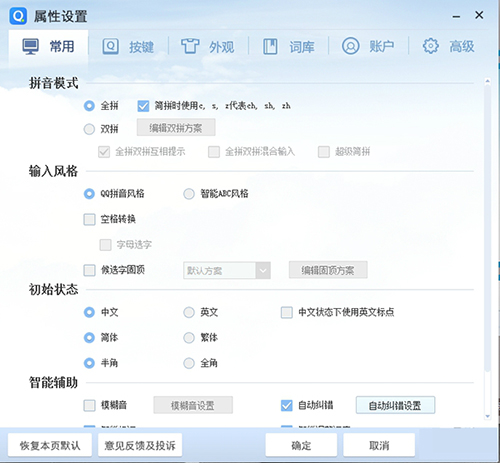
3) Select “Ctrl” to switch between Chinese and English in “Keys”
2. How to switch accounts using QQ input method?
1) Switch out the QQ input method
2) Open the property settings
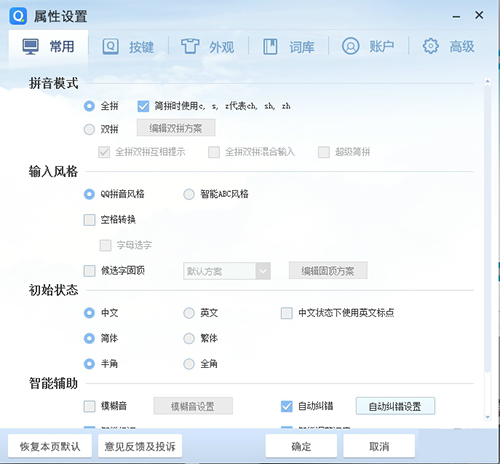
3) Select "Log out" in "Account"

4) Log in as a new user
QQ Pinyin input method features:
1. Provides exquisite skins that can be changed at will, making writing more enjoyable and expressing your personality more.
2. Fast input speed, small resource usage, and easily increase typing speed by 20%.
3. QQ input method has 6,000 classified thesaurus, the latest and most complete popular vocabulary, and is updated regularly. It is not only suitable for use in any occasion, but also the most suitable input method for use in chat software and other Internet applications.
4. QQ input method user dictionary network migration is bound to QQ number and personal dictionary, and is synchronized across multiple terminals.
5. Intelligent whole sentence generation Intelligent whole sentence generation makes the input speed unprecedentedly fast, and typing long sentences is effortless and handy.
QQ Pinyin input method installation steps:
1. Download the software from this site, double-click the .exe, enter an installation interface, and click Custom Installation

2. It is recommended to install the file on the D drive, check "Have read and agreed to the user agreement", and click Install Now

3. Installation is in progress. The process is very fast. Please wait patiently.

4. The QQ input method installation is completed, click "Finish" to exit the installation interface.

Comparing the QQ Pinyin input method and similar software, which one is better:
QQ input method is a Chinese pinyin input method software. It is small, fast to install, saves worry and effort, and is a very good input method. Sogou input method ensures precise wording and smooth input speed, and its user praise rate is very high.
Sogou input method has a simple interface, simple operation, and various types of skins. Sogou input method is powerful and can provide you with features such as accurate typing, fast speed, and rich vocabulary, bringing you a convenient experience.
Baidu input method has fast typing speed and smooth use. It also has various skins and emoji lexicon to make your input method personalized and trendy. Baidu input method has many special functions. It focuses on user experience and is a green input method without advertisements.
These three software are all very easy-to-use input method software. You only need to download them according to your own preferences.
Sogou input method download address:http://softwaredownload4.com/soft/49946.htm
Baidu input method download address:http://softwaredownload4.com/soft/95792.htm
Frequently Asked Questions about QQ Pinyin Input Method
Unable to enter Chinese characters
Cause of the problem: It may be that the shortcut key was pressed accidentally to enter the smart English mode.
Solution:
Press the default shortcut keys ctrl+shift+e to exit the smart English mode, and then re-enter text to display Chinese characters.
In order to prevent accidental touch, you can right-click the QQ Pinyin input method icon on the computer desktop, select "Property Settings", switch to the "Keys" interface, uncheck "Smart English Mode", click "Apply" and "OK".
Input method cannot be switched
Solution:
First try using ctrl+shift to see if you can call out the input method.
If the call cannot be made, right-click on the status bar on the desktop, find "Settings", enter the language settings, select the QQ Pinyin input method, and make the corresponding settings.
QQ Pinyin input method update log:
1. Comprehensive kernel upgrade
2. Update the system vocabulary
3. Optimize Simplified and Traditional conversion
4. Optimize the sorting of simplified spelling words
5. Optimize vocabulary synchronization
6. Optimize screenshots and handwriting shortcut keys
7. Optimize custom phrases on the screen
8. Fix IE browser compatibility issues
|
Huajun editor recommends: QQ Pinyin input method supports three pinyin input modes, and it runs very smoothly. QQ Pinyin input method has a simple design, bringing you a quiet and worry-free input experience, and QQ Pinyin input method also accelerates QQ level. In addition, there are also the best Wubi input method, Sogou Wubi input method, and Google input method recommended to everyone. You are welcome to download and use them. |
Version: 6.6.6304.400 | Update time: 2025-10-23
Similar recommendations






Latest updates





QQ input method skin replacement method
QQ input method light icon tutorial
Description of the operation process of setting cursor following in QQ input method
A simple introduction to setting handwriting mode in QQ input method
Description of the operation content of QQ input method screenshots
Simple operation to change QQ input method and adjust appearance skin
The operation process of setting QQ input method as the default input method
Five operation methods for typing emoticons using QQ input method
An explanation of the steps to modify the font in QQ input method
QQ Pinyin Input Method Review
-
1st floor Huajun netizen 2021-03-28 23:08:24The QQ Pinyin input method interface design is easy to use and has rich functions. I highly recommend it!
-
2nd floor Huajun netizen 2021-06-05 13:57:14The QQ Pinyin input method is great! 100 million likes! ! !
-
3rd floor Huajun netizen 2021-08-24 00:21:58The overall feeling of QQ Pinyin input method is good, I am quite satisfied, the installation and operation are very smooth! It went very smoothly following the installation step-by-step guide!
Recommended products









- Diablo game tool collection
- Group purchasing software collection area
- p2p seed search artifact download-P2P seed search artifact special topic
- adobe software encyclopedia - adobe full range of software downloads - adobe software downloads
- Safe Internet Encyclopedia
- Browser PC version download-browser download collection
- Diablo 3 game collection
- Anxin Quote Software
- Which Key Wizard software is better? Key Wizard software collection




