
-
TalkMED
- Size: 23.1M
- Language: Simplified Chinese
- Category: Health medicine
- System:winall






The computer version of TalkMED is a video conferencing and video chat tool specially created for medical personnel. The official version of TalkMED software supports live video broadcast and playback of various medical application scenarios such as 3D laparoscopy, Da Vinci robot, 3D open surgery, 360-degree panoramic view, live recording of internal medicine ward rounds, and multidisciplinary comprehensive discussions. TalkMED can facilitate mutual communication and learning between doctors.
TalkMED function introduction
TalkMED is a media platform for medical professionals
* Be the first to apply mobile VR technology. Fully supports live video broadcast and playback of various medical application scenarios such as 3D laparoscopy, da Vinci robot, 3D open surgery, 360-degree panorama, internal medicine ward round recording, multidisciplinary comprehensive discussion, etc.
* * Smooth switching between video, slides, user discussion and other modules; understand the full picture of the case from multiple angles and participate in discussions; synchronization of handouts and slides; offline caching, copyright protection
* * Content-centered topic discussions, not forgetting the original intention, and returning to academics
* Comprehensive coverage of smartphones, set-top boxes and other devices, making it convenient for users to use
* * Already cooperated with top experts in multiple treatment fields, pharmaceutical and device companies, and will continue to optimize
TalkMED software features
Supports full HD video experience
Synchronize login with your mobile phone to quickly start a new interactive video conference
Support screen sharing and video sharing
Video layout adjustment
TalkMED installation steps
1. Download the TalkMED computer version installation package from Huajun Software Park. After unzipping, double-click the "exe" file to enter the installation wizard and select the installation location. The default is C drive. It is recommended to install on D drive. Click Next.
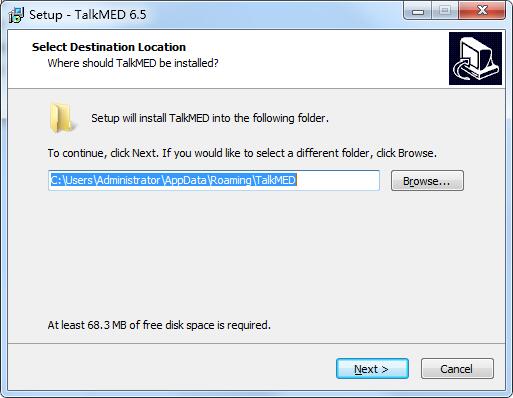
2. Click "Browse" to select the start menu folder and click Next
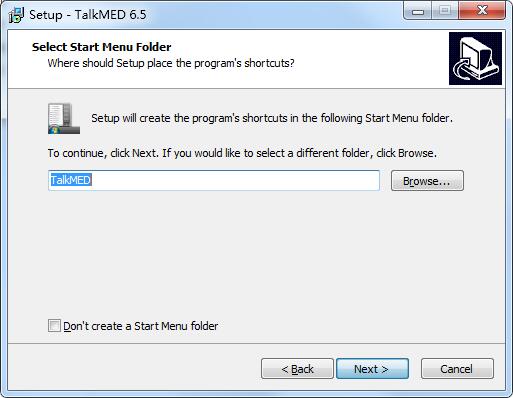
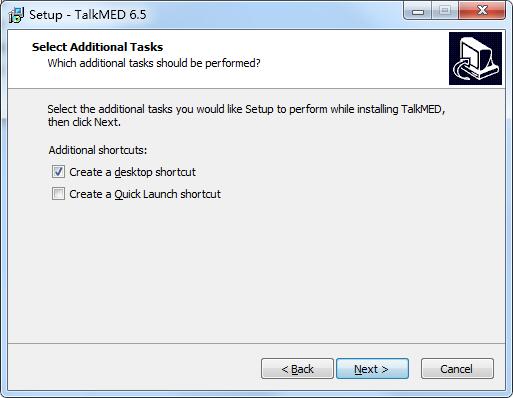
3. Select additional tasks, check the tasks you need, and click Next
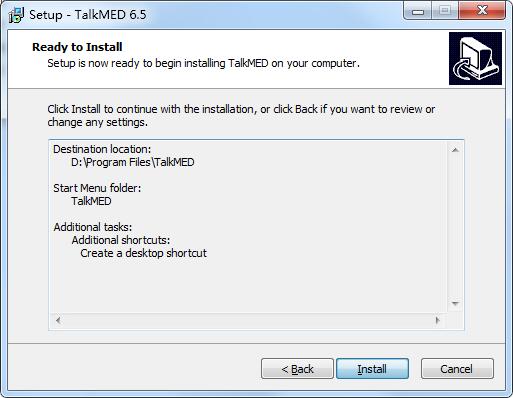
4. The software information is ready, click Install to install
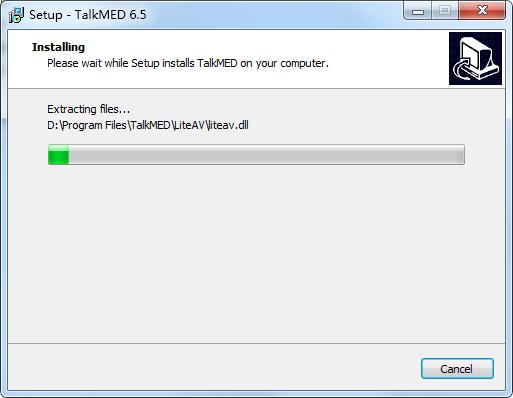
5.TalkMED is being installed, please wait patiently
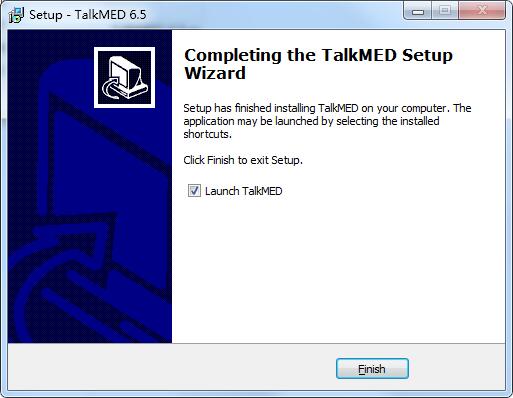
6.TalkMED installation is complete, click Finish to exit the installation wizard
TalkMED FAQ
What should I do if I forget my password?
Click on me - avatar login - login interface, click on the lower right corner and forget the password, you can reset the password of your TalkMED account through the mobile phone verification code.
TalkMED update log
Version: v6.5
Update date: 2020-07-07
New features
1. Increase research/audit
2. Increase network quality monitoring
3. Add function button prompt text
Optimization
1. Optimize the camera compatibility issues of some devices
2. Optimize the order of buttons at the bottom
Huajun editor recommends:
The editor of TalkMED personally verified that it is true! There are also similar software on this site: Jingo, Aimo Brain Map, and Cloud Machine Manager. Welcome to click to download and experience it!
Version: 6.5 PC version | Update time: 2024-12-30
Similar recommendations






Latest updates




How to add background music in python-How to add background music in python
How to configure environment variables in python - How to configure environment variables in python
How to run python - How to run python
How to create a project in python - How to create a project in python
How to make a blue sky background with scratch-How to make a blue sky background with scratch
How to create a linked list in scratch-How to create a linked list in scratch
How to add local programs to scratch-How to add local programs to scratch
How to input Chinese in scratch-How to input Chinese in scratch
How to fire bullets in scratch-How to fire bullets in scratch
TalkMED Review
-
1st floor Huajun netizen 2020-09-23 12:02:25TalkMED is very useful, thank you! !
-
2nd floor Huajun netizen 2021-07-16 17:00:03TalkMED software is very easy to use, downloads quickly and is very convenient!
-
3rd floor Huajun netizen 2021-12-02 06:07:30TalkMED is awesome! 100 million likes! ! !
Recommended products
-

General medicine delivery note printing software
-

Hospital queuing number-calling guidance desk number-taking software
-
Nutrition Calculator (Standard Edition)
-

Electronic prescription software
-

Intelligent individual clinic management system
-

Intelligent new resident health record management system
-

Yida Medical Device Sales List Printing Software
-

Yiruan outpatient management system
-
3DBody three-dimensional interactive anatomy software
-

Resident health record management system
- Diablo game tool collection
- Group purchasing software collection area
- p2p seed search artifact download-P2P seed search artifact special topic
- adobe software encyclopedia - adobe full range of software downloads - adobe software downloads
- Safe Internet Encyclopedia
- Browser PC version download-browser download collection
- Diablo 3 game collection
- Anxin Quote Software
- Which Key Wizard software is better? Key Wizard software collection




