
-
YALMIP Toolbox
- Size: 0.82M
- Language: Simplified Chinese
- Category: Installation and production
- System: win7 and above






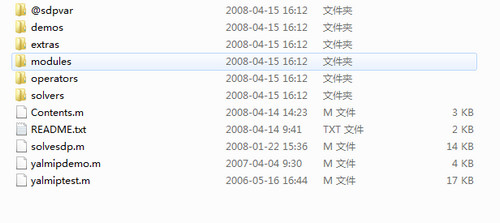
The official version of YALMIP toolbox is a toolkit specially developed for MATLAB to solve planning problems. The latest version of the YALMIP toolbox can help users easily solve various planning problems through MATLAB syntax, which is quite convenient. The YALMIP toolbox is easy to use. Users only need to add a path in matlab to use it, and YALMIP is also more easily accepted by users.
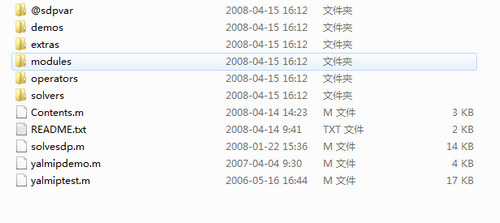
YALMIP toolbox software introduction
Written based on the symbolic arithmetic toolbox
A modular language for defining and solving advanced optimization problems, used to solve standard optimization problems such as linear programming, certificate programming, nonlinear programming, hybrid programming, and the LMI toolbox.
Basic use of YALMIP toolbox
1. Assume the unknown quantity
x = sdpvar(n,m); %Generate the unknown quantity in row a and column b
之前也说过YALMIP的未知量有3中类型.分别为
sdpvar % real type
intvar %integer type
binvar %0-1 type
If you need to set up a few more variables in mixed planning, it will be enough
2. Constraints
e.g.F = [-2 <= x <= 2];
3. Write the objective function
Obj = x(1)^2+x(2)^2;
4. Solve
Optimize(F,obj[options]);
F is the constraint, obj is the objective function (the default is to find the minimum value), options can select the solver and change the output method, such as:
Optimize(F,obj,sdpsettings('solver','gurobi','verbose',2));
Specify the solver as Gurobi and do not print the parsing process
5. Get results
opt=value(x); %x value
Specific cases of YALMIP toolbox
Find the minimum value of x^2+y^2 on x,y∈[-2,2].
% Generate a 2*1 matrix variable
x = sdpvar(2,1);
% restrictions
F = [-2 <= x <= 2];
% objective function
Obj = x(1)^2+x(2)^2;
%Solution
Optimize(F,obj);
% Get the value and the corresponding value of x
optobj = value(obj)
optx = value(x)
The results are as follows (my gurobi has expired, the following are the results of MATLAB's own solver)
optobj =
1.5449e-43
optx =
1.0e-21 *
0.2779 0.2779
YALMIP toolbox update log
1. Fixed other bugs;
2. Optimized software compatibility.
Huajun editor recommends:
The YALMIP toolbox is so easy to use. It is one of the best software in installation and production. I believe friends who have used it will say it is easy to use. If you don’t like it, we also have .NET, Batch Butler, and Cloud Machine Manager.
Version: Official version | Update time: 2024-12-30
Similar recommendations






Latest updates




How to download movies from Video Pioneer? - How to download movies from Video Pioneer
How to search for videos on Video Pioneer? - How to search for videos by Video Pioneer
How to delete history in Video Pioneer? -How to delete history records by Video Pioneer
How to set the skin for Video Pioneer? -How to set skin for Video Pioneer
YALMIP Toolbox Review
-
1st floor Huajun netizen 2020-12-23 06:45:48The YALMIP toolbox is very useful, thank you! !
-
2nd floor Huajun netizen 2021-07-31 00:07:25The YALMIP toolbox interface design is easy to use and has rich functions. I highly recommend it!
-
3rd floor Huajun netizen 2020-10-12 00:00:05The YALMIP toolbox is not bad and downloads very quickly. I would like to give you a good review!
Recommended products








- Diablo game tool collection
- Group purchasing software collection area
- p2p seed search artifact download-P2P seed search artifact special topic
- adobe software encyclopedia - adobe full range of software downloads - adobe software downloads
- Safe Internet Encyclopedia
- Browser PC version download-browser download collection
- Diablo 3 game collection
- Anxin Quote Software
- Which Key Wizard software is better? Key Wizard software collection




