
-
WinSCP
- Size: 10.6M
- Language: English
- Category: FTP tool
- System: WinAll






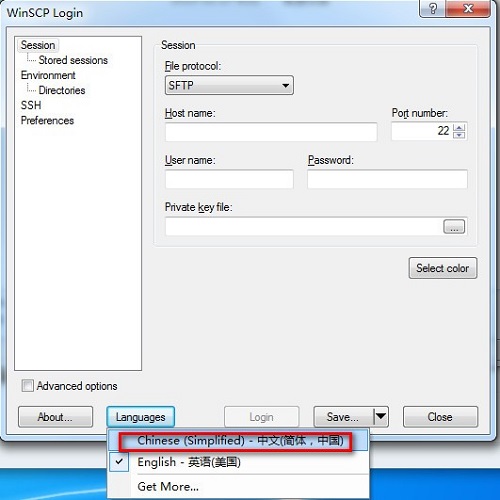
WinSCPThe latest version is the SCP (Secure SHell) that supports SSH (Secure SHell). Copy) file transfer tool. The official version of WinSCP is mainly used to manage UNIX (or Linux/BSD) hosts, similar to Telnet, but also supports file transfer.WinSCPThere is no problem with general file operations, such as copying, moving, renaming files or folders, etc. Huajun Software Park provides download services for WinSCP software. Everyone is welcome to download and use it!
WinSCP software features
1. Comparison function between local file directory and remote machine directory
If you want to know the difference between the local file list and the corresponding directory file list on the remote machine, you can click "Command->Compare Directory", then the software will automatically highlight the latest files on the local or server, and you will know which files are new. Then you can synchronize manually, or use "Command->Synchronize" to achieve automatic synchronization.
2. Call your favorite editor to directly edit files on the server
If you want to quickly modify the files on the server and do not want to save the files repeatedly and then upload the files manually, you can try to directly right-click the file that needs to be modified in the file list of the server, and then click the "Edit" button. At this time, the text editor that comes with winscp will be called by default to edit your file. When you click save, you do not need to upload it manually. winscp will monitor the save event of the file and then upload it automatically.
If you want to call your favorite editor to edit files, such as editplus, notepad++, etc., you can make personalized settings and click "Options->Options->Editor" to set the editor you want here.
By default, winscp will create a temporary copy of the file you edit in the temporary directory of Windows. You can also modify the directory where this temporary file is placed, which can be set in "Options->Options->Storage".
Note: After editing the file on the server, don’t forget to drag it down to the local svn directory
3. Synchronous browsing function
When you need to upload local files to the server, you may first open the local directory, and then go to the server directory on the right to open the corresponding directory. Then when switching the local directory, you also go to the server on the right to switch to the corresponding directory. If you really do this, then you are behind the times.
Winscp has a "synchronous browsing" function. As the name suggests, it realizes synchronous browsing of the local directory and the server directory. When you switch to the a directory on the left, the server file window on the right will automatically switch to the a directory, saving you the trouble of manual switching.
To achieve synchronous browsing, you first need to set the local and server directories to be the same. The paths can be different, but the list of subdirectories needs to be roughly the same. For example, "coreinclude" is on the left and "/core/include" is on the right. Then click "Command -> Synchronous Browsing". At this time, when you switch directories in one window, the other window will automatically switch to the corresponding directory.
4.Others
a) Open the Windows Explorer corresponding to the local directory on the left
b) Collect commonly used directories. It is estimated that many people use them, so I won’t go into details.
A software may only have about 20% of its commonly used functions. Therefore, a software that you may use every day actually has many functions that you have not discovered. Each software hides many icing on the cake functions. Some functions are hidden in the boudoir. Once they are discovered, they can greatly improve work efficiency.
WinSCP software features
* Graphical user interface
* Multi-language interface support
* Perfect integration with Windows platform (drag and drop, URL, shortcut)
* Supports all common file operations
* Supports SFTP and SCP protocols based on SSH-1 and SSH-2
* Support batch script and command line mode
* * Multiple semi-automatic and automatic directory synchronization methods
* Built-in text editor
* Support SSH password, keyboard interaction, public key and Kerberos (GSS) authentication
* Support various types of public key verification through integration with Pageant (PuTTY Agent)
* Provides Windows Explorer and Norton Commander interfaces
* Optionally store session information
* * Settings can be stored in the configuration file instead of the registry, suitable for operation on removable media.
WinSCP installation steps
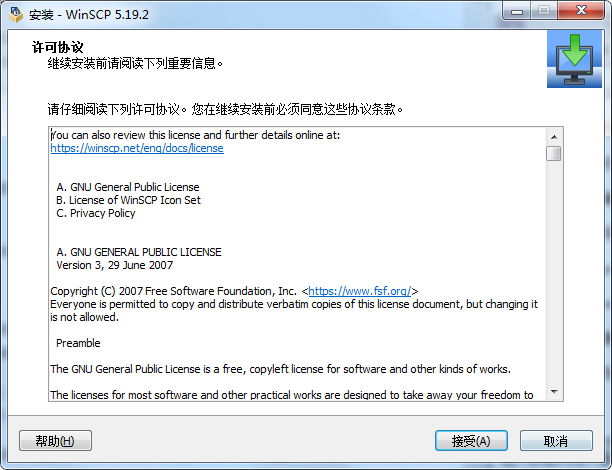
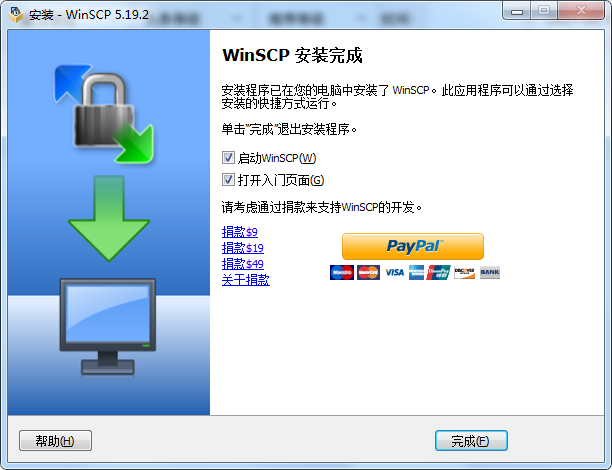
1. Download WinSCP from Huajun Software Park and extract it to the current folder. Click the WinSCP-5.19.2-Setup.exe application to enter the installation wizard interface, and then click I accept.
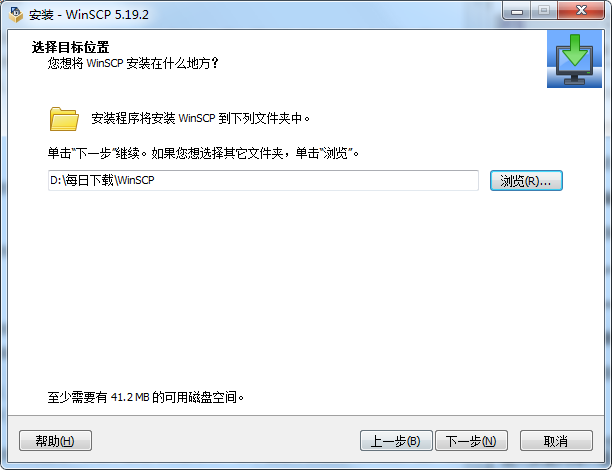
2. Select the software installation location interface. Huajun editor recommends that users install it on the D drive, select the installation location and click Next.
3. The WinSCP installation is completed, click Finish.
How to use WinSCP
How to connect to a remote Linux host and upload and download files
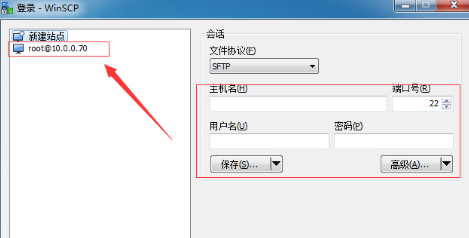
1. Open the software, fill in the IP, username and password of the remote host on the page that opens, click Save, and a site will appear on the left side of the page. You can directly double-click the site next time to log in to the remote host.
2. To upload and download, just right-click on the file you want to upload or download and select upload or download. You can also drag the file directly with the mouse.

WinSCP FAQ
Q: How to choose the user interface for WinSCP?
Answer: If you are a new WinSCP user, you may want to choose the Explorer interface, as it should be familiar to any Windows user. However, if you are used to several contemporary file managers (Total Norton used by Commander, FAR, Altap Salamander) Commander, please select this one. The Commander interface is mainly focused on easy keyboard control. You can use it without touching the mouse. A person who is accustomed to it can perform operations faster.
Q: How to add encryption key file to WinSCP?
Answer: 1. Enter the main interface of the software. After adding the host and other information, click the [Advanced] button below.
2. Select Authentication under SSH in [Advanced Site Settings].
3. Click [...] to select the key file saved locally.
4. After selecting the key file, click the OK button. After clicking OK, you will automatically exit the setting page. Remember to click Save after returning to the login interface, so that you can log in directly in the future without setting up.
Comparison of similar software
File transfer assistantAllows you to transfer files from your Mac/iPhone/iPod or iPad to other Mac/iPhone/iPod or iPad using Bluetooth connection without file type restrictions.
oofileIt is an enterprise real-time office file transfer software independently developed by Hangzhou Jiuhui Technology. Based on the TCP/IP mode, enterprise employees can easily transfer office files within the enterprise through oofile, and supports multiple conversation modes. There is no need to install the software, colleagues will find it automatically. Provide enterprises with the easiest and most stable instant file transfer solution.
Huajun editor recommends:
The official version of WinSCP is mainly used to manage UNIX (or Linux/BSD) hosts, similar to Telnet, but also supports file transfer. Interested users can download it now!
Version: 6.5.1 | Update time: 2025-10-23
Similar recommendations






Latest updates





WinSCP client installation and configuration tutorial
How does winScp integrate putty64? -Operation tutorial for integrating putty64 with winScp
How to use winscp-detailed explanation of winscp usage operations
How does winscp connect to a virtual machine - How does winscp connect to a virtual machine
How to display hidden files with winscp - How to view hidden files with winscp
What to do if winscp connection times out - What to do if winscp connection times out
How winscp connects to Linux - specific method of winscp connecting to Linux server
WinSCP Review
-
1st floor Huajun netizen 2021-12-05 17:20:14WinSCP is awesome! 100 million likes! ! !
-
2nd floor Huajun netizen 2022-02-25 03:15:47WinSCP is not bad, the download is very fast, I give you a good review!
-
3rd floor Huajun netizen 2022-03-26 11:10:36WinSCP hopes to do better and better, come on!
Recommended products









- Diablo game tool collection
- Group purchasing software collection area
- p2p seed search artifact download-P2P seed search artifact special topic
- adobe software encyclopedia - adobe full range of software downloads - adobe software downloads
- Safe Internet Encyclopedia
- Browser PC version download-browser download collection
- Diablo 3 game collection
- Anxin Quote Software
- Which Key Wizard software is better? Key Wizard software collection




