
-
RayLink
- Size: 50.14M
- Language: Simplified Chinese
- Category: remote control
- System: winall






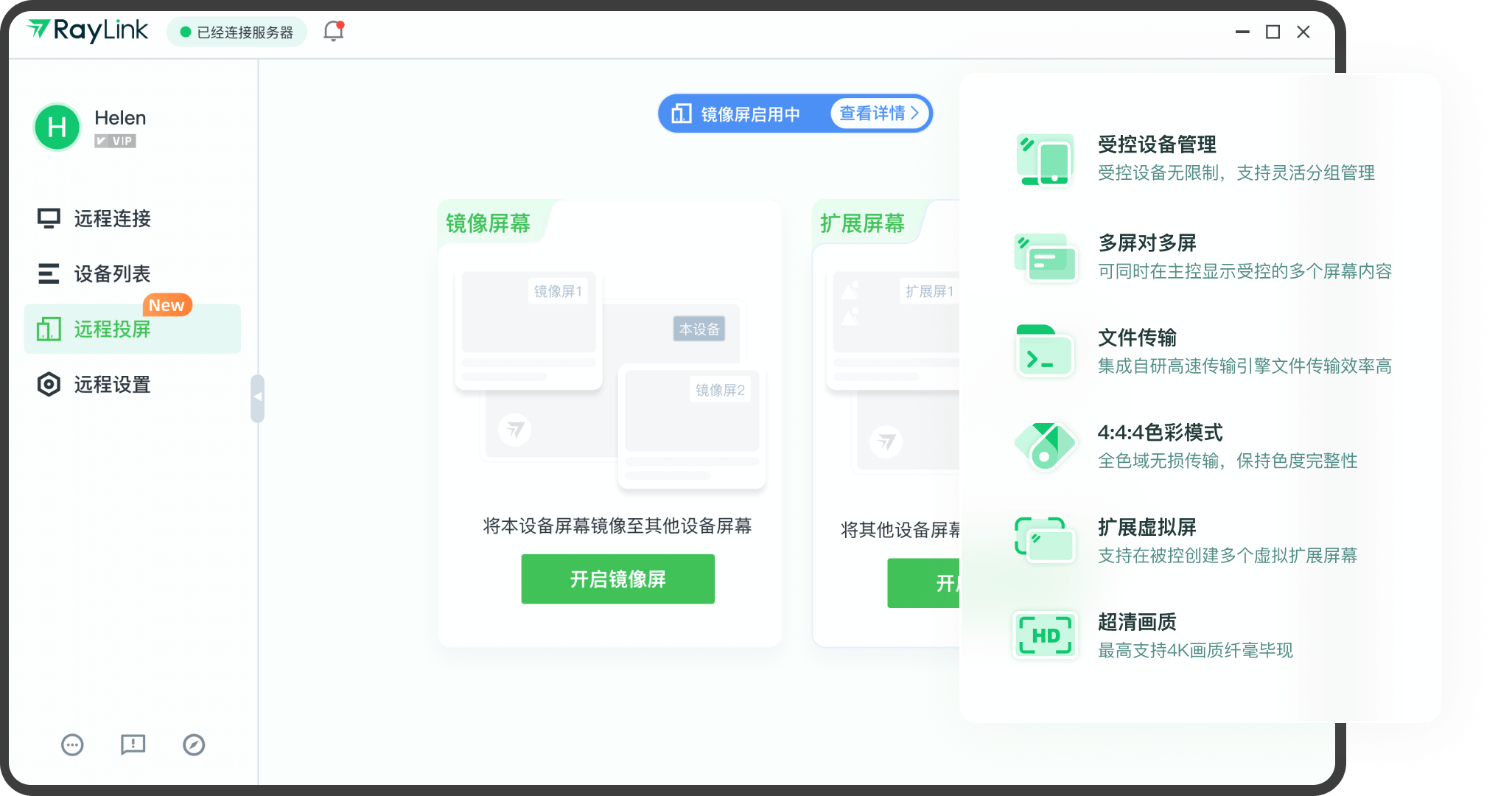
RayLink is a powerful, easy-to-operate, safe and reliable remote control software suitable for multiple industries and scenarios. Whether it is remote office, remote teaching or remote technical support, RayLink can provide excellent solutions.
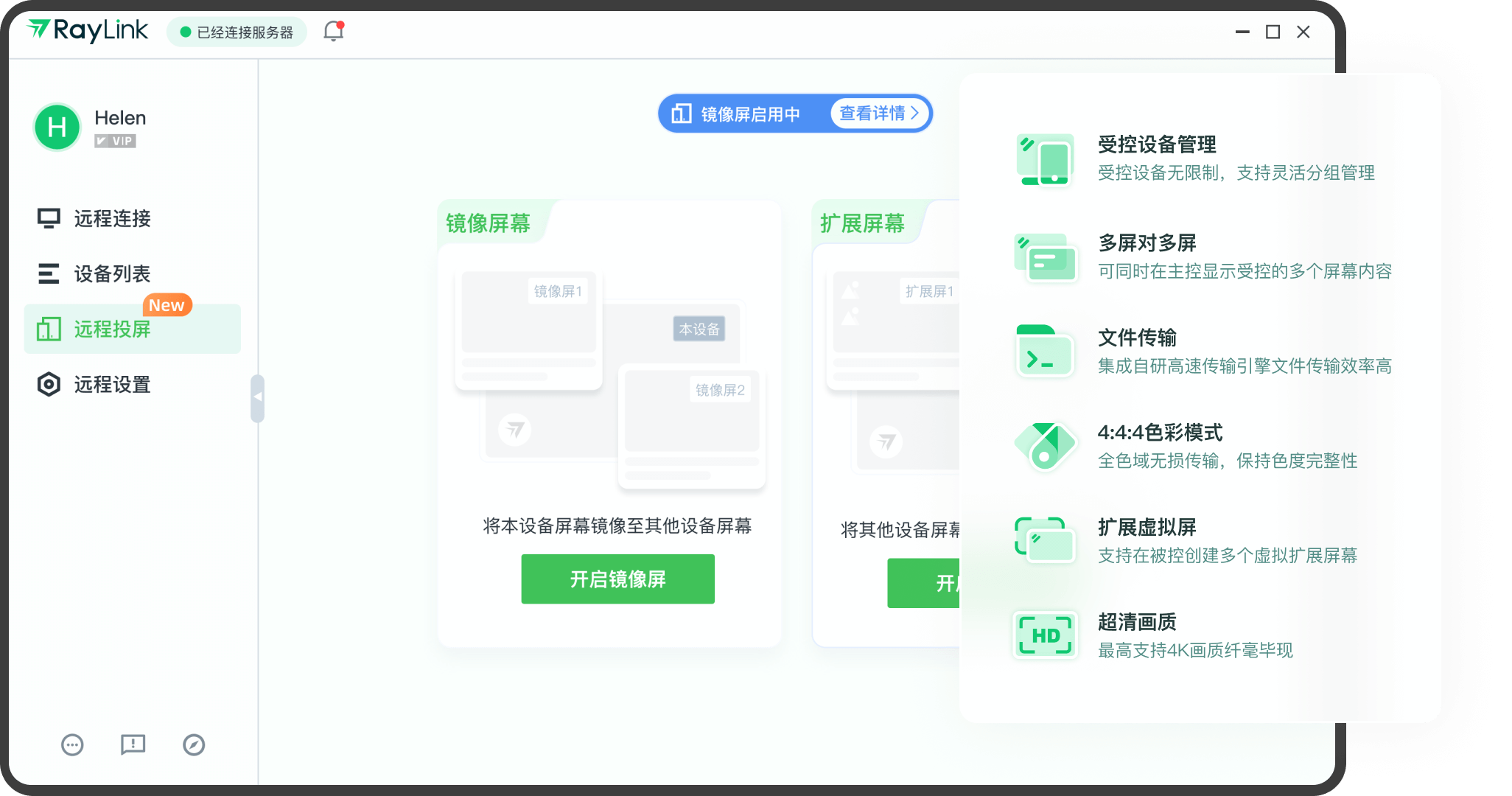
Main functions
Remote desktop control: Users can remotely access and control other computers through RayLink to achieve remote office, remote technical support and other functions.
File transfer: Supports file transfer between remote computers and local computers, allowing users to access required files at any time.
Remote power on and off: Through RayLink, users can remotely power on, shut down or restart the computer.
Multi-screen support: The software supports multi-screen to multi-screen streaming, making it convenient for users to perform remote operations on different screens.
Tablet/digital screen support: RayLink supports input from tablets and digital screens, and sensitively restores pressure and tilt sensitivity, making it very suitable for designers and artists.
Multi-person connection: Supports multiple people to connect to the same device at the same time, facilitating team collaboration and remote meetings.
Software features
True HD image quality and color reproduction
4K ultra-clear resolution: supports the highest 4K image quality transmission, and the picture details are clear.
4:4:4 full color gamut lossless transmission: ensures color integrity and avoids chromatic aberration in design drawings and blurry video images. It is especially suitable for scenes such as film and television editing and 3D modeling that require extremely high color accuracy.
60FPS smooth frame rate: The dynamic picture connection is natural, the operation response is as smooth as the local device, and the sense of delay is reduced.
Multi-screen collaboration and efficient collaboration
Multi-screen to multi-screen streaming: When the controlled terminal is connected to multiple monitors, the master terminal can display all screen contents simultaneously without switching windows, improving multi-tasking efficiency.
Multiple people connected to the same device: Supports team collaboration, multiple people can operate the same computer remotely at the same time, suitable for remote film review, technical training and other scenarios.
Safety protection system
Dynamic temporary password: The password shared each time is only valid for a short period of time and can be refreshed manually to prevent unauthorized access.
Remote request confirmation mechanism: Any connection requires active consent from the controlled end to avoid device intrusion.
Data encrypted transmission: SSL encryption technology is used to ensure the security of remote operation data and file transmission content.

FAQ
Unable to connect to the controlled computer
Monitor reason:
Problem description: When the external monitor that needs to be controlled remotely is in the off-screen state, the screen captured by RayLink when initiating a remote connection will be a black screen, resulting in failure to connect.
Solution: Turn on privacy mode. After being turned on, RayLink will create a virtual screen and capture the desktop screen actually running in the background of the controlled terminal, thereby successfully achieving remote connection.
Graphics card reasons:
Problem description: The controlled computer is equipped with a graphics card. If the graphics card mode is configured incorrectly, the RayLink remote control software will fail to connect remotely. This is mainly caused by some Microsoft bugs. When an application is running on a Windows 8.1 computer and the graphics card program on the computer is running on the Microsoft Hybrid system, if it calls DDA (Desktop Duplication API, an API that supports desktop duplication) to copy the desktop screen, the call will fail. RayLink remote control software uses DDA to copy the desktop screen. If the call is unsuccessful, the remote connection will fail.
Solution: Before initiating a connection with RayLink, you need to set up the graphics card. The setting details are as follows:
NVIDIA graphics card: Find the NVIDIA graphics card icon on the lower right side of the controlled computer, click the icon to enter the "NVIDIA Control Panel", then click "Manage 3D Settings", set the "Preferred Graphics Processor" to any other option except "Force Independent Graphics", such as "Automatic Selection", and finally click "Apply".
AMD independent graphics card: Method 1 to enable independent graphics, right-click on a blank space on the desktop, select "Configure Switchable Graphics Card", then in the pop-up AMD switchable graphics card settings, click "Browse" to add the application RayLink remote control software that needs to be set to run as a discrete graphics card, then select "High Performance" for "Unassigned", and click "Save" at the bottom when finished. If there is no "Configure Swapable Graphics Card" option on the right click, you can go to AMD's official website, enter "Drivers and Support" and search for the graphics card model. After entering, download and install all the drivers and software. To enable independent graphics method two, right-click on a blank space on the desktop and select "AMD Catalyst Control Center". After entering the AMD graphics card settings main panel, find the graphics card settings icon on the taskbar, right-click to select the graphics card model (such as "AMD Radeon R7 200 Series"), and then select "3D Settings" - "Standard Settings" - "High Performance".
Firewall setup failed:
Problem description: Firewall settings block the connection request of RayLink remote control software.
Solution: Check the firewall settings to ensure that the connection request of the RayLink remote control software is not blocked.
The system version does not support:
Problem description: Different system versions may not support the remote desktop function, such as Windows 11 Home Edition.
Solution: Confirm whether the system version you are using supports the remote desktop function. If not, consider using other remote office tools.
RayLink update log:
1. Fixed BUG, the new version has a better experience
2. Some pages have been changed
Huajun editor recommends:
After continuous official improvements, RayLink can meet all your needs. Come download and experience it. Of course, this site has also carefully prepared Enterprise EZVIZ Cloud, Firefox Enterprise Edition, and Google Chrome for you.
Version: V8.1.5.8 | Update time: 2025-12-02
Similar recommendations





Latest updates





RayLink Review
Recommended products









- Diablo game tool collection
- Group purchasing software collection area
- p2p seed search artifact download-P2P seed search artifact special topic
- adobe software encyclopedia - adobe full range of software downloads - adobe software downloads
- Safe Internet Encyclopedia
- Browser PC version download-browser download collection
- Diablo 3 game collection
- Anxin Quote Software
- Which Key Wizard software is better? Key Wizard software collection




