
Hot search terms: 360 Security Guard Office365 360 browser WPS Office iQiyi Huawei Cloud Market Tencent Cloud Store
Hot search terms: 360 Security Guard Office365 360 browser WPS Office iQiyi Huawei Cloud Market Tencent Cloud Store

Antivirus software Storage size: 45.60 MB Time: 2022-12-27
Software introduction: Soft is a lightweight, efficient and free computer and anti-virus security software. The computer version of Tinder Security Software is powerful and can fully protect our...
Tinder Security Software is a lightweight computer security protection tool developed by a domestic team, with "pure, undisturbed, professional protection" as its core features. The software uses a self-developed anti-virus engine and integrates multiple protection systems such as virus scanning, real-time protection, network firewalls, and behavior monitoring. It can effectively intercept various threats such as Trojans, ransomware, and rogue software. Its unique low resource usage design (memory usage is less than 20MB) and ad-free pop-up features completely solve the pain point of traditional security software "getting stuck the more you use it". Huorong also innovatively provides practical tools such as pop-up blocking, startup item management, and file shredding, and supports advanced users to achieve precise control through customized protection rules. It not only meets the "one-click protection" needs of ordinary users, but also provides in-depth customization space for technology enthusiasts. It can be called a clean work among domestic security software. Next, let the editor of Huajun explain to you the tutorial on how to turn off the firewall in Tinder Security Software and the tutorial on how to turn off the firewall in Tinder Security Software!
first step
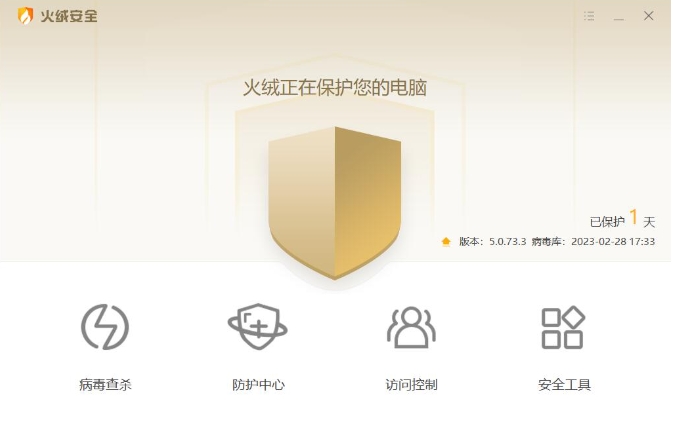
Double-click the [Tinder Security Software] icon on the desktop to start the program.
Step 2
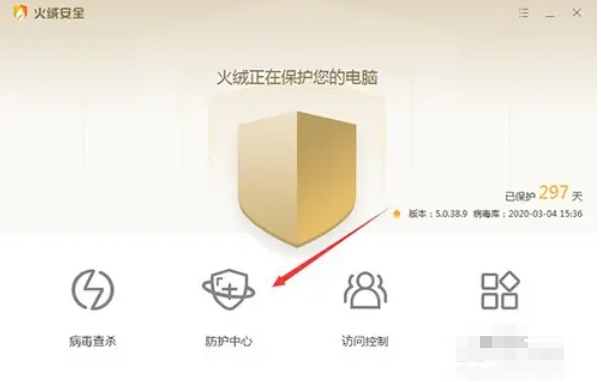
Click [Protection Center] on the left menu bar to enter the Protection Center
Step 3
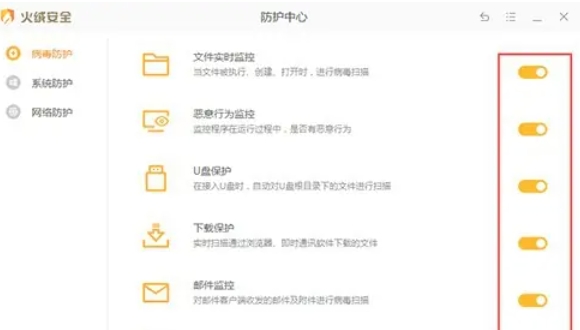
In the [Virus Protection] module, turn off all the switches on the right (such as real-time file monitoring, U disk protection, etc.) one by one to turn off virus protection.
Step 4
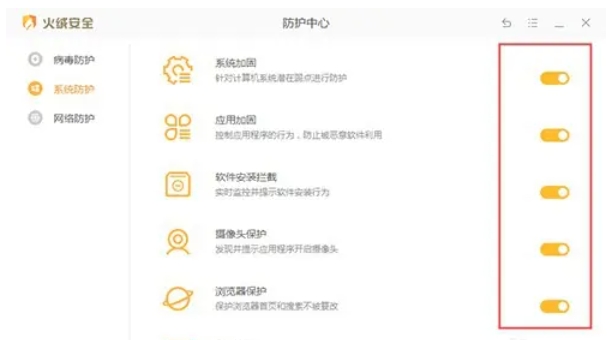
Scroll down to find the [System Protection] module and turn off all switches (such as registry protection, process protection, etc.)
Step 5
Finally, in the [Network Protection] module, turn off all switches (such as malicious website blocking, network intrusion blocking, etc.) and turn off network protection.
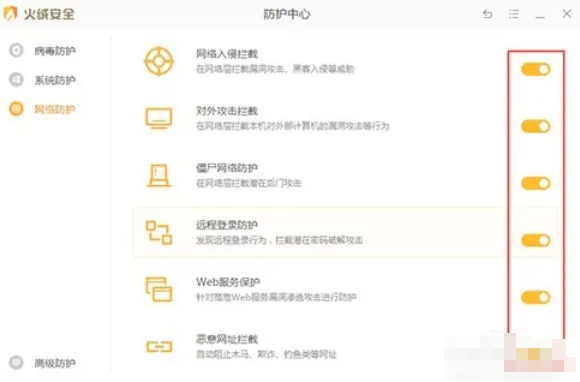
The above is the tutorial on how to turn off the firewall in Tinder Security software and the tutorial on how to turn off the firewall in Tinder Security software compiled by Huajun editor for you. I hope it can help you!

 How to add background music in python-How to add background music in python
 How to configure environment variables in python - How to configure environment variables in python
 How to run python - How to run python
 How to create a project in python - How to create a project in python
 How to make a blue sky background with scratch-How to make a blue sky background with scratch
 Microsoft Edge browser
 Steam
Steam
 Tencent Video
 WPS Office
 iQiyi
iQiyi
 Sohu video player
 Lightning simulator
 MuMu emulator
 Eggman Party
 What to do if there is no sound after reinstalling the computer system - Driver Wizard Tutorial
 How to switch accounts in WPS Office 2019-How to switch accounts in WPS Office 2019
 How to clear the cache of Google Chrome - How to clear the cache of Google Chrome
 How to fire bullets in scratch-How to fire bullets in scratch
