
Hot search terms: 360 Security Guard Office365 360 browser WPS Office iQiyi Huawei Cloud Market Tencent Cloud Store
Hot search terms: 360 Security Guard Office365 360 browser WPS Office iQiyi Huawei Cloud Market Tencent Cloud Store

Antivirus software Storage size: 45.60 MB Time: 2022-12-27
Software introduction: Soft is a lightweight, efficient and free computer and anti-virus security software. The computer version of Tinder Security Software is powerful and can fully protect our...
Tinder Security Software is a lightweight and efficient domestic security protection software, focusing on the field of terminal security, with the core design concept of "intelligent, quiet, and non-disturbing". It integrates multiple functions such as virus scanning, network defense, system protection, and privacy protection. It uses advanced local engine and cloud big data analysis technology to accurately detect and kill malicious threats such as Trojans, ransomware viruses, and mining programs. The software is famous for its low memory usage and no pop-up ads. It provides "Tinder Sword" advanced analysis tools to meet the needs of technical users. It also supports customized protection rules and is suitable for individual and corporate users. Next, let the editor of Huajun explain to you how to repair the network disconnection with Tinder Security Software and how to repair the network disconnection with Tinder Security Software!
first step
Double-click the desktop icon or find the Tinder icon on the taskbar, right-click and select [Open Main Interface].
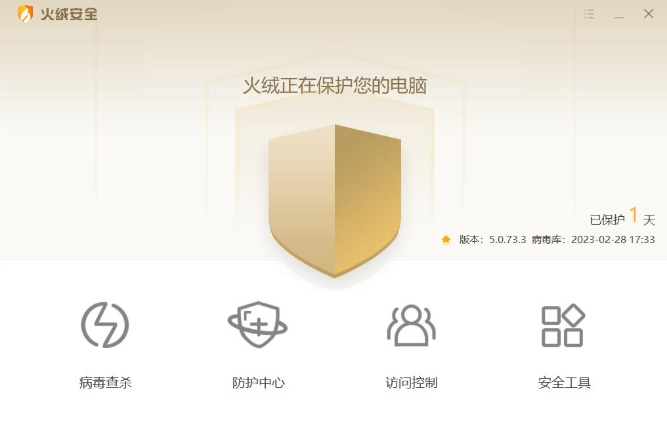
Step 2
Click the [Security Tools] button in the menu bar at the top of the main interface (the icon is usually in the toolbox style).
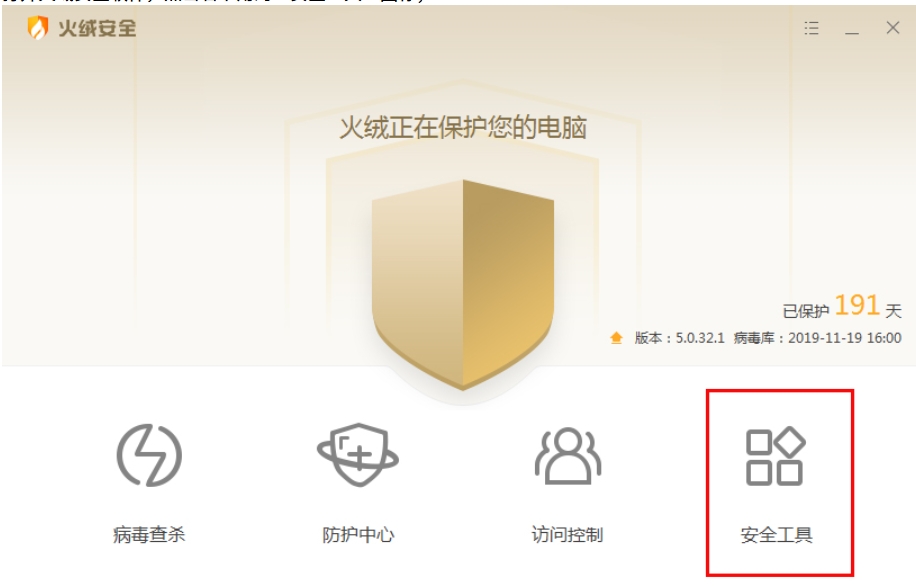
Step 3
Find the [Network Disconnect Repair] function in the security tool list (you may need to scroll to find it) and click to enter.
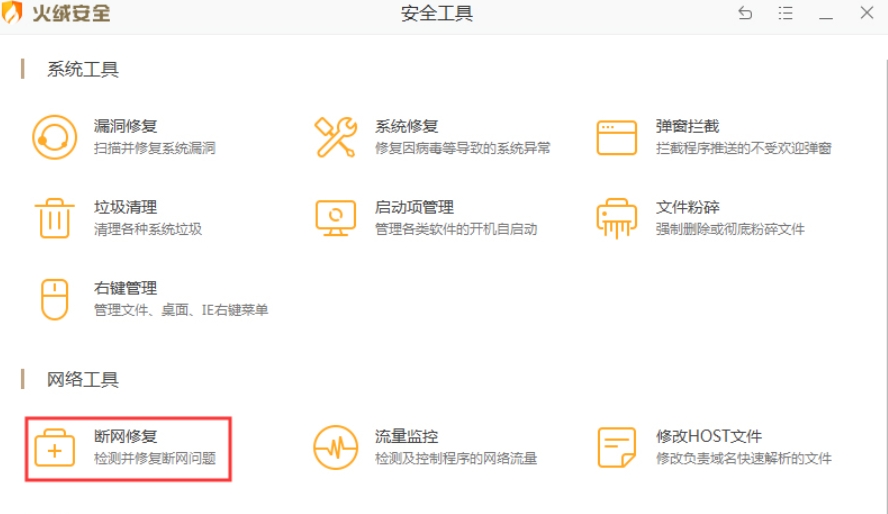
Step 4
Click the [Comprehensive Check] button in the interface, and the software will automatically scan key items such as network configuration, DNS, Hosts files, etc.
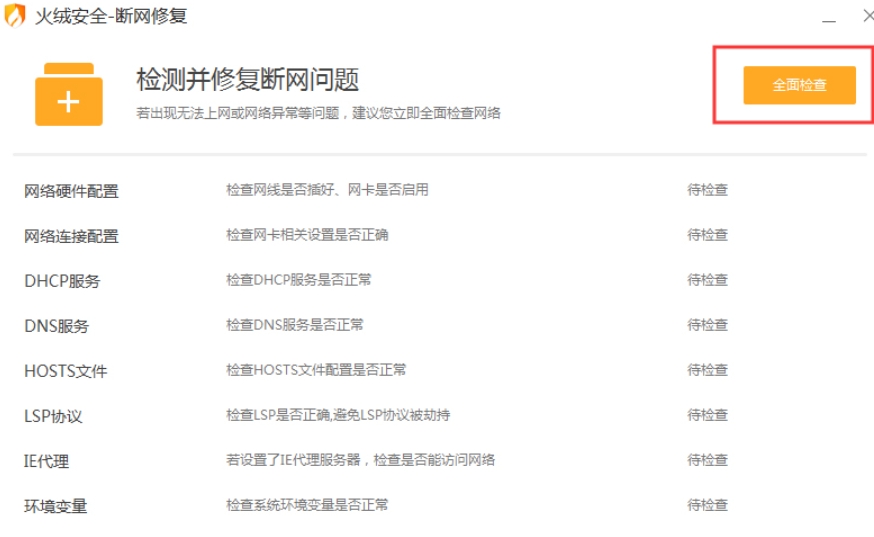
Step 5
The scanning process usually only takes a few seconds to a minute, so do not close the window midway.
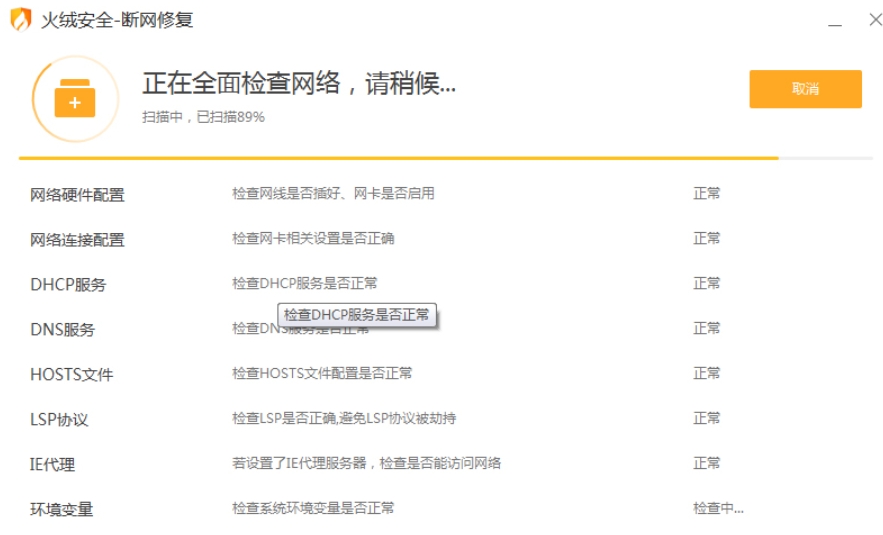
Step 6
After the scan is completed, if a problem is found, a red prompt will be displayed (such as "DNS exception"). Click [Repair Now] to automatically handle it. If "No problem found" is displayed, you can try other troubleshooting methods (such as restarting the router).
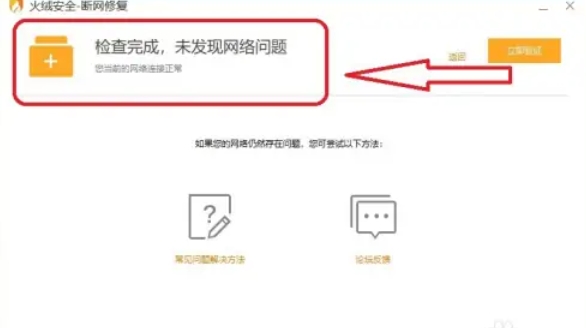
The above is how Huajun Security software can repair network disconnections and how Tinder Security software can repair network disconnections compiled by Huajun editor for you. I hope it can help you!

 How to draw a lottery in 360 Software Butler - How to draw a lottery in 360 Software Butler
 How to collect software in 360 Software Manager - How to collect software in 360 Software Manager
 Microsoft Edge browser
 Steam
Steam
 Tencent Video
 WPS Office
 iQiyi
iQiyi
 Sohu video player
 Lightning simulator
 MuMu emulator
 Eggman Party
 What to do if there is no sound after reinstalling the computer system - Driver Wizard Tutorial
 How to switch accounts in WPS Office 2019-How to switch accounts in WPS Office 2019
 How to clear the cache of Google Chrome - How to clear the cache of Google Chrome
 How to fire bullets in scratch-How to fire bullets in scratch


